
Livraison le jour même et le lendemain

Qualité garantie

Débloquez vos offres de bienvenue: Livraison GRATUITE | Jusqu'à -80 % | 30 jours d'essai gratuits à JoyPlus
Téléchargez l'application
A height-adjustable desk may seem straightforward to choose at first. However, models vary considerably in height range, stability, controls and the space they offer. A desk that looks spacious in a product photo may be too deep for a small home office. An electric model with a memory function can be useful, but a USB-C port isn’t necessarily a suitable all-purpose charger for every laptop.
Here are some common pitfalls to watch out for:
First, check whether the lowest and highest settings suit your height and chair. Many models in this selection range from around 72 to 120 cm. That’s suitable for many seated and standing working positions, but the ideal setting varies from person to person.
An electric height-adjustable desk is especially practical if you change position several times a day. A digital control panel shows the current height. A height-adjustable desk with a memory function goes a step further: you can save one or more preferred heights and return to them at the touch of a button.
Check the motor’s operating time, too. Some models specify overheating protection after around two minutes of continuous adjustment, followed by a required cooling period. This isn’t an issue during normal use, but it’s useful to know if you plan to change the height frequently.
A 120 x 60 cm desk will usually fit well in a bedroom, home office or study. There’s room for a laptop, one monitor and a keyboard, but the depth is limited. If you use a monitor arm, documents or speakers, consider a 140 x 60 cm or 160 x 70 cm desk instead.
Keep these points in mind:
A large standing desk isn’t automatically more stable. A wider desktop mainly gives you more working space. For an office or shared workspace, models that are 140 to 160 cm wide are often more flexible than a compact desk.
A desk with a USB-C port can be useful for a phone or compatible accessory. Check the stated charging function and power output, though; a USB-C port doesn’t always replace a laptop’s power adapter.
Cable grommets, a fabric storage pocket, hooks and a headphone holder can help keep your desktop tidy. If you need plenty of storage, consider a corner desk with drawers or a fixed desk with shelves. These desks, however, are usually not electrically adjustable.
According to the product information, some models have a CE mark or European standards certification. These are specifications provided by the seller; always check the latest product information, included manual and safety instructions when viewing a product.

Why it suits this profile: Its compact size is ideal for a simple home workspace, student room or bedroom. You get electric sit-stand adjustment without needing a large desktop.
The product information specifies a height range of 72–118 cm, a digital display and two memory settings. This makes the key control features clear.
120 x 60 cm, up to 70 kg according to the product specifications, two hooks, and stated CE and European standards certification.
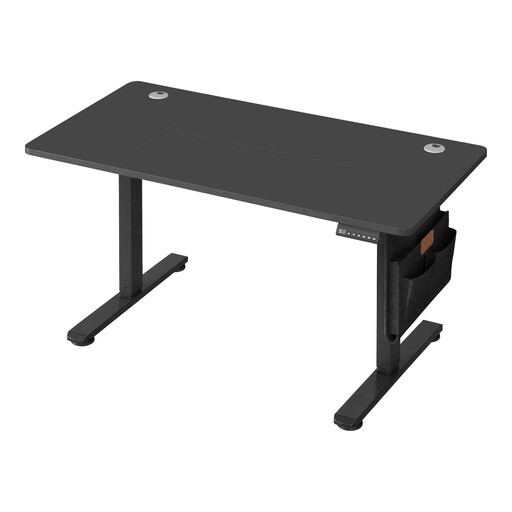
Why it suits this profile: The extra length gives you room for a monitor, laptop and accessories without having to opt for a corner desk. It’s well suited to intensive home working or studying.
The specifications list four memory height settings, two cable grommets, a storage pocket and a USB-C port. Be sure to check that the charging function meets your needs before buying.
140 x 60 cm, height range of 72–120 cm, up to 70 kg and adjustable feet according to the product description.

Why it suits this profile: The spacious desktop is designed for users with multiple screens, lots of documents or an extensive computer setup for work, study or gaming.
The larger desktop gives you room to space out monitors and peripherals. A cable grommet, storage pocket and hooks help keep loose accessories off the work surface.
160 x 70 cm, height range of 72–120 cm, USB-C connection and a maximum static load of 70 kg according to the product information.
We’ve put together a complete, up-to-date selection of products that meet these strict criteria and the applicable European safety requirements.
Power consumption depends on the motor, how often you use it and its standby mode. The motor usually only runs while the desk is being adjusted. If energy use is important to you, check the energy label, manual or technical specifications.
Set the seated height so that your shoulders stay relaxed and your forearms rest roughly horizontally on the desktop. When standing, the desktop should be around elbow height. Position the monitor directly in front of you and check that cables and accessories don’t get trapped as you adjust the desk.
Its lifespan depends on the motor, construction, load, assembly and frequency of use. Don’t exceed the stated maximum weight capacity, keep liquids away from electrical components and follow the recommended rest period if the desk has overheating protection. Also check the screws, cables and frame connections from time to time.
