
Livraison le jour même et le lendemain

Qualité garantie

Débloquez vos offres de bienvenue: Livraison GRATUITE | Jusqu'à -80 % | 30 jours d'essai gratuits à JoyPlus
Téléchargez l'application
A good desk is the foundation of any productive workspace, especially now that working from home is the norm. An electric adjustable desk, also known as a sit-stand desk, offers the flexibility to change your posture throughout the day. But the popularity of these desks has also created a market full of pitfalls. Before you invest, it's crucial to know what to look for to avoid wasting money on a model that becomes an irritant after just a few months.
Here are three common problems buyers encounter:
To avoid the pitfalls mentioned above, there are a few key specifications you should always check. These determine the stability, ease of use, and lifespan of your ergonomic desk.
The stability of a standing desk depends entirely on its frame. A wobbly desk is often the result of a frame that is too light or poorly designed. Pay attention to the following points:
A height-adjustable desk should be intuitive to operate. Otherwise, you won't use the feature.
Think carefully about which extras you truly need for your home office desk.
Not everyone needs the same type of desk. Below are several options tailored to different needs and workspaces.
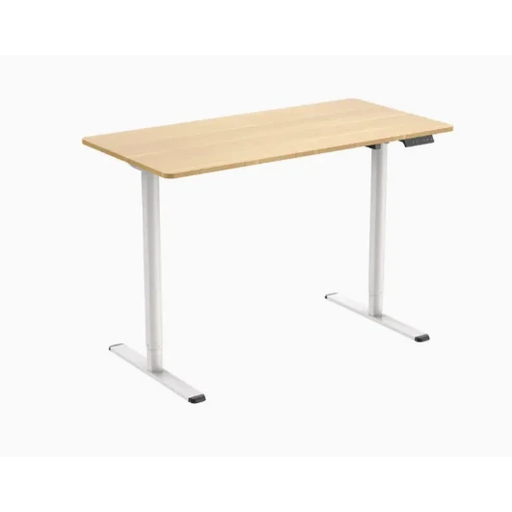
Why This Fits Their Persona: The compact 120 x 60 cm size is ideal for a home office where space is often limited, without compromising on ergonomic benefits.
This model focuses on the essentials: a stable steel frame and a smooth electric lift with memory presets. It avoids expensive, unnecessary extras and delivers reliable core functionality.
Compact size ideal for smaller spaces. Control panel with four memory presets for added convenience.
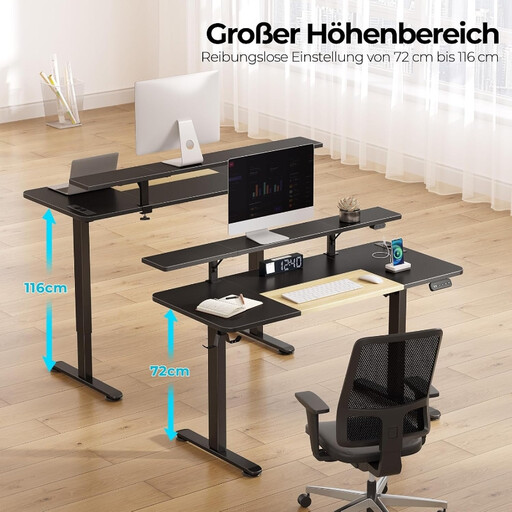
Why This Fits Their Persona: Designed for users with a lot of equipment. The integrated power and USB ports, monitor stand, and spacious desktop are perfect for an extensive gaming or work setup.
The extra features here are practical, not gimmicks. The power hub reduces cable clutter, and the quiet motor allows for adjustments without breaking focus during work or a gaming session.
Built-in power hub with 2 outlets and 2 USB ports. Ergonomic monitor stand for better neck posture.
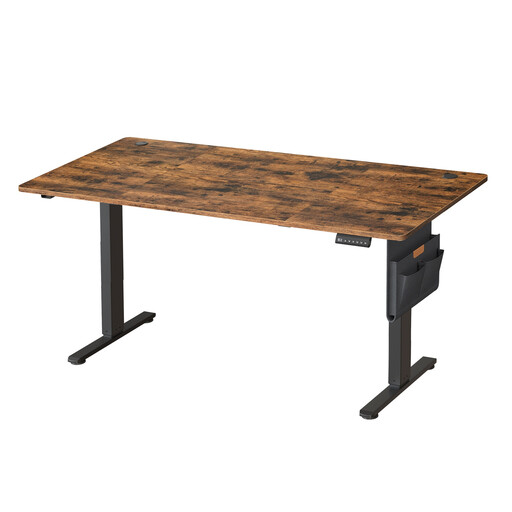
Why This Fits Their Persona: The very generous 180 x 80 cm desktop provides more than enough room for multiple monitors, documents, and creative projects. Ideal for professionals who need a large work surface.
The robust steel frame and high-quality motor are designed to keep the large, heavy top stable, even at standing height. This prevents the wobble effect that is often a problem with large, cheaper desks.
Extra-large work surface (180 x 80 cm). Controller with memory function, power-saving mode, and a fast-charging USB-C port.
We have compiled a complete, up-to-date list of products that meet these strict selection criteria.
The load capacity varies by model but is typically between 60 kg and 100 kg (132 lbs and 220 lbs). Always check the manufacturer's specifications. A dual-motor desk can usually handle more weight than a single-motor model. Add up the weight of your equipment to ensure you stay within the limit.
For most users, a dual-motor desk is the better choice. Dual-motor desks are generally faster, quieter, and more stable, especially with a heavier load. A single-motor desk may suffice for a light setup (e.g., just a laptop), but for a full workstation with multiple monitors, a dual-motor is recommended.
Maintenance is simple. Clean the desktop regularly with a soft, damp cloth. Do not use aggressive cleaning agents. Occasionally check that all screws are still tight, especially after the first few weeks of use. According to many manufacturers' instructions, it is advisable to protect the electrical components from liquids.
