
Vandaag of morgen in huis

Kwaliteit gegarandeerd

Welkomstaanbiedingen ontgrendelen: GRATIS bezorging | Tot 80% korting | Gratis 30 dagen JoyPlus-proefperiode
Download de app
Earphones with a microphone are handy for calls, working from home, gaming and listening to music. But a product photo alone often isn’t enough to help you make the right choice. The wrong connection, a poor fit or unclear compatibility can leave you with a new pair of earphones that you can hardly use.
Look out for these three common pitfalls:
Below, we explain which specifications to check before buying earphones with a microphone.
The connection determines whether you can use the earphones straight away.
Wired earphones with a 3.5mm TRRS plug work with many laptops, tablets, controllers and older smartphones. Check whether your device has a single combined socket for audio and microphone. If your computer has separate headphone and microphone ports, you may need a splitter.
The HyperX Cloud Earbuds II uses a 3.5mm TRRS plug with a CTIA layout. According to the product information, the button works with compatible devices, although its exact function may vary between devices.
USB-C earphones only work with devices that support audio over USB-C. The Sony IER-EX15C and Samsung EO-IC100 are wired models with this connection. They’re practical for smartphones, tablets and laptops without a traditional headphone socket.
Also check whether your phone supports USB-C audio while in use. A USB-C port doesn’t automatically mean that every audio accessory will work with your device.
Wireless earphones use Bluetooth, so you don’t need a cable connected to your phone. Check the battery life, charging time and how many devices you can connect to. For gaming, the connection method is also important. Bluetooth may have more lag than a dedicated wireless technology.
An in-line microphone is compact and suitable for phone calls, voice messages and straightforward video calls. For frequent online meetings or gaming, an adjustable boom microphone may be more practical, as you can position it more precisely in relation to your mouth.
Check the product specifications for:
When looking at earphones with noise cancellation, distinguish between passive isolation and active noise cancellation. In-ear earphones partly seal the ear canal with silicone tips. Active noise cancellation uses electronics to reduce background noise. According to Bose, the QuietComfort Earbuds have active noise cancellation and an Aware mode. This is a manufacturer’s claim, not a universal guarantee for every environment.
A good fit affects comfort, sound isolation and how securely the earphones stay in place when you move. Check whether the earphones come with different sizes of tips. According to the product information, the HyperX Cloud Earbuds II comes with four sizes of silicone ear tips. The Samsung EO-IC100 also comes with different sizes.
A cable around 1.2 metres long is practical when carrying your smartphone in a pocket or bag. A longer cable can be useful at a desk, but is more likely to catch on things. Check the plug design too. An angled or reinforced connection may make the cable less vulnerable, but won’t prevent wear completely.
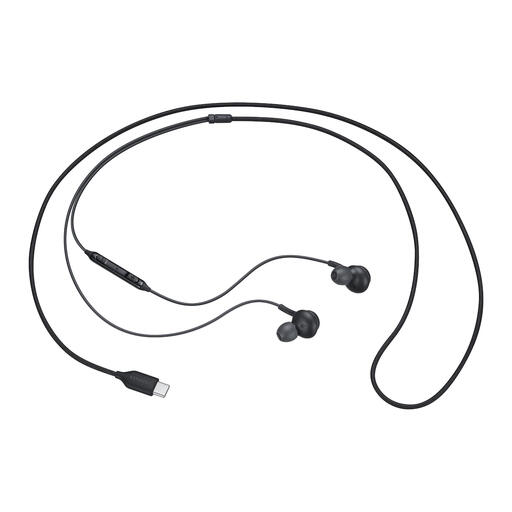
Why it suits this profile: The USB-C connection is suitable for everyday use with compatible smartphones, tablets and laptops. There’s no battery to charge or Bluetooth connection to set up.
The connection and wired design are clearly specified. However, check first whether your device supports USB-C audio.
USB-C connection, in-ear design, built-in controls and a weight of 18.35 grams according to the product specifications.
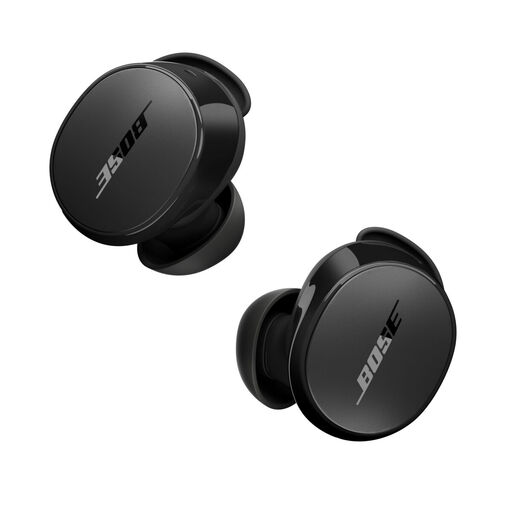
Why it suits this profile: Ideal for listeners who value wireless use, adjustable noise cancellation and longer battery life.
The product information lists active noise cancellation, an Aware mode and Bluetooth 5.3 separately. This makes it clearer what features you’re getting than a general “noise cancelling” claim.
Up to 8.5 hours of battery life, an IPX4 rating and multipoint Bluetooth, according to Bose. Check the latest product specifications for the exact battery life.
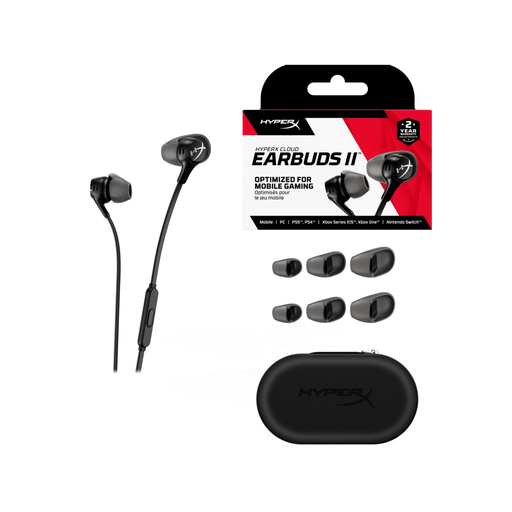
Why it suits this profile: These gaming earphones are designed for users looking for a wired connection and microphone, with compatibility across PC, Nintendo Switch, Steam Deck and mobile devices.
The 3.5mm TRRS connection, microphone and compatible platforms are clearly listed. A splitter may be needed for PCs with separate audio inputs.
14.3mm dynamic drivers, four sizes of ear tips, a 1.2-metre cable and a weight of 20 grams according to the product specifications.
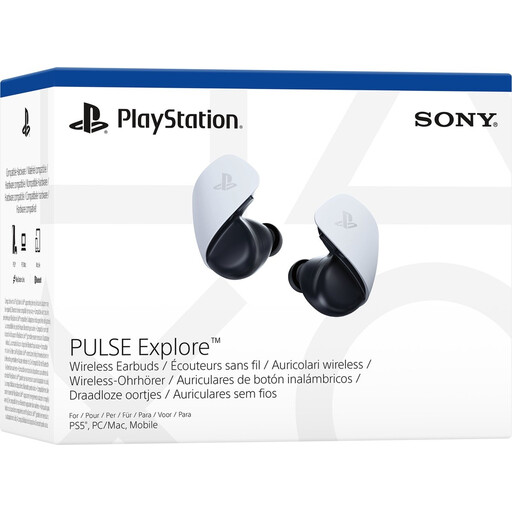
Why it suits this profile: Designed for users looking for earphones for PS5 who also want to connect to PC, Mac, PlayStation Portal and mobile devices.
The product description lists PlayStation Link, Bluetooth and supported devices separately. Before buying, check which connection you’ll use with your setup.
Wireless design, two built-in microphones according to Sony and a charging case. The product information gives different battery life figures, so check the current listing.
We’ve put together a complete, up-to-date list of products that meet these strict selection criteria and the applicable European safety regulations.
It depends on the connection. A 3.5mm TRRS model will usually work through a combined audio socket. If your laptop has separate ports, you may need a splitter. USB-C earphones only work if the laptop supports USB-C audio. Bluetooth earphones need an active Bluetooth connection and may require permission to access the microphone.
Wired earphones don’t need a battery or, in most cases, a wireless connection. This makes them practical for calls, mobile gaming and extended use. Wireless models offer greater freedom of movement, but you’ll need to consider charging and compatibility. For gaming, it’s worth checking latency and connection compatibility as well as sound quality.
Their lifespan depends on cable strain, moisture, storage and everyday use. Store wired earphones without sharp bends and pull the plug rather than the cable. Put wireless earphones back in their charging case and keep the charging contacts clean. EU consumers are entitled to a minimum two-year legal guarantee for products that don’t conform to the contract; this is separate from normal wear and tear or damage caused by misuse.
