Who these earphones are for

Listening at a shared study table

You want to hear your podcast clearly without people sitting next to you hearing it too. Look for a comfortable fit, a low listening volume and minimal sound leakage. The Consumers' Association explains that close-fitting earbuds make it harder for sound to escape.

Listening for long stretches

You listen to several episodes in a row and value comfort and uninterrupted listening. Bear in mind that you can't use wireless earphones while they're charging in their case, as the Consumers' Association explains.

Listening with changing background noise

Sometimes you're near ventilation or quiet chatter and want to switch between noise reduction and hearing what's going on around you. Sony and JBL describe ambient sound listening features for the models mentioned here.

What to consider when choosing

Close-fitting wireless in-ear earphones

Best for: sitting close to other people and finding silicone tips comfortable.

Keep in mind: a close-fitting tip can create pressure, and comfort varies from ear to ear.

In-ear earphones with noise cancellation

Best for: when ventilation or conversations interrupt your podcast. Sony and JBL also describe features that let you hear ambient sound.

Keep in mind: in a quiet space, noise cancellation may matter less than fit and sound leakage.

Wired USB-C earphones

Best for: avoiding battery management, provided your device supports the connector.

Keep in mind: a cable limits your freedom of movement. Apple specifies device and system requirements for its EarPods (USB-C).

Open or less close-fitting earphones

Best for: if silicone tips feel uncomfortable and you'd like to hear more of your surroundings.

Keep in mind: according to the Consumers' Association, an open design can make it easier for sound to leak out and disturb people around you.

What to consider What to look for Who should prioritise this
Minimal sound leakage Compare close-fitting silicone tips with open models. The Consumers' Association explains that well-fitting tips make it harder for sound to leak out. Check this at your usual low listening volume. When I'm at a shared study table, I want to hear my podcast without disturbing others. Around 36% of consumers prioritise minimal sound leakage.
Comfort during long listening sessions In-ear earphones seal off the ear canal, as the Consumers' Association explains. Compare the tip sizes available and check for pressure during a longer episode. When I listen to several episodes, I don't want earphones that press uncomfortably. Around 29% of consumers put wearing comfort first.
Clear podcast voices Listen for distortion and changes in the tone of voices; the Consumers' Association highlights these as things to consider for podcasts. Consider noise cancellation if background noise distracts you. When I'm following a spoken science podcast, I want voices to sound natural and clear. Around 21% of consumers prioritise voice clarity.
Connector and listening time Check the connector and system requirements for your device. With wireless earphones, compare listening time per charge, not just the total time including the case; you can't use them while they're charging in it. If I don't want to stop to recharge, or I prefer wired earphones, a compatible connector or suitable listening time matters. Around 14% of consumers prioritise this.

Common buying mistakes

  • Confusing total battery life with the case for uninterrupted listening time

    The charging case can provide extra charges, but you can't use the earphones while they're charging in it.

    Compare the stated listening time per charge for the listening mode you plan to use.

  • Automatically choosing open-ear earphones for a shared quiet space

    A less close-fitting design may feel more comfortable, but according to the Consumers' Association, sound can leak out more easily and disturb others.

    Balance comfort against what people at your table might hear, and check at a low volume.

  • Assuming every USB-C plug is compatible

    Apple specifies device and system requirements for EarPods (USB-C); these don't confirm that they'll work with every USB-C phone.

    Before buying, check that your exact playback device is supported.

  • Confusing an extended warranty with your statutory rights

    According to the Dutch government, you should be able to contact the retailer if there's a problem with a product. An extended warranty is only worthwhile if its terms genuinely provide extra cover.

    Read the terms and compare the cover with your statutory rights before choosing an extended warranty.

Brands to compare

This brand and model information will help you compare features and terms of use. The brands are not ranked.

Sony

The WF-C710N is an option to consider if you're comparing wireless earphones with noise cancellation and an ambient sound mode.

  • Sony lists both listening modes and up to 8.5 hours of listening with the earphones, plus 21.5 hours via the case.
  • These are Sony's figures, not an independent assessment of voice reproduction or comfort for every user.

JBL

The Tune Buds 2 are an option with adaptive noise cancellation and Smart Ambient for changing background noise.

  • JBL describes Ambient Aware and TalkThru features for this model.
  • The advertised total playback time isn't the same as uninterrupted listening time. There is no independent comparison of this model with the others mentioned here.

Apple

EarPods (USB-C) are a wired option if you can check the connector and device requirements in advance.

  • Apple lists cable controls for volume and playback.
  • Apple specifies compatibility with certain devices and system versions; this doesn't prove that every USB-C phone is supported.

Samsung

The Galaxy Buds3 FE are a wireless in-ear option to compare, particularly if you use a Galaxy device.

  • Samsung lists noise cancellation and features for Galaxy devices for this model.
  • The model and feature information isn't an independent test of podcast voices or performance.

Earphones at Joybuy

This selection includes wired USB-C earphones and wireless options, including models with noise cancellation. When choosing, check both the fit and the connector on your playback device.

JBL Tune 305C wired USB-C earphones, blue

JBL Tune 305C USB-C earphones, blue

A wired option if you don't want to charge an earphone battery. Check that your playback device supports USB-C.

  • Wired
  • USB-C
  • Blue
View at Joybuy
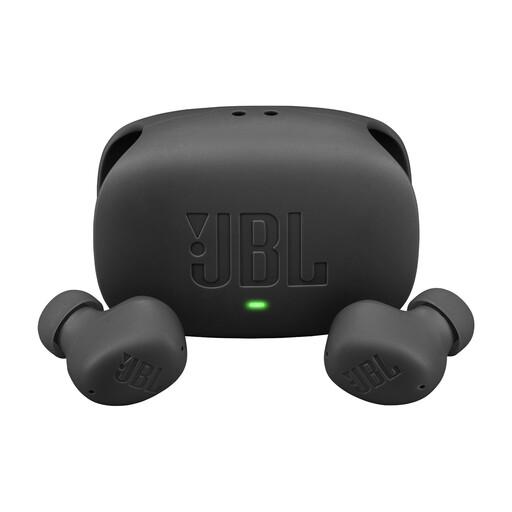
JBL Wave Buds 2, black

JBL Wave Buds 2, black

A wireless option to compare if you want to reduce background noise but still be able to hear what's going on around you.

  • Active noise cancellation
  • Smart Ambient
  • Black
View at Joybuy
Samsung Galaxy Buds4 Pro, black

Samsung Galaxy Buds4 Pro, black

A wireless in-ear option with noise cancellation to compare if you want to reduce distractions from background noise.

  • True wireless
  • In-ear
  • Active noise cancellation
  • Black
View at Joybuy
Bose Noise Cancelling Wired Earbuds, black

Bose Noise Cancelling Wired Earbuds, black

A wired option to compare with a wireless model if you want to listen without relying on an earphone battery.

  • Wired
  • Noise cancellation
  • Black
View at Joybuy
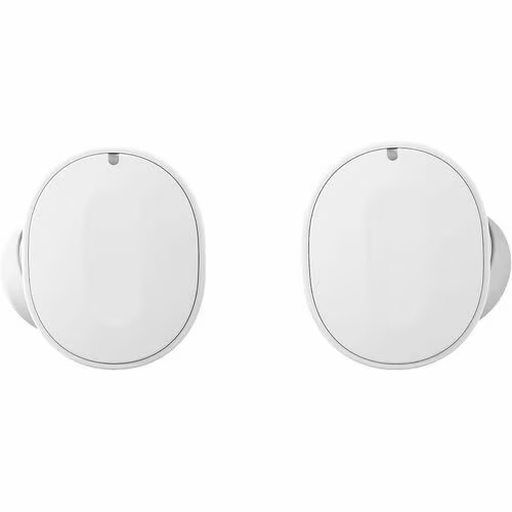
Fairphone Fairbuds, white

Fairphone Fairbuds, white

An option to compare if noise cancellation matters to you. Also look for a fit that stays comfortable throughout a long episode.

  • White
View at Joybuy

Frequently asked questions

Do you need noise cancellation in a quiet library?

Not necessarily. Start by considering fit, sound leakage and clear voices. Noise cancellation is mainly useful if something such as ventilation noise distracts you. Sony and JBL describe features on the models mentioned here that let you switch to hearing ambient sound.

How can you avoid constantly turning up the volume?

Start at a low volume and check that the earphones fit well. The WHO stresses that sound level, listening time and how often you're exposed to loud sounds all matter. A percentage on the volume slider doesn't directly measure the sound level in your ear.

What should you consider when it comes to charging and listening time?

With wireless earphones, compare listening time per charge and remember that you can't use them while they're charging in the case. The Consumers' Association distinguishes between listening time and the extra charges provided by the case.

Do USB-C earphones work with every USB-C device?

Don't assume they do. Apple specifies particular Apple devices and system requirements for EarPods (USB-C). Before buying, check that your exact playback device is supported.

What are your rights if earphones bought online are faulty?

If a product is faulty in the Netherlands, you can contact the retailer. According to the Dutch government, a manufacturer's warranty doesn't replace your statutory rights. For distance purchases, you can usually change your mind within 14 days, but whether an exception applies needs to be assessed for each order.