
Dialogue replay listener
You often replay short scenes and want to pause and resume without taking your attention away from the dialogue. Check that the controls work with your playback app.


Start with a familiar dialogue recording and choose earbuds to suit where you listen and how you control playback: go wired for a compatible device and sessions without charging an earbud battery, choose noise-isolating earbuds if background noise is distracting, or opt for open-ear earbuds if you want to stay aware of your surroundings. None of these designs can make an unclear source recording clear on its own, so compare the same scene at a comfortable volume. Apple documents playback and pausing among the AirPods Pro 3 controls, but that doesn’t automatically mean you can skip back a few seconds. Check the controls in your playback app, too, and the listening time per charge.
You often replay short scenes and want to pause and resume without taking your attention away from the dialogue. Check that the controls work with your playback app.
Perhaps you practise while travelling or in a shared space, and want to reduce distracting background noise without constantly turning up the volume.
You listen to whole scenes in one sitting and take fit, awareness of your surroundings and interruptions for charging into account when choosing.
Choose this option if: you practise on one compatible device and don’t want to charge an earbud battery.
Bear in mind: the cable restricts your movement, and the connection and controls need to work with your device and app.
Choose this option if: background noise distracts you and you find noise-isolating ear tips comfortable.
Bear in mind: noise cancellation won’t remove every sound and can affect listening time per charge.
Choose this option if: you study in relatively quiet surroundings and want to stay aware of the sounds around you.
Bear in mind: an open design won’t block out background noise like well-fitting in-ear earbuds can.
| Consideration | What to look for | Who is this important for? |
|---|---|---|
| Understanding dialogue | Assess the same scene with a suitable fit and at a comfortable volume; also consider the recording itself. | If I want to follow quiet or quickly delivered lines, I don’t want my listening environment to mask the difference between words. Around 29% of consumers prioritise clarity. |
| Replaying scenes | Test pausing, resuming and skipping back in your own playback app; a previous-track button doesn’t automatically skip back a few seconds. | When practising, I want to return quickly to a tricky passage without having to figure out the controls again each time. Around 23% of consumers prioritise replay controls. |
| Background noise | Compare noise-isolating ear tips and noise cancellation where you listen; neither can fix an unclear recording. | When I practise in a noisy space, I want to follow the dialogue without constantly turning up the volume. Around 18% of consumers put background noise first. |
| Fit and comfort | Check which ear tip sizes are available or try the style where possible; with open-ear earbuds, background noise remains audible. | For longer listening sessions, I want a style that stays comfortable, even if maximum noise isolation isn’t my priority. Around 18% of consumers value comfort most. |
| Connection and listening time | Check the port and device and software requirements; for wireless models, compare listening time per charge with the total time including the case. | If I don’t have a compatible connection or don’t want to interrupt my session to charge, the connection and battery life need to suit my device and listening time. Around 12% of consumers prioritise connectivity or uninterrupted listening. |
Listening time per charge is different from the total time you can get by recharging your earbuds from the case along the way. The Consumentenbond makes this distinction for wireless earbuds.
Compare the hours per charge separately from the hours including the case, and check which noise-cancelling mode is being used.
During a long study session, charging may mean you have to pause your listening.
Noise cancellation targets the sounds around you; the clarity of the source recording is a separate matter.
Listen to the same quiet line in your usual listening environment, and assess the recording and fit separately.
A USB-C connection or playback button doesn’t prove that it will work with every device and app. Apple lists specific device and software requirements for EarPods (USB-C).
Before buying, check the port, device, software requirements and controls in your playback app.
Apple offers both wired EarPods (USB-C) and noise-isolating AirPods Pro 3 for compatible devices.
Sony describes the WF-C710N as noise-isolating wireless in-ears and the LinkBuds Clip as an open-ear alternative.
JBL describes the Tune Beam 2 as wireless in-ears with noise cancellation, Smart Ambient and multipoint connectivity.
Samsung describes the Galaxy Buds3 FE as wireless in-ears with features for supported Galaxy devices.
This selection includes wired models for listening without charging an earbud battery, noise-isolating wireless in-ears, and an open-ear option for anyone who wants to stay aware of the sounds around them.
 No image available
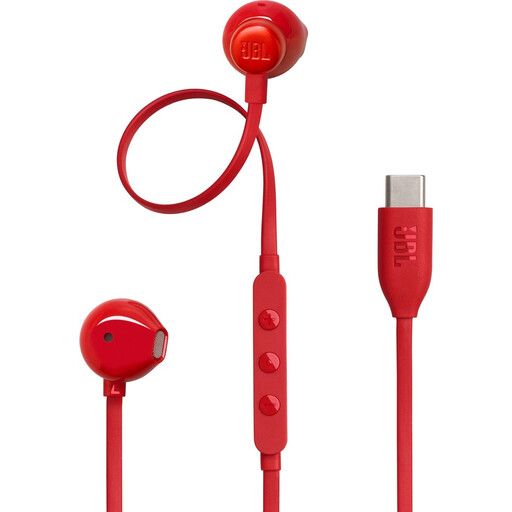
A wired option if you don’t want to charge an earbud battery while practising.
USB-C connection and in-line controls; check that the connection is compatible with your device. The product information lists several ear tip sizes.
 No image available
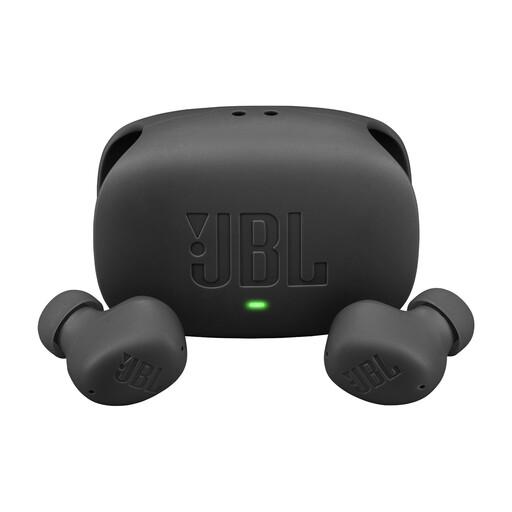
A wireless in-ear option if you want to pause and play while practising, and reduce background noise.
The product information lists playback and pause controls, active noise cancellation and Smart Ambient.
 No image available
A wired option if you don’t want to charge an earbud battery while replaying scenes.
USB-C connection and in-line controls; check that the connection is compatible with your device. The product information lists three ear tip sizes and two sizes of stability bands.
 No image available
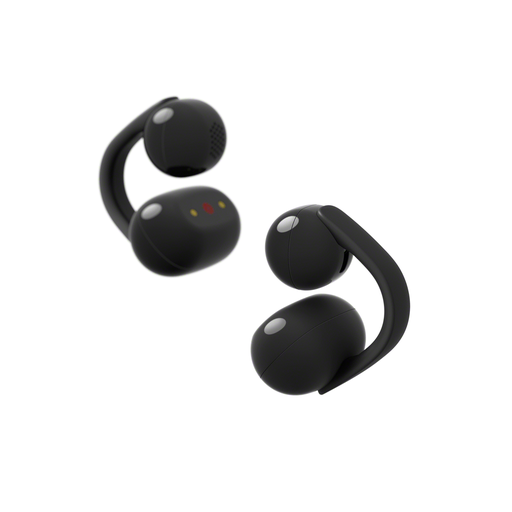
An open-ear option if you want to stay aware of the sounds around you while listening.
The product information lists a clip-on design and three listening modes. The open design won’t block out background noise like noise-isolating in-ears can.
 No image available
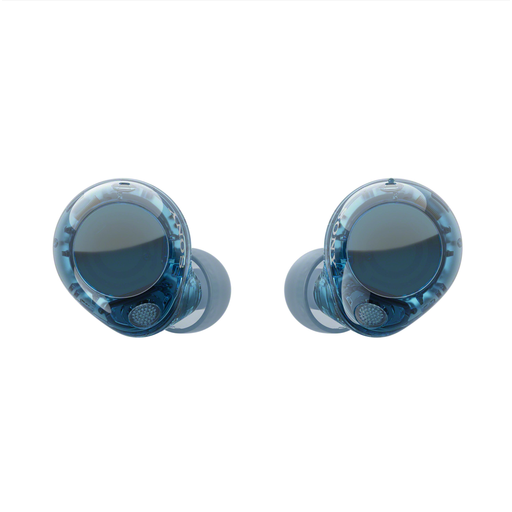
A noise-isolating wireless in-ear option if distracting background noise gets in the way and you want controls on the earbuds.
The product information lists noise cancellation, an ambient sound mode and touch controls for music. Sony quotes up to 8.5 hours of listening per charge, plus a further 21.5 hours from the case; the time from the case isn’t uninterrupted listening time.
Not automatically. Apple lists playback, pause and skipping to the previous track among the AirPods Pro 3 controls; check separately whether your playback app supports skipping back a few seconds.
Noise cancellation targets background noise; it won’t restore unclear words in the source recording. Compare the same scene and check the recording and fit, too.
Compare listening time per charge with the total time including the case. The total includes charging along the way, so it isn’t the same as one uninterrupted study session.
Not necessarily; check the requirements for the specific model. For EarPods (USB-C), Apple lists compatible Mac models with USB-C and macOS Monterey 12.6 or later, as well as iPad models with USB-C and iPadOS 16.4 or later.
Not unconditionally. ACM ConsuWijzer says that online purchases generally come with a 14-day cooling-off period from delivery, but notes an exception for hygiene products that have been removed from their packaging. Check whether this exception applies to your specific purchase.