What should you look for when choosing?
First, work out how the audio will reach your earbuds. Then decide whether you want more isolation for a stream or the option to keep hearing sounds in the room.
| Concern |
What should you look for? |
Who is this most relevant to? |
| A usable audio source |
Ask whether a personal stream is available and which playback device it uses. If there’s no stream, check whether you’re allowed to place a suitable microphone near the speaker. |
If I don’t know how the speaker’s voice will reach my earbuds, I want to sort out the audio source first; around 33% of consumers say this is their top priority. |
| Clear speech despite room noise |
Check the fit and listening mode of the exact model. Turning up the volume isn’t automatically the right solution. |
When listening to a stream in a noisy room, I want to follow the speech clearly without constantly turning it up; around 27% of consumers prioritise speech clarity. |
| Being able to hear the room |
Compare an open design with an ambient mode, bearing in mind that an open design also lets in distracting sounds. |
If I want to notice questions and announcements in the room, being aware of my surroundings matters most; around 20% of consumers rank this first. |
| Comfort throughout the session |
Compare the listening time per charge in your chosen mode with the length of the session. Also check the fit and compatibility with your device. |
For a long talk, I want earbuds that are comfortable and work with my device; around 20% of consumers put session length and device compatibility first. |
Joybuy products
This selection includes wired and wireless earbuds for a personal stream, as well as an open-ear model for anyone who wants to keep hearing the room. The AirPods Pro 3 also offer the Live Listen option described above, when used with an iPhone or iPad.
 No image available
Bose Noise Cancelling Wired Earbuds, Black
For a stream from a USB-C device, these offer a wired in-ear option; the connection isn’t via Bluetooth.
The product description lists a USB-C connection, QuietControl noise cancellation, three ear tip sizes, stability wings and in-line controls.
View at Joybuy
 No image available
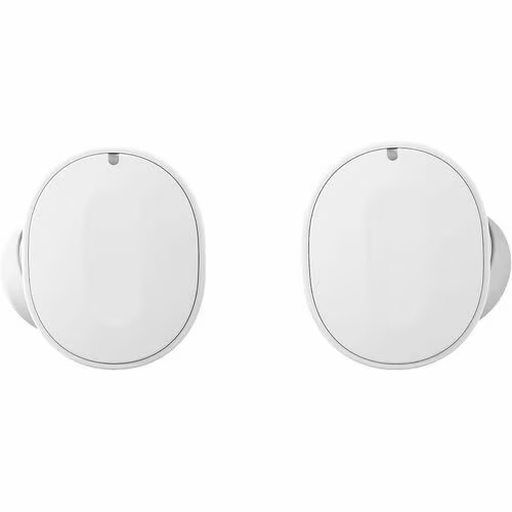
Fairphone Fairbuds, White
For an available Bluetooth stream, the product description lists hybrid active noise cancellation.
Listening time is stated as up to 8 hours per charge with noise cancellation off; the description also mentions replaceable parts.
View at Joybuy
 No image available
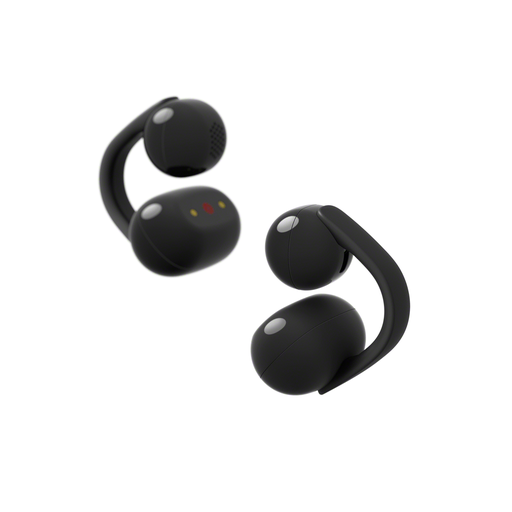
Sony LinkBuds Clip, Wireless Open-Ear Earbuds, Black
An open design suits listening to a stream while you keep hearing the room; it also lets distracting sounds through.
The product description lists Bluetooth audio, three playback modes and up to 9 hours of listening time per charge.
View at Joybuy
 No image available
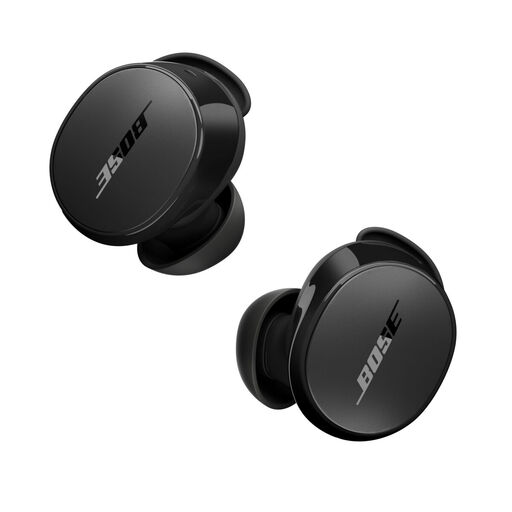
Bose QuietComfort Earbuds, Black
For an available Bluetooth stream, the product description lists active noise cancellation and a mode for hearing ambient sounds.
The listening modes described are Quiet and Aware.
View at Joybuy
 No image available
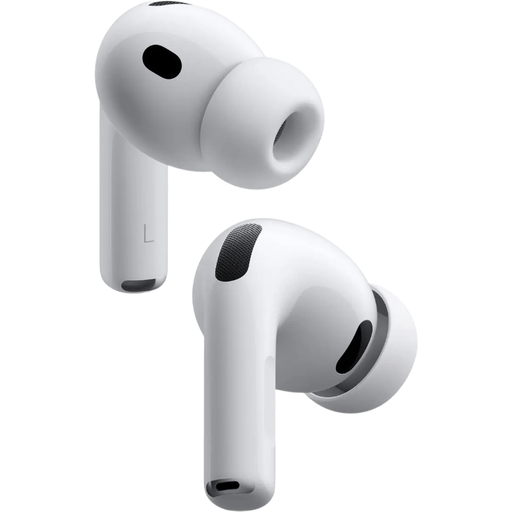
Apple AirPods Pro 3
If there’s no stream but you can place an iPhone or iPad near the speaker with permission, Apple describes Live Listen as a way to use that device as a microphone with compatible AirPods.
The product description lists active noise cancellation, Transparency mode and five ear tip sizes. Apple states up to 8 hours of listening time per charge with Active Noise Cancellation on. Live Listen requires a compatible device running iOS or iPadOS 14.3 or later and a suitable microphone position.
View at Joybuy
Frequently asked questions
Will earbuds work as a talk receiver on their own, without a stream or PA system?
No, you’ll need an audio source first. According to Apple Support, Live Listen lets a connected iPhone or iPad act as an external microphone for compatible AirPods. Check in advance whether you’re allowed to place the device near the sound source and whether it’s practical to do so.
How do you use Live Listen during a talk?
Connect compatible AirPods to an iPhone or iPad running iOS or iPadOS 14.3 or later, turn on Live Listen and, with permission, place the device near the sound source. Test the setup beforehand; the microphone is in the device you place, not in the earbuds.
What do the cooling-off period and warranty mean when buying earbuds online in the Netherlands?
ACM ConsuWijzer says online purchases generally come with a statutory 14-day cooling-off period after delivery, with exceptions such as certain hygiene products that have been removed from their packaging. Check the terms that apply to your purchase. Separately, the seller must put things right if, under normal use, a product doesn’t do what you could reasonably expect of it.
What should you look for in wireless Bluetooth earbuds in the Netherlands?
Radio equipment placed on the EU market must meet the applicable requirements of the Radio Equipment Directive. The European Commission sets out the framework for radio equipment, while the Dutch government states that applicable electronic products must carry the CE marking. Check the information for the specific model: a CE marking alone doesn’t prove that the earbuds are suitable for your talk.


