
Side sleepers who listen to lectures
You want to hear your own recording without an earbud pressing uncomfortably against your pillow. A low-profile design and the right ear tips may therefore matter more than extra sleep features.


Start with earbuds that can play your own recording over Bluetooth and feel comfortable in your sleeping position. Choose extra noise isolation if background noise is drowning out speech, but bear in mind that you may find important sounds harder to hear. A playback timer and low volume matter more than the highest quoted battery life alone.
You want to hear your own recording without an earbud pressing uncomfortably against your pillow. A low-profile design and the right ear tips may therefore matter more than extra sleep features.
You want to understand speech at a low volume despite background noise. Decide how much noise isolation you need and which sounds you still want to be able to hear.
You want to avoid letting a lecture recording keep playing unnecessarily. Compare timers and switching functions, not just battery life.
First, check that you can play your own recording from your device and that the fit suits your sleeping position. Then consider how much noise isolation you need and how playback stops.
| What to consider | What to look for | Who is this important for? |
|---|---|---|
| Comfort and fit when lying down | Check the profile, the sizes of ear tips included and whether a sealed or semi-in-ear fit suits your sleeping position. | When I listen on my side, I don’t want to feel uncomfortable pressure from the pillow. Around 36% of consumers prioritise comfort when lying down. |
| Playing your own recordings | Check Bluetooth playback from your device and app, and which mode keeps the recording audible. | I want to hear my own lecture recording, not just built-in sleep sounds. Around 29% of consumers prioritise playing their own recordings. |
| Understanding speech amid background noise | Distinguish between passive isolation, ANC and noise reduction for phone calls. Also check whether you need to hear an alarm clock or an alert. | When background noise drowns out my recording, I want to understand speech without missing important sounds. Around 21% of consumers prioritise a quieter listening experience. |
| Playback time and stopping | Compare playback time per charge in the relevant mode and check the timer on your app or earbuds. | If I fall asleep while listening, I don’t want the recording to keep playing unnecessarily. Around 14% of consumers give automatic shut-off their highest priority. |
Quoted playback time can vary by mode. Soundcore lists 10 hours in Bluetooth mode and 14 hours in sleep mode for Sleep A20, so these figures don’t apply to the same playback mode. Belkin lists 6 hours per charge and 26 hours including charging in the case for SoundForm Anywhere.
Compare playback time per charge in the mode you’ll actually use to play your lecture recording.
Belkin states that SoundForm Anywhere doesn’t have ANC. Noise reduction for microphone calls isn’t the same as noise isolation for you as the listener.
If background noise is your main problem, look specifically for a feature designed for the listener.
Cleveland Clinic says that noise-isolating earbuds can make important sounds, such as an alarm clock or emergency alert, harder to hear.
Decide in advance which sounds you need to hear, then choose your level of isolation and alarm settings accordingly.
Philips says that production of TAN7808GY/00 has stopped. A product listing alone doesn’t confirm that production or availability is ongoing.
If you find an offer, check the exact version and current availability.
Sleep A20 and Sleep A30 are sleep earbuds for people who want to play their own audio. The A30 is also aimed at those considering ANC.
SoundForm Anywhere is a low-profile, semi-in-ear option for anyone looking to combine their own audio with a low-profile fit.
Sleepbuds 2 are designed for listening as you drift off and switching over to sleep sounds.
The Philips page for TAN7808GY/00 describes your own playlists, a low-profile fit and audio that fades out automatically.
These Joybuy product picks are for anyone who wants to listen to their own audio wirelessly. Check that each model works with your recording app and device.
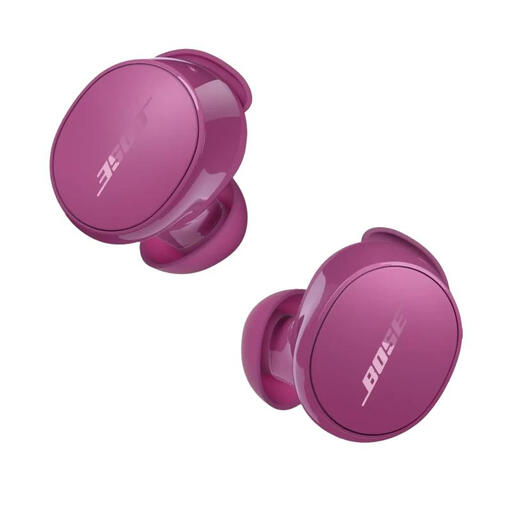 Image unavailable
An option to consider if you want to switch between your phone and laptop while listening. Check that your recording app and preferred sound setting work with them.
Noise isolation can make important sounds harder to hear.
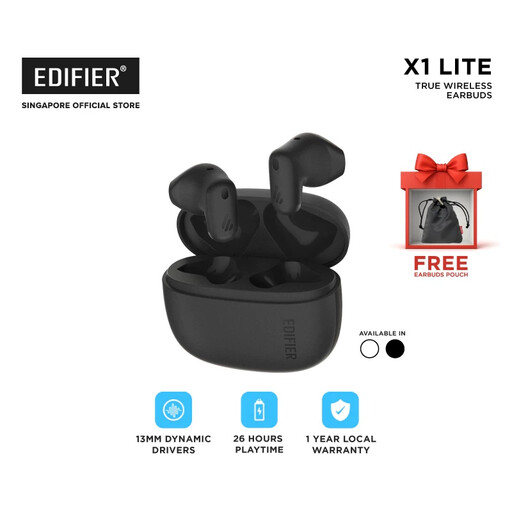 Image unavailable
An option to consider if you want to listen to your own lecture recordings wirelessly. Check that it connects to your device and works with your recording app.
Yes, with models confirmed to support Bluetooth streaming, such as Soundcore Sleep A20 and Belkin SoundForm Anywhere. Check that your recording app sends audio from your device to the earbuds; a built-in sleep mode doesn’t automatically mean the earbuds support streaming.
Start at a low volume and use a playback timer where possible. The World Health Organization stresses that both volume and listening duration contribute to sound exposure. If you feel pain, itching or a burning sensation in your ear, don’t keep wearing the earbuds; Thuisarts advises contacting your GP if symptoms persist.
No, not always. ACM ConsuWijzer says that online purchases usually come with a 14-day cooling-off period, but there’s also an exception for hygiene products that have been unsealed. Before buying, ask which terms apply to the product and its packaging.
No, your statutory rights exist alongside any seller or manufacturer’s warranty. If a product doesn’t perform as you could reasonably expect under normal use, the seller is responsible for putting things right, according to ACM ConsuWijzer.
For Bluetooth devices, Ondernemersplein lists the Radio Equipment Directive as relevant European product legislation. General product information doesn’t tell you whether an individual item has been checked against it.