For listening to a radio play in a quiet library, well-fitting, sealed in-ear earbuds are usually a more sensible starting point than an open design: according to the Consumers’ Association, well-fitting earbuds are less likely to let sound escape. Choose open earbuds if keeping your ear canal unobstructed matters more to you, and check at your chosen spot, at a low volume, whether anyone else can hear the audio. Wired earbuds are an option if your playback device has a compatible port; ANC is not automatically a deciding factor in a quiet space.
Who are these earbuds for?
Radio-play listener in a quiet space
You want to follow the dialogue at a modest volume without disturbing the people around you. Pay attention to the fit and how much sound leaks out; the Consumers’ Association explains how well-fitting earbuds can help reduce this.
Listener with sensitive ears
You listen for longer periods, but sealed earbuds may feel uncomfortable. An open design leaves your ear canal unobstructed, but you’ll need to pay extra attention to sound leakage.
Listener with their own playback device
You want to know whether your phone or laptop has Bluetooth or a compatible wired port. Think about charging too, and check separately whether the episode you want is available.
What should you consider when choosing?
Sealed wireless in-ear earbuds
Choose this option: if a snug fit, minimal sound leakage and freedom to move are your priorities.
Bear in mind: the seal may feel uncomfortable, and wireless earbuds need charging.
Open wireless earbuds
Choose this option: if you want to keep your ear canal unobstructed and remain aware of the sounds around you.
Bear in mind: open earbuds can let sound escape more easily; the Consumers’ Association highlights this difference compared with sealed earbuds.
Wired in-ear earbuds
Choose this option: if you don’t want to pair via Bluetooth or rely on an earbud battery, and your device has a compatible port.
Bear in mind: the cable restricts your freedom to move; check the connection and cable length.
| What to consider |
What should you check? |
Who should prioritise this? |
| Speech and sound leakage |
Check the fit and, at a low volume, listen to see whether someone next to you can hear the audio. The Consumers’ Association points out that open earbuds can let sound escape more easily. |
If you want to follow dialogue in a quiet reading room without disturbing others, this should be a priority; around 36% of consumers put it first. |
| Comfort while listening |
Check which ear-tip sizes are included and whether a sealed fit feels comfortable. |
If you’re listening to a whole episode and find pressure in your ear canal uncomfortable, comfort is important; around 29% of consumers list this as their main concern. |
| Connection and playback device |
Check whether your device has Bluetooth or the right wired port. Also check whether the episode you want is available. |
If you’re listening from your own phone or laptop, you’ll want to know in advance how to connect it to the earbuds; around 21% of consumers prioritise the connection and playback device. |
| Battery and components |
Compare the stated playback time per charge and the conditions under which it applies. If components are replaceable, check whether they’re available for the exact model. |
If you don’t want to charge in the middle of an episode or repair options matter to you, look beyond the total playback time including the case; around 14% of consumers prioritise battery life and longevity. |
Common pitfalls
-
Confusing total playback time with one uninterrupted listening session
The stated total playback time may include several recharges using the charging case. The earbuds’ own playback time per charge is more relevant if you want to listen to an episode all the way through.
Check the playback time per charge and the settings used to measure it, such as whether noise cancelling is on.
If the earbuds need to be recharged in the case partway through, your listening session may be interrupted.
-
Assuming open earbuds are automatically suitable for a quiet reading room
An open design leaves your ear canal unobstructed, but can let sound escape more easily. This could disturb other visitors, even if you’re listening quietly.
Check where you plan to listen whether someone next to you can hear the audio. If they can, choose a well-fitting sealed design instead.
-
Assuming replaceable means readily available
A model may have replaceable components without every part being available at all times.
Before you buy, check whether components are available for the exact model.
You may need to buy a replacement part separately later, or find that it’s temporarily unavailable.
Brands to consider
Sony
The WF-C710N is a sealed wireless model with an ambient sound mode, multipoint and ANC.
- Sony states a maximum of 8.5 hours of continuous music playback with noise cancelling on, and 12 hours with noise cancelling off.
- These are manufacturer figures, not measurements taken while listening to a radio play in a library. Check that the fit feels comfortable and keeps sound leakage to a minimum.
JBL
The Tune Buds 2 offer a sealed wireless option; the Tune 210 is wired.
- JBL’s product information lists Adaptive Noise Cancelling and Smart Ambient for the Tune Buds 2.
- The Tune Buds 2 need charging. For the wired Tune 210, your playback device needs a compatible port. These features alone don’t indicate how clearly you’ll hear softly spoken audio.
Sennheiser
The ACCENTUM Open is an open wireless option for anyone who doesn’t want to block their ear canal.
- Sennheiser states a maximum total playback time of 28 hours with the charging case.
- The open design lets you hear the sounds around you, but in a library you’ll need to take extra care to avoid sound leaking out.
Fairphone
The Fairbuds 2 are a wireless option for anyone who also values replaceable components.
- Fairphone says this model has seven replaceable components.
- Check whether the part you may need is available for the exact model; replaceable doesn’t mean every component is always in stock.
Earbuds at Joybuy
This selection focuses on wireless in-ear earbuds and a wired USB-C option for use with a compatible playback device. Compare the fit, connection, battery use and what you need to avoid disturbing others in a quiet space.
 No image available
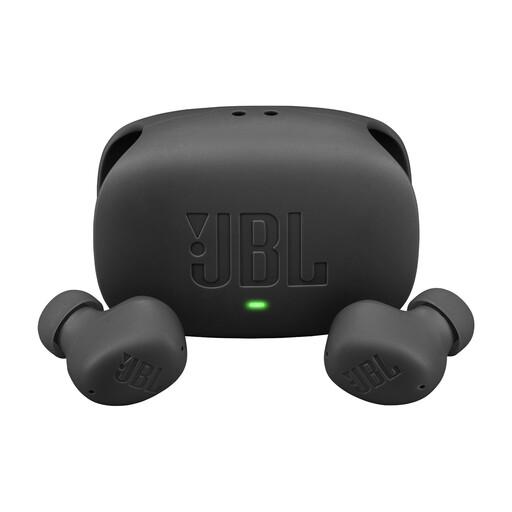
JBL Wave Buds 2 - Black
A wireless option if you listen from a compatible Bluetooth device and want to switch between noise cancelling and ambient sound.
The product description lists ANC, Smart Ambient and multipoint for two devices. Playback time is stated as up to 10 hours with ANC off, excluding the case.
View at Joybuy
 No image available
Bose Noise Cancelling Wired Earbuds - Black
A wired option if your playback device supports USB-C and you don’t want to use an earbud battery or pair via Bluetooth.
The product description lists a USB-C connection, no battery or charging, three ear-tip sizes and two sizes of stability bands. It also mentions QuietControl noise cancelling.
View at Joybuy
 No image available
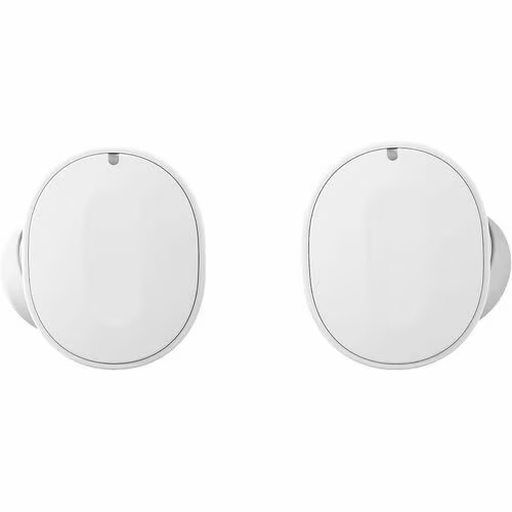
Fairphone Fairbuds 2.0 - White
A wireless option if you value replaceable components as well as Bluetooth listening.
The product description states up to 8 hours of playback from the earbuds with ANC off, and seven replaceable components. Check whether parts are available for this exact model.
View at Joybuy
 No image available
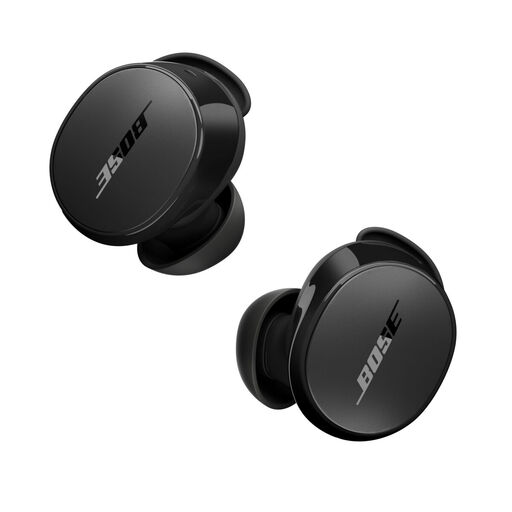
Bose QuietComfort Earbuds - Black
A wireless option if you use a compatible Bluetooth device and want the choice of ANC or an ambient sound mode.
The product description lists Bluetooth, an app for settings, ANC, an Aware mode, up to 8.5 hours of battery life and IPX4.
View at Joybuy
 No image available
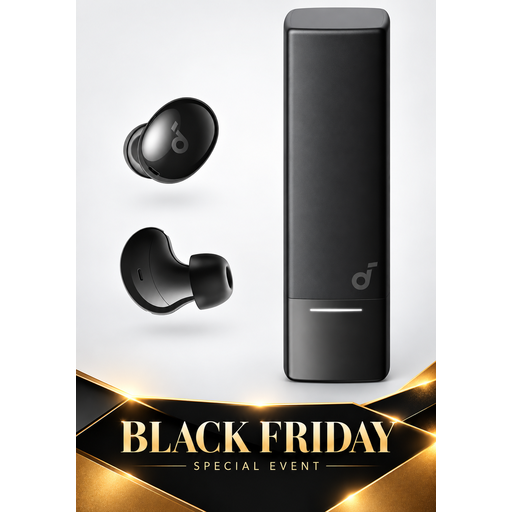
Soundcore A30i by Anker
Wireless in-ear earbuds to compare if you use a compatible Bluetooth device and want to consider multipoint.
The product description lists Bluetooth 5.4, multipoint, noise cancelling and up to 7 hours of listening per charge.
View at Joybuy
Frequently asked questions
Do you need noise cancelling to listen to a radio play in a quiet library?
Not necessarily. Start with a comfortable fit, a low volume and a check for sound leakage. ANC reduces the sound you hear from outside, but it doesn’t guarantee that others won’t hear your audio.
How do you play a radio broadcast through your earbuds?
Connect the earbuds to a suitable playback device and start the broadcast there. NPO Luister offers live radio and catch-up listening for available episodes; check whether your chosen provider has the radio play you want.
How can you avoid listening too loudly during a long episode?
Start at a low volume and only turn it up if needed. The World Health Organization recommends keeping the device volume to a maximum of 60% as a practical measure; listening time also depends on the actual sound level.
What can you do if your new earbuds develop a fault too soon during normal use?
Contact the seller about your statutory guarantee. According to ACM ConsuWijzer, this depends on what you could reasonably expect from the product; a manufacturer’s guarantee does not replace this right.


