
Language learner who likes to discuss things
You play short pronunciation examples and discuss them with someone sitting next to you. Being able to hear what’s going on around you matters a lot.


Choose open-ear earbuds or an ambient mode if you want to talk to others regularly. Choose in-ear earbuds that seal out more noise if conversations distract you. Wired USB-C earbuds are an option if you’d rather avoid pairing or stopping to recharge, provided your device supports USB-C audio. The features listed don’t tell you which earbuds reproduce differences between Dutch sounds more accurately, so compare the same recordings at a comfortable volume.
You play short pronunciation examples and discuss them with someone sitting next to you. Being able to hear what’s going on around you matters a lot.
You repeat recordings while conversations around you prove distracting. You want to be able to choose between blocking out more noise and staying approachable.
You listen from a compatible device and want to get started without Bluetooth pairing or charging.
A good fit if: you often want to talk to others at the table while practising. Shokz describes the OpenFit 2 as an open-ear model.
Bear in mind: you’ll still hear the sounds around you, so try them out to see whether you can follow your recordings clearly.
A good fit if: you switch between listening on your own and talking things through; Sony lists both noise cancelling and an ambient sound mode for the LinkBuds Fit.
Bear in mind: you may need to switch listening modes and find a fit that feels comfortable.
A good fit if: you want to listen wirelessly and switch between devices; Sony specifies an ambient mode and multipoint for the WF-C510.
Bear in mind: ambient mode is not the same as active noise cancelling.
A good fit if: you want to listen without charging or Bluetooth pairing, and your device supports USB-C audio.
Bear in mind: the cable can get in the way, and you’ll need a compatible device.
For this shared study space, the main decision is whether you want to keep hearing others at the table, block out more noise or get started without charging. Also compare the fit, controls and connection with your own device.
| What matters | What to look for | Who it’s for |
|---|---|---|
| Comparing pronunciation examples | Listen to the same recordings and check that you can follow them at a comfortable volume; also take a look at the playback controls. | I want to repeat short sound differences without turning the volume up. Around 25% of consumers prioritise being able to compare pronunciation examples clearly. |
| Hearing others at the table | Compare open-ear earbuds with an in-ear model’s ambient mode, and try out how quickly you can adjust the listening mode. | If I want to respond to others at the table straight away while listening, I want to be able to hear them without taking my earbuds out. Around 25% of consumers prioritise staying approachable. |
| Reducing distractions | Check whether the exact model has active noise cancelling, and try out the fit and ambient mode. | When conversations distract me from a recording, I want a quieter listening experience without simply turning up the volume. Around 20% of consumers mainly want to reduce distractions from surrounding noise. |
| Getting started without charging | Check whether your device supports USB-C audio, and consider how the cable will run across the table. | I want to start listening from one device without pairing via Bluetooth or charging first. Around 15% of consumers prioritise being able to get started straight away. |
| Listening for longer periods | Check the fit or available ear tips, and compare the listening time per charge for the mode you want to use. | During a long study session, I want earbuds that stay comfortable and offer enough listening time. Around 15% of consumers prioritise comfortable listening over longer periods. |
An open-ear design lets you hear what’s happening around you, so conversations at the same table can still be audible while you listen.
Choose this option if staying approachable matters most, and try listening to your own recordings without turning up the volume.
Sony lists an ambient mode for the WF-C510, and noise cancelling as an additional feature for the LinkBuds Fit. These are different features.
Check the features of the exact model if you want to hear surrounding sounds while talking things through, but also have the option of blocking out more noise at other times.
Apple lists listening time per charge for AirPods Pro 3 under a particular listening mode; battery life depends on which feature is switched on.
Compare the listening time per charge in the mode you plan to use with the length of your study session.
Wired USB-C earbuds only work with a device that supports audio through that connection.
Before buying, check your device’s audio output, whether there’s room for the cable and the applicable returns policy.
Sony lists different listening features across its models: according to Sony Netherlands, the WF-C510 has an ambient mode and multipoint; Sony also lists noise cancelling for the LinkBuds Fit.
JBL Netherlands lists active noise cancelling and Smart Ambient for the Wave Buds 2.
Shokz describes the OpenFit 2 as an open-ear model for anyone who wants to stay aware of their surroundings.
Apple lists noise cancelling, Transparency mode, on-earbud controls and five sizes of ear tips for AirPods Pro 3.
These models include wired USB-C earbuds, wireless in-ear earbuds with different listening modes, and open-ear earbuds. For each model, check that the connection, controls and listening mode suit your device and study space.
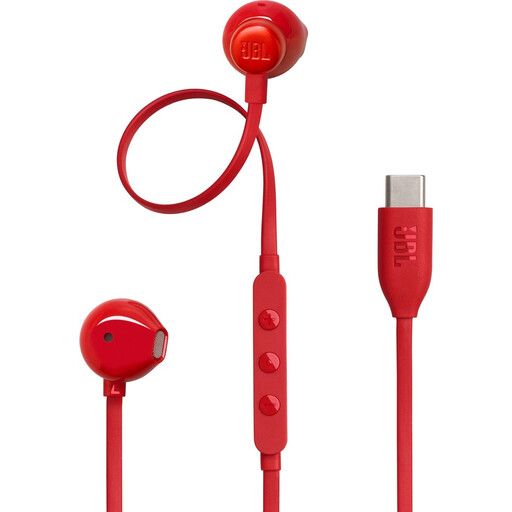 No image available
A wired option for short listening sessions, provided your device supports USB-C audio.
The description lists three-button controls and a vocal EQ preset.
 No image available
A wired USB-C option if you want to listen without charging or Bluetooth, and your device supports audio through the connection.
The description lists an in-line microphone and cable controls; this is a wired model and doesn’t use Bluetooth.
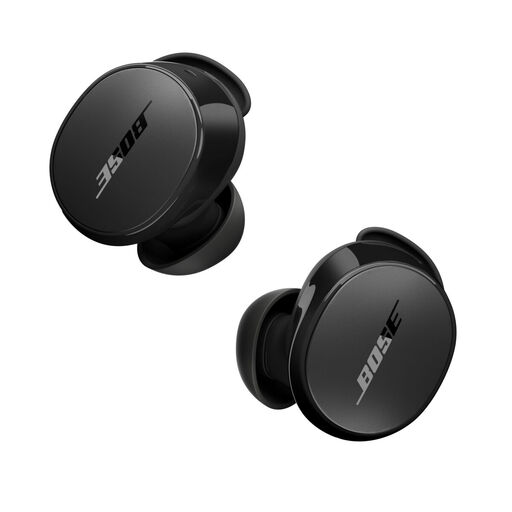 No image available
A wireless in-ear option if you want to switch between blocking out more noise and a mode that lets in surrounding sounds.
The description lists active noise cancelling, an Aware mode and touch controls. It also mentions ear tips in three sizes and stability bands in several sizes.
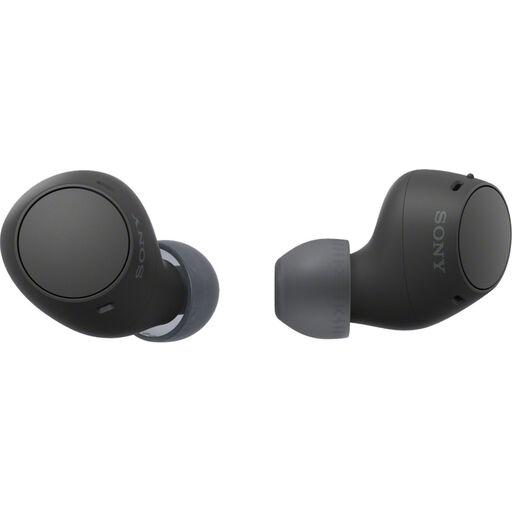 No image available
A wireless option if you want to hear surrounding sounds and switch between devices.
The description lists Ambient Sound Mode, multipoint and a stated battery life of 22 hours.
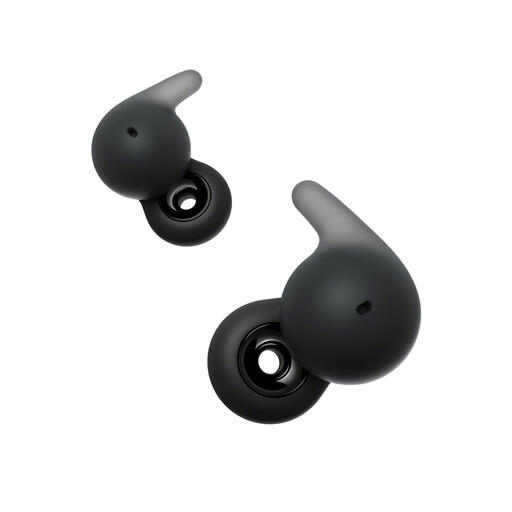 No image available
An open-ear option if you want to stay in touch with others at the table while listening; the design lets surrounding sounds through.
The description lists multipoint, Wide Area Tap controls and a weight of 4.8 g per earbud.
If you want to be able to respond almost all the time, open-ear earbuds are a sensible option to try. If you’d also like moments when more noise is blocked out, compare an in-ear model with a switchable ambient mode and try both with your own recordings at the table.
First, check whether your phone, tablet or laptop outputs audio through its USB-C connection. Sony says the IER-EX15C doesn’t need charging. Once connected, check the selected audio output and keep the cable out of other people’s workspace at the table.
Keep the volume comfortable rather than turning it up to drown out noise at the table. Thuisarts advises keeping the volume of your earbuds at a sensible level and using a volume limiter; ambient mode or noise cancelling doesn’t replace this advice.
According to ACM ConsuWijzer, online purchases generally come with a 14-day cooling-off period after delivery, subject to exceptions. Your statutory guarantee is separate: if a product breaks during normal use sooner than you could reasonably expect, you’re entitled to an appropriate solution from the seller.
Radio equipment placed on the market under the applicable EU rules is covered by the conformity requirements of the Radio Equipment Directive 2014/53/EU. Your Europe explains that the manufacturer uses the CE mark to indicate that a product meets the applicable requirements; the mark doesn’t tell you which earbuds are best for hearing pronunciation examples.