
Practising with discussion around the table
You practise with other people and want to switch easily between listening back, speaking aloud and getting feedback.


If you want to discuss things with people at the table or keep hearing your own voice while you practise, opt for a less-sealing fit or a model with an ambient sound mode. If conversations mainly distract you when listening back, well-fitting in-ear earbuds with active noise cancellation may be more suitable. Also check comfort, test your own recording and compare the earbuds’ own battery life; none of these features proves that your presentation will be better.
You practise with other people and want to switch easily between listening back, speaking aloud and getting feedback.
You listen back to your speaking pace or recording, but conversations at the same table break your concentration.
You record a practice presentation so you can review it later. How clear the recording is and how comfortable the earbuds feel both matter to you. The University of Amsterdam’s Taalwinkel recommends recording and reviewing yourself as a way to practise a presentation.
Choose these if: you often discuss things with others or want to keep hearing your own voice.
Bear in mind: you’ll hear more sound from the table and there may be sound leakage; keep the playback volume low.
Choose these if: conversations mainly bother you when listening back and you find the fit comfortable.
Bear in mind: noise cancellation won’t guarantee that voices are inaudible; switch it off or remove one earbud when you need to talk.
Choose these if: you want to stay aware of your surroundings and active noise cancellation isn’t a priority.
Bear in mind: an ambient sound mode isn’t active noise cancellation; compare the listening time per charge with the length of your practice session.
First decide how much noise from the table you want to hear while practising. Then compare fit, recording use, controls and listening time per charge.
| What to consider | What should you look for? | Who is this most important for? |
|---|---|---|
| Staying approachable | Compare a less-sealing fit with an ambient sound mode, and try to see whether you can hear the people at your table and yourself clearly. | If I want to discuss things with others while practising and keep hearing my own voice, I’m looking for a less-sealing listening experience. Around 29% of consumers say staying approachable is their main reason for buying. |
| Reducing distractions | Look at the fit and whether it’s easy to switch between noise cancellation and ambient sound; don’t expect complete silence. | When conversations interrupt my listening session, I want to be able to dampen the sound around the table. Around 23% of consumers say reducing distractions is their top priority. |
| Reviewing your own recording | Make a test recording using your own phone or laptop and app; check which microphone is selected as the input. | If I want to hear how my presentation comes across, I first want to know whether my voice is recorded clearly. Around 18% of consumers put reviewing their own recording first. |
| Comfort | Compare the style of earbuds and, for sealing in-ear earbuds, the included ear tip sizes. | If I have several practice and listening sessions, I want a fit that stays comfortable. Around 18% of consumers say comfort is their main consideration. |
| Connectivity and listening time | Check for multipoint connectivity with your devices and compare listening time per charge in the mode you want to use. | If I switch between my laptop and phone, I don’t want to keep reconnecting or interrupt my session to charge the earbuds. Around 12% of consumers put connectivity and battery life first. |
The charging case can extend the total time you can use the earbuds, but it charges them while you’re not wearing them.
Compare the stated listening time of the earbuds themselves, ideally in the mode you plan to use while practising.
Information about call quality doesn’t automatically tell you how your voice will sound in a recording made with your device and app.
Make a test recording and check which input microphone is selected before relying on the recording.
A sealing earbud lets in less sound from your surroundings and may feel uncomfortable for some people.
Compare a less-sealing design with an easy-to-use ambient sound mode, then judge for yourself how comfortable it is and what you can hear.
Sony offers several ways to reduce distractions or stay aware of your surroundings. The WF-C710N combines active noise cancellation with ambient sound; the WF-C510 offers ambient sound and multipoint, and Sony doesn’t list active noise cancellation for this model.
According to JBL, the JBL Tune Beam 2 combines active noise cancellation with Ambient Aware and TalkThru, features that let you switch between listening and talking to people at the table.
According to Apple’s Dutch model comparison, AirPods 4 with Active Noise Cancellation offer noise cancellation and a Transparency mode, with a different fit from sealing in-ear earbuds.
According to Fresh 'n Rebel, the Twins Rise offer hybrid ANC, an ambient sound mode and multipoint. This combination may suit alternating between practising on your own and discussing things with others.
These Joybuy picks are for anyone who wants to listen to audio while practising a presentation or reduce background noise from the table when listening back.
 No image available
A wired option for anyone looking for noise cancellation when listening back; bear in mind the connection and controls are via the cable.
USB-C connection, in-line controls and microphone. Bluetooth connectivity isn’t listed.
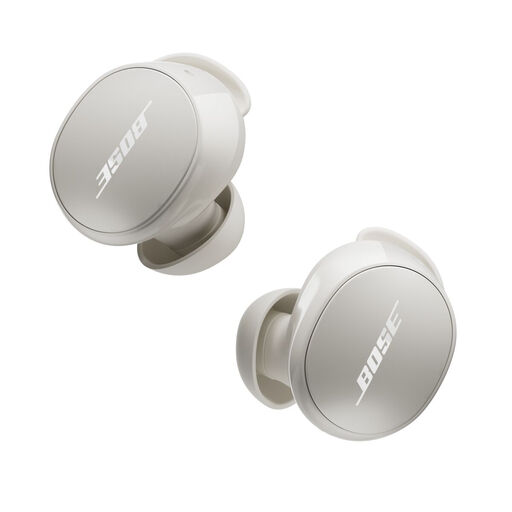 No image available
An option for switching between noise cancellation and an ambient sound mode when listening back.
The product description lists Quiet and Aware modes. Check that the fit is comfortable and that the controls suit how you’ll use them at the table.
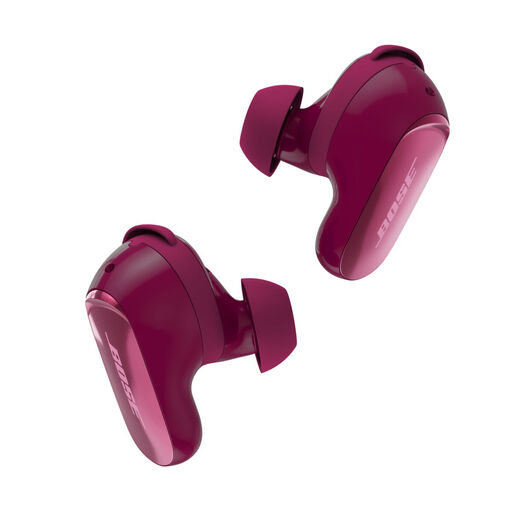 No image available
The listed Quiet and Aware modes may suit anyone who wants to switch between focused listening and ambient sound.
Stated battery life: up to 6 hours, or 4 hours with Immersive Audio.
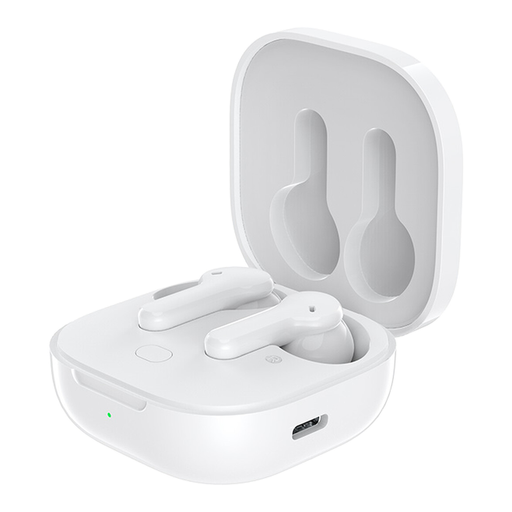 No image available
An option for listening to audio if that’s your main priority while practising.
Before use, check which microphone your phone or laptop and recording app select.
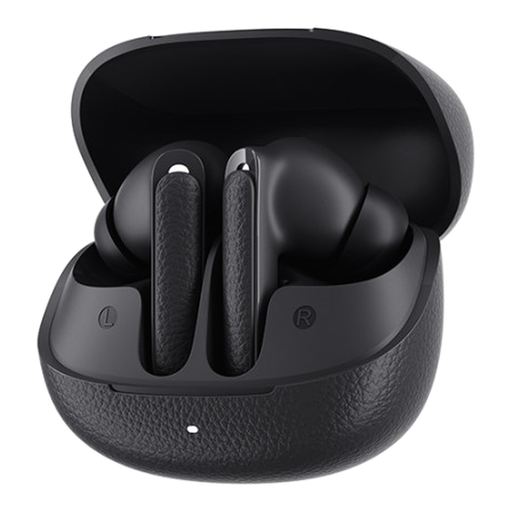 No image available
An option to consider if background noise from the table distracts you when listening back to a presentation.
Judge for yourself whether the fit is comfortable and whether you can easily stay in touch with people at the table when you need to talk.
No, it depends on what you want to hear while practising. If you mainly want to hear feedback from people at the table, an open or less-sealing fit, or an ambient sound mode, may be more suitable. If noise from the table is distracting, a well-fitting in-ear model with active noise cancellation may help; switch it off when you need to talk and try it out in your room.
Make a short recording with your usual phone or laptop and app, listen back to it and check which microphone the app used. A manufacturer’s claim about microphones for calls doesn’t prove that a particular presentation recording will be clear.
First check that the right mode is switched on and that the earbuds fit properly. Then compare the sound with noise cancellation switched off, and follow the care instructions for the exact model.
If a product is faulty, the seller is responsible for putting things right, according to the Dutch government; the manufacturer’s warranty doesn’t replace your statutory rights. The Netherlands Authority for Consumers and Markets says that online purchases generally come with a 14-day cooling-off period from delivery, subject to statutory exceptions. Before buying, check the terms that apply to your specific purchase.