What should you look for in earbuds for podcasts?
First, test how you play your own files, then choose a design that suits where you listen and how long you wear your earbuds.
| What to consider |
What should you check? |
Who is this most important for? |
| Following spoken content |
Try a familiar spoken-word clip at your usual volume and check the fit. Compare noise cancelling with an ambient sound mode. |
If I want to follow names and explanations in a story comfortably, I pay attention to the fit and how voices sound to me. Around 28% of consumers prioritise clarity for spoken content. |
| Playing local files |
Open one of your own legal audio files in the app you plan to use and test it offline. Then check that Bluetooth or the wired connection works with your device. |
If I want to listen to my own files from my phone, my app must be able to find and play them first. Around 22% of consumers give the local file playback process top priority. |
| Staying aware of your surroundings |
Compare open-ear earbuds with an ambient sound mode, then check in a safe place whether you can still hear relevant sounds. |
When I want to stay aware of sounds around me on the go, that matters more than complete sound isolation. Around 22% of consumers prioritise awareness of their surroundings. |
| Comfort during long episodes |
Check the fit and the available ear tip sizes. If possible, see how the earbuds feel during a longer listening session. |
When listening to long episodes, I want my earbuds to stay comfortable without having to turn up the volume to compensate for an uncomfortable fit. Around 17% of consumers put wearing comfort first. |
| Listening without a charging break |
Compare playback time per charge in the sound mode you use; don’t count the case’s capacity as uninterrupted listening time. If you’re listening with wired earbuds, check the connection. |
If I want to finish an episode without stopping to charge, I look at the earbuds’ own playback time or choose a wired option. Around 11% of consumers prioritise listening without recharging. |
Earbuds for different ways of listening
This selection includes wired USB-C earbuds and wireless models for listening with a sealed in-ear or open-ear fit.
 No image available
JBL Tune 305C wired USB-C earbuds, blue
A wired option for listening from a device with a compatible USB-C port.
Check in advance that your device supports USB-C audio.
View at Joybuy
 No image available
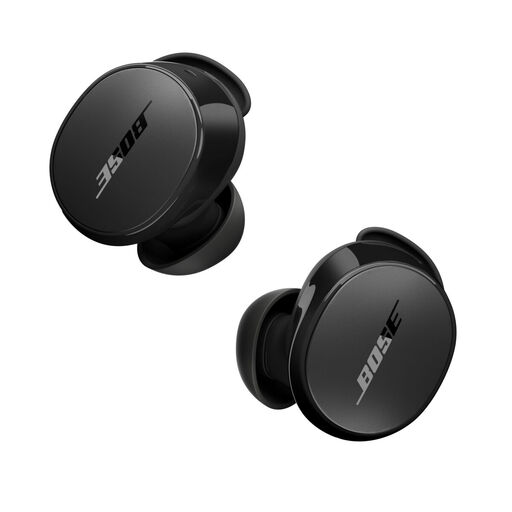
Bose QuietComfort Earbuds, black
A wireless option for playing podcasts from a Bluetooth-enabled device.
View at Joybuy
 No image available
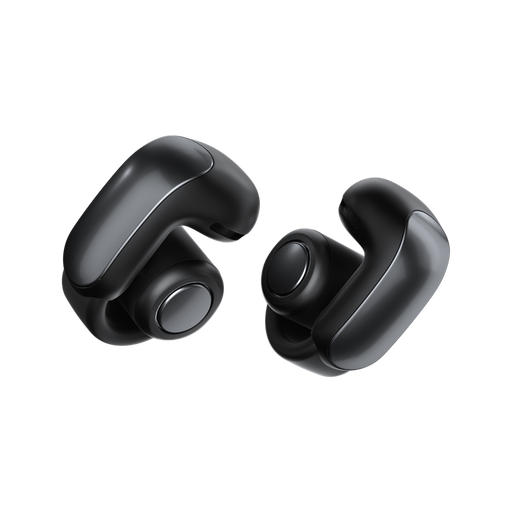
Bose Ultra Open Earbuds, black
The open-ear design suits anyone who wants to stay aware of surrounding sounds; in noisy places, those sounds may also interfere with your podcast.
The product description lists Bluetooth for connecting to a playback device.
View at Joybuy
 No image available
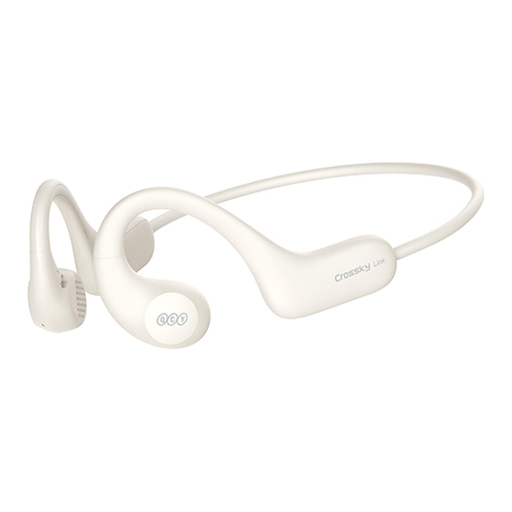
QCY Crossky Link, white
An open-ear option for anyone who wants to stay aware of their surroundings while listening.
The open design also lets surrounding sounds in, which can make spoken audio harder to follow in noisy places.
View at Joybuy
 No image available
Sony WF-C710N wireless noise-cancelling earbuds, black
A sealed wireless in-ear option for listening when surrounding sounds are distracting; noise cancelling is mentioned in the product name.
The actual fit and how clearly spoken audio sounds are personal.
View at Joybuy
Frequently asked questions about earbuds for podcasts
Do you need earbuds with built-in storage for local audio files?
Not if you save the files on your phone and play them from there. Connect compatible Bluetooth earbuds or use a suitable wired connection; Spotify explains how to play legal local audio files on iOS and Android. Test your own file and app before choosing earbuds. If you want to listen without your phone, you’ll need a separate playback option.
How can you avoid interruptions when listening offline?
Before you leave, make sure the episode or your own file is on your playback device and test it without an internet connection. Spotify says downloaded content can be played offline; setting up local files is a separate feature.
What should you consider when it comes to battery life and charging?
For wireless models, compare the earbuds’ playback time on a single charge, not just the total time with the case. A wired USB-C model avoids having a battery in the earbuds, but requires a compatible port.
What can you do if your earbuds break too quickly during normal use?
According to ACM ConsuWijzer, the seller is responsible for providing a solution if a product doesn’t do what you could reasonably expect when used normally. This right doesn’t depend solely on a manufacturer’s warranty or a fixed two-year period.
Can you listen with earbuds while cycling or driving in the Netherlands?
The Dutch Government says you can listen to music hands-free while driving, but you must not hold an electronic device. The government advises keeping surrounding sounds audible, for example by keeping the volume low or using one earbud. This is safety advice, not a legal requirement to use exactly one earbud.


