What should you look for when choosing?
Start with where you listen: decide between noise isolation, staying aware of your surroundings and listening without charging before you assess the controls and fit.
Sealed-fit wireless in-ear earbuds
A good fit if: background noise makes it hard to follow spoken lessons and you find ear tips comfortable.
Bear in mind: a sealed fit makes surrounding sounds less noticeable; battery life per charge isn’t the same as total listening time with a charging case.
Wireless open-ear earbuds
A good fit if: you want to stay aware of people and other surrounding sounds while listening.
Bear in mind: an open design won’t block out distracting noise, so check how clearly you can hear speech in your usual listening spot.
Wired USB-C earbuds
A good fit if: you want to listen without Bluetooth pairing or a charging case, and your device is compatible.
Bear in mind: the cable limits your freedom to move, and playback controls don’t guarantee a fixed rewind interval in your lesson app.
| What to consider |
What should you check? |
Who is this important for? |
| Hearing speech clearly |
Listen to the same spoken passage at a moderate volume; try the fit and check whether a transparency mode is available. |
If I’m following a lesson somewhere with background noise, I want to hear the words clearly without constantly turning up the volume. Around 33% of consumers put speech clarity first. |
| Replaying clips |
Test pausing in your own news app, select the previous passage and try a rewind interval if available. |
If I often listen to a word or sentence again, I want the controls to work smoothly with my app. Around 27% of consumers prioritise replay controls. |
| Comfort and awareness of your surroundings |
Try the fit during a realistic lesson and compare open-ear with in-ear earbuds, or with a transparency mode if available. |
If I’m listening for longer and want to stay aware of what’s happening around me, I weigh comfort against noise isolation. Around 20% of consumers put comfort and awareness of their surroundings first. |
| Listening time and connection |
For wireless models, compare the hours per charge in the mode you want to use; for wired models, check the connector and device compatibility. |
If I want to finish a lesson without needing to stop to charge or deal with connection problems, I check the listening time and my device. Around 20% of consumers make uninterrupted use and connectivity their first consideration. |
Earbuds at Joybuy
This selection includes wired USB-C earbuds, wireless noise-cancelling in-ear models and wireless open-ear earbuds for different listening environments and control preferences.
 No image available
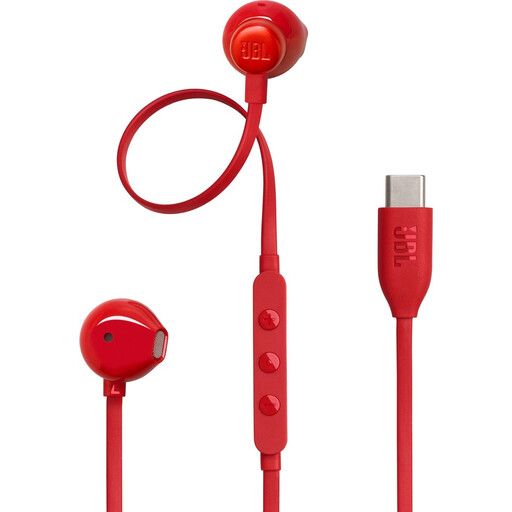
JBL Tune 305C USB-C earbuds, red
A wired option if you want to listen without charging and your device has a compatible USB-C port.
The product information lists three-button controls and a built-in microphone.
View at Joybuy
 No image available
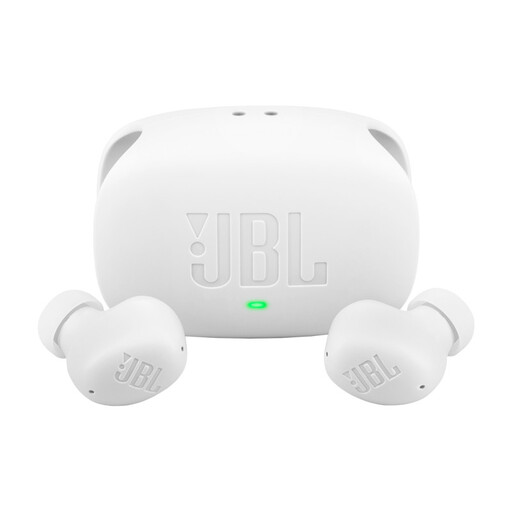
JBL Wave Buds 2, white
A wireless in-ear option to compare if you want noise cancelling and also value a transparency mode.
The product information lists active noise cancelling, Smart Ambient, touch controls for play and pause, and multipoint.
View at Joybuy
 No image available
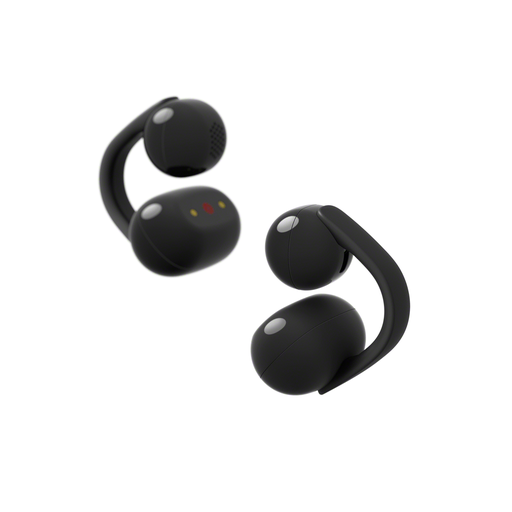
Sony LinkBuds Clip, black
An open-ear option if you want to stay aware of surrounding sounds while listening; this design doesn’t block them out.
The product information lists a clip-on design and three listening modes.
View at Joybuy
 No image available
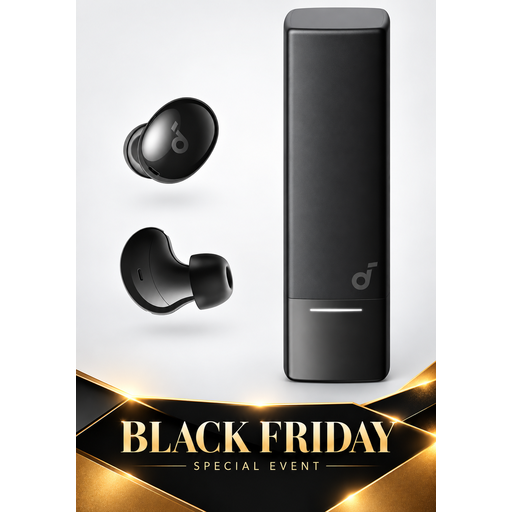
Soundcore A30i by Anker
A wireless in-ear option to compare if you’re looking for noise cancelling and a connection to multiple devices.
The product information lists Bluetooth 5.4, multipoint and up to 7 hours of listening on a single charge.
View at Joybuy
 No image available
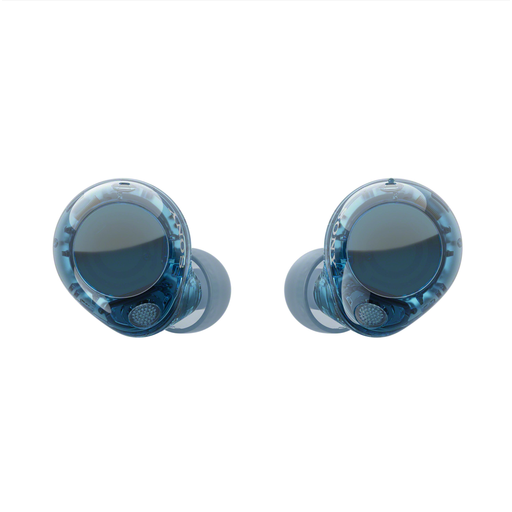
Sony WF-C710N, Glass Blue
A sealed-fit wireless in-ear option to compare if background noise is an issue, with a mode that lets surrounding sounds through.
The product information lists touch controls and multipoint. Sony specifies up to 8.5 hours of music playback per charge with noise cancelling on for the WF-C710N.
View at Joybuy
Frequently asked questions
Can a playback button automatically rewind a news lesson by ten seconds?
Not based on a ‘playback controls’ specification alone. Test the rewind interval in your own news app using your playback device; Apple’s and Shokz’s product information doesn’t confirm a universal ten-second interval.
How can I use wireless earbuds with both my phone and laptop?
Check whether your model supports multipoint and how to activate the feature. Sony lists multipoint for the WF-C710N; for the OpenFit 2, Shokz explains that you need to activate it in the Shokz app before connecting the second device.
How can I avoid constantly turning up the volume when listening to something again?
Listen at a moderate level and limit your exposure to loud sounds. The WHO gives adults the example of a maximum of 40 hours per week at 80 dB; safe listening time decreases at higher sound levels. This is general health advice, not a guaranteed safe setting for a particular model.
How long does the legal guarantee on earbuds last in the Netherlands?
According to ACM ConsuWijzer, there’s no fixed period for the legal guarantee in the Netherlands: with normal use, a product should last as long as you can reasonably expect it to. A two-year manufacturer’s warranty doesn’t automatically end your legal rights; contact the seller if there’s a fault.
Can I always return earbuds bought online after opening the packaging?
No, ‘always’ is too broad. ACM ConsuWijzer says you generally have 14 days to change your mind about online purchases, but there’s also an exception for hygiene products that have been removed from their packaging. Whether this exception applies to a particular pair of earbuds depends on the circumstances, so don’t assume the outcome based only on the product category.


