Choose earbuds based on where your audio files are stored. If they’re on your phone, you don’t need storage in the earbuds, but you do need a suitable audio connection. If you want to listen without your phone, choose a model with built-in storage that supports your file format. Well-fitting, noise-isolating in-ear earbuds can work well for spoken commentary among other visitors, while open-ear earbuds are a good choice if you want to stay aware of your group. Before buying, check how the museum provides the specific tour, as not every tour is available as a transferable local file.
Who this choice matters to
Visitors who want to hear every word
You listen to spoken tours among other visitors and want a fit that helps limit distractions without having to keep turning up the volume. The Consumentenbond explains that silicone in-ear earbuds seal the ear canal.
Visitors exploring together
You want to follow the audio tour while still hearing your companions and any announcements in the museum. Sony describes the open ring design of the LinkBuds Open as a way to stay connected to your surroundings.
Listeners with their own audio files
You want to know whether your files play from your phone or can be stored directly on the earbuds. Shokz describes the OpenSwim Pro as offering both an MP3 mode and file transfer via cable.
What to look for when buying
First, work out where the files are stored and how your museum tour is provided. Then consider which fit suits your needs for clear speech, awareness of your surroundings and comfort.
| What to consider |
What should you check? |
Who should give this more weight? |
| Hearing spoken commentary clearly |
Check the fit and listen to a spoken clip at a moderate volume. According to the Consumentenbond, silicone in-ear earbuds seal the ear canal. |
I want to follow the commentary among other visitors without constantly turning up the volume; around 33% of consumers prioritise clear speech. |
| Files and connection |
Check where the file is stored, which app plays it, and whether the connection or wireless link works with your device. JBL recommends checking USB-C compatibility with the source device. |
If my files are on my phone, I want to be sure the tour will play on my device; around 27% of consumers prioritise file and device compatibility. |
| Awareness of your surroundings |
Choose open-ear earbuds if you want to stay aware of ambient sounds; this also means less isolation from noise in the gallery. |
When I’m exploring with someone, I want to be able to hear them and any announcements; around 20% of consumers prioritise awareness of their surroundings. |
| Comfort throughout your visit |
Consider pressure, stability and whether the shape feels comfortable. Also think about whether a cable might get in the way as you walk around. |
I want earbuds that stay comfortable during several listening stops; around 13% of consumers prioritise comfort. |
| Listening without your phone |
Check whether the earbuds have built-in storage and a separate playback mode, and whether they support your file format and transfer method. Shokz lists 32 GB of storage and an MP3 mode for the OpenSwim Pro. |
If I don’t want to use my phone during the tour, I need storage in the earbuds themselves; around 7% of consumers prioritise listening without a phone. |
Common buying mistakes
-
Confusing Bluetooth with storage for local files
Bluetooth can connect the earbuds to your phone, but that doesn’t mean the earbuds can store audio files themselves. Shokz says files for the OpenSwim Pro are transferred using the supplied cable, not Bluetooth.
Before buying, decide whether you want your phone to play the files or would rather store them on the earbuds themselves.
-
Assuming every museum tour is available as a file
Museums may offer different ways to listen. Wereldmuseum Amsterdam describes, among other options, a tour accessed by QR code on your own phone and loan devices; the Van Gogh Museum describes an audio tour that you collect from the audio desk.
Check with the museum how the tour works, which languages are available, and whether any conditions or charges apply before choosing earbuds with built-in storage.
A museum tour may incur a separate charge; check with the museum before your visit.
-
Confusing earbud battery life with the charging case’s battery life
The Consumentenbond warns that stated battery life sometimes includes the charging case, so it doesn’t necessarily mean you can listen continuously for that long.
Compare the earbuds’ own battery life in the playback mode you plan to use.
If the earbuds won’t last for your whole visit, you may need to stop and recharge them.
-
Assuming more isolation or higher volume is always better
A noise-isolating fit can reduce ambient noise, but it also makes it harder to stay in touch with your surroundings. Higher volume can increase your exposure to sound.
Choose a fit that suits what you want to hear, and test spoken audio at a moderate volume.
Brands to consider
Sony
The Sony IER-EX15C is a wired USB-C option, while the LinkBuds Open are a separate wireless open-ear option.
- Sony says the IER-EX15C has in-line controls and doesn’t need a rechargeable battery in the earbuds.
- Sony describes the open design of the LinkBuds Open as a way to stay aware of your surroundings.
- Open-ear earbuds don’t seal the ear canal, so you’ll still hear ambient noise.
Apple
EarPods with USB-C are a wired option for devices that Apple lists as compatible.
- Apple lists playback and volume controls.
- Check the stated system requirements for your device; a USB-C port alone doesn’t guarantee compatibility.
- The EarPods don’t store the audio tour themselves.
JBL
The Tune 310C USB is a wired USB-C option with in-line controls.
- JBL lists a Vocal-EQ preset and in-line controls.
- JBL recommends checking USB-C compatibility with the source device; the product specification isn’t an independent test of speech clarity in a museum.
Shokz
The OpenSwim Pro is a specialist option if you want to store your own files on the earbuds; Shokz positions the model primarily for swimming and sport.
- Shokz lists 32 GB of storage and a separate MP3 mode alongside Bluetooth.
- Shokz says file transfer via Bluetooth isn’t supported; check the file types and transfer method before you set off.
- The stated storage feature alone says nothing about speech clarity in a busy gallery.
Joybuy products for listening from your phone
This selection focuses on wireless earbuds for audio files played from a connected phone, with both in-ear and open-ear models.
 No image available
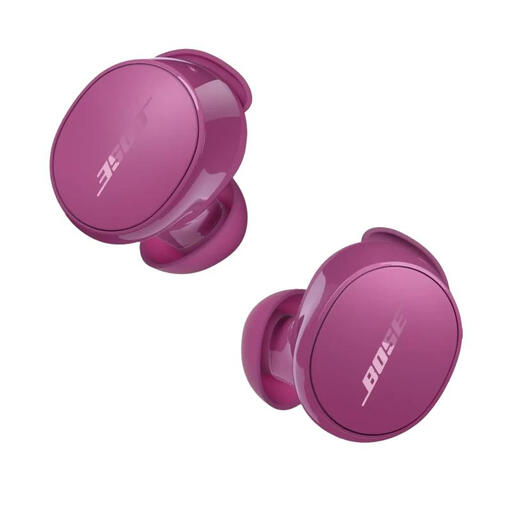
Bose QuietComfort Earbuds Rosewood Mauve
A good choice if you play the tour from a connected phone and want to switch between listening modes.
- In-ear design
- Bluetooth
- Quiet and Aware modes
View at Joybuy
 No image available
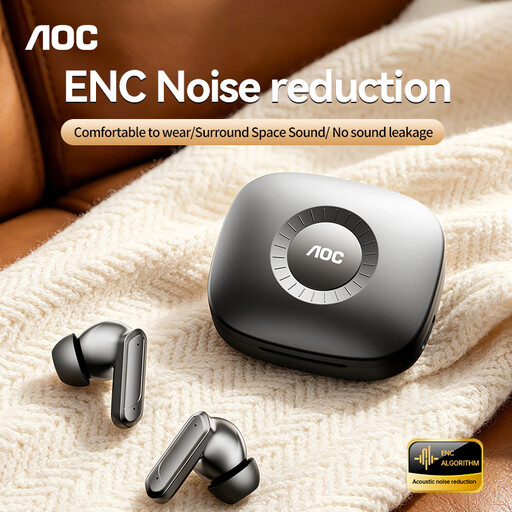
AOC ACT1661
Suitable for listening to audio files via Bluetooth from a connected device.
- Wireless in-ear design
- Bluetooth 5.4
- ENC for calls and touch controls, according to the product details
View at Joybuy
 No image available
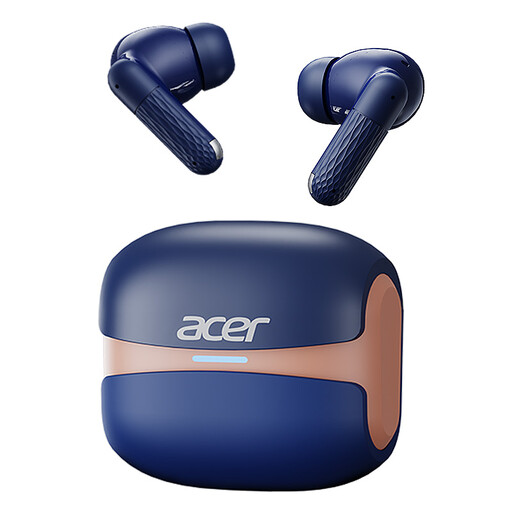
Acer OHR548
A wireless option for audio files played from a connected device.
- In-ear design
- Bluetooth 5.4
- Charging case with USB-C connection
View at Joybuy
 No image available
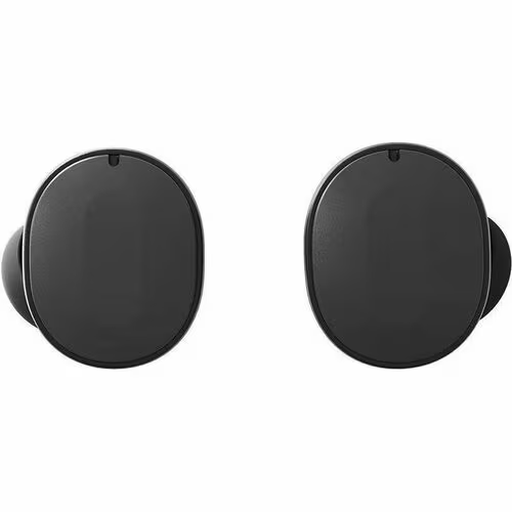
Fairphone Fairbuds Black
Suitable if you want to play files via Bluetooth from a connected device.
- Wireless in-ear earbuds
- Bluetooth
- Active noise cancellation, according to the product description
View at Joybuy
 No image available
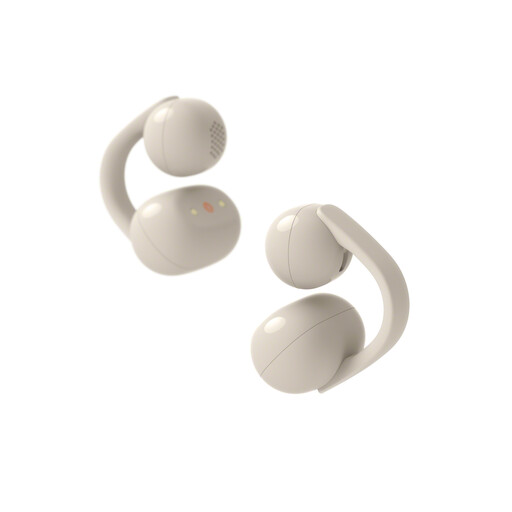
Sony LinkBuds Clip WFLC900C.CE7
A good fit for listening from a connected device if you want to stay aware of ambient sounds during the tour.
- Clip-on open-ear design
- Bluetooth
- The product details list three listening modes, including Voice Focus
- The open design doesn’t seal the ear canal
View at Joybuy
Frequently asked questions
Can you store any museum tour as a local file on your earbuds?
No. It depends on how the museum provides the specific tour and what conditions apply. Wereldmuseum Amsterdam describes a QR-code tour on your phone and loan devices; the Van Gogh Museum describes an audio tour that you collect from the audio desk. This information doesn’t confirm that the tour is available as a transferable file.
Will USB-C earbuds work with any phone that has a USB-C port?
Not necessarily. Check that your phone supports audio via USB-C and that the earbuds are compatible with your device. JBL recommends checking compatibility in advance.
How do you transfer your own files to the Shokz OpenSwim Pro?
According to Shokz, you transfer files using the supplied magnetic cable, not Bluetooth. Check that your files are in a supported format, and test transferring and playing them before your visit.
Do I need active noise cancellation for museum audio?
Not necessarily. Well-fitting, noise-isolating in-ear earbuds can reduce ambient noise, while open-ear earbuds are better if you want to stay aware of the people around you. The right choice depends on the gallery, the fit and whether clear speech or awareness of your surroundings matters more to you.


