
Listening from your own phone or tablet
You want to enjoy film soundtracks without cabin noise constantly demanding your attention. So look at the seal, noise cancellation (ANC) and playback time per charge in the mode you use.


If you’re listening from your own phone or tablet, focus on fit, noise cancellation, sound and playback time per charge. If you want to use the seat-back entertainment screen, check the connection first: KLM recommends wired headphones or a Bluetooth adapter for its own in-flight entertainment system. Product specifications can be a useful guide, but they can’t guarantee the same fit, battery life or noise reduction during your flight.
You want to enjoy film soundtracks without cabin noise constantly demanding your attention. So look at the seal, noise cancellation (ANC) and playback time per charge in the mode you use.
You want to use the sound from the in-flight entertainment system. First check which output is available and whether your earbuds, cable or adapter can connect to it.
You wear earbuds for several hours at a time. A pair that feels comfortable and seals well may matter more to you than a long list of extra features.
First decide whether you’ll mainly use your own device or the seat-back screen. Then compare fit, playback time and sound features for the way you plan to listen.
The percentages below show consumers choosing earbuds for film soundtracks on a long-haul flight, grouped by their main purchase priority.
| What to consider | What to look for when buying | Who is this important to? |
|---|---|---|
| Cabin noise and musical detail | Compare the fit and ANC of the exact model; check whether it has an ambient sound mode. | If I want to hear film soundtracks without cabin noise constantly overpowering them, I prioritise noise control. Around 25% of consumers put reducing cabin noise first. |
| Fit during long listening sessions | Check which sizes of ear tips are included and whether you can wear the model comfortably for longer periods. | I want earbuds that still feel comfortable after hours of listening. Fit is the top priority for around 20% of consumers. |
| Sound of film music | Compare the sound with music you know and check whether extra features work with your device. | For a soundtrack, I mainly want a sound that suits my preferences, not just a long list of features. Around 20% of consumers choose primarily for sound. |
| Playback time per charge | Compare the stated playback time with ANC on and the settings you plan to use; don’t count charging via the case as uninterrupted listening time. | I want to listen for as long as possible without having to recharge the earbuds. Around 20% of consumers give playback time per charge top priority. |
| Connection to the audio source | Decide whether you’ll use your own device or the seat-back screen, then check the output and the plug or adapter you’ll need. | If I want to use the seat-back screen, the connection needs to match the output at my seat. Around 15% of consumers put this connection first. |
ANC reduces noise, but it can’t guarantee that all surrounding sounds will disappear. A tight seal can also make announcements harder to hear, so check whether an ambient sound mode is available if you want to switch between music and the sounds around you.
Stated battery life depends on the listening mode. Sony lists up to 8 hours of music with noise cancelling on for the WF-1000XM6. Apple lists up to 8 hours with ANC for AirPods Pro 3, or 7.5 hours with spatial audio and head tracking enabled. These are product specifications, not a guarantee that the earbuds will last for a whole flight.
A charging case can provide extra charges, but not while you’re wearing the earbuds continuously. On a long flight, playback time per charge may therefore matter more than the total time including the case.
Compare the stated playback time for the ANC and audio settings you plan to use.
If the earbuds run out of charge before your flight ends, you may need to stop listening to recharge them.
KLM recommends wired headphones or a Bluetooth adapter for its in-flight entertainment system. A case’s audio-transmitter feature is only for specific models and compatible audio sources.
Before you fly, check the output at your seat and the connection options for the exact product.
You may need a suitable adapter or a different way to listen.
The Sony IER-EX15C has a USB-C plug. It won’t connect directly to a different output, such as the connection your seat may have.
Only choose a wired model after checking the audio source’s connection.
The JBL Tour Pro 3 is worth considering if you’re looking for wireless in-ear earbuds with a case that JBL says can transmit audio from a compatible AUX or USB-C source.
The WF-1000XM6 is a wireless ANC option; the IER-EX15C is a wired USB-C model for use with a compatible USB-C audio source.
AirPods Pro 3 are worth comparing if you want to choose a fit and features that suit your own device.
According to Sennheiser, the MOMENTUM True Wireless 5 combines ANC with adjustable sound.
The Galaxy Buds4 Pro are a wireless in-ear option worth comparing, particularly if you want to assess the features with your own Galaxy device.
This selection includes wireless in-ear earbuds with ANC for listening from your own device, as well as wired earbuds for compatible connections. If you’re using a seat-back screen, check that the connection is suitable for the output at your seat.
 No image available
A wireless option for listening from your own device, with ANC and adjustable sound.
The product description lists up to 6 hours of playback with ANC on, a 9-band equaliser and 360 Audio. Playback time including the case is listed separately.
 No image available
A wired option if you want to listen without relying on the earbuds’ battery and have a compatible USB-C audio source.
The product description lists QuietControl noise cancellation, three sizes of ear tips and two sizes of stability wings. USB-C won’t connect directly to every output.
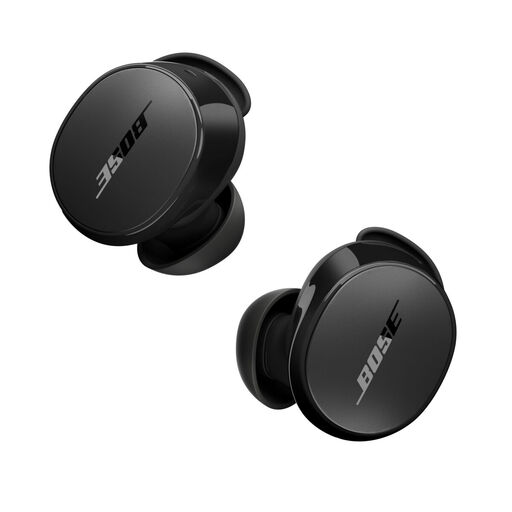 No image available
A wireless ANC option with an Aware mode for switching between noise cancellation and ambient sound.
The product description lists up to 8.5 hours on a full charge and a fit kit with small, medium and large ear tips and stability bands. Check whether you’ll need a Bluetooth adapter to use them with the seat-back screen.
 No image available
A wireless ANC option for listening from your own device.
The product description lists multipoint and an in-app 3D surround sound feature. Check that the features you want work with your device; you may need a Bluetooth adapter to use them with a seat-back screen.
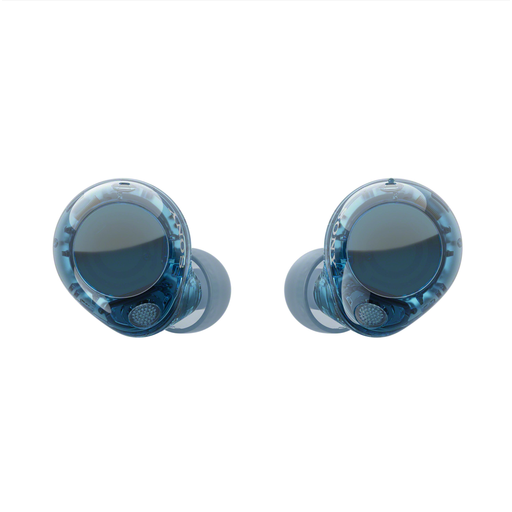 No image available
A wireless ANC option for listening from your own device, with a mode for hearing the sounds around you.
The product description lists Ambient Sound Mode and connection to two Bluetooth devices. Check whether you’ll need a Bluetooth adapter to use them with the seat-back screen.
It depends on the flight and the connection at your seat. KLM recommends wired headphones for its in-flight entertainment system and suggests a Bluetooth adapter if you want to use your own Bluetooth headphones. Check the connection on your flight; JBL describes the Tour Pro 3 case as a separate option for a compatible AUX or USB-C source.
Compare the playback time per charge in the mode you plan to use, and schedule a charging break if needed. Playback time with a case includes charging the earbuds between listening sessions: Sony lists up to 8 hours with NC on for the WF-1000XM6; Apple lists up to 8 hours with ANC for AirPods Pro 3, or 7.5 hours with spatial audio and head tracking enabled.
First, try a different size of the included ear tips. Before buying, also check the returns policy for the specific product; a description of the shape can’t guarantee that the model will feel comfortable in every ear.
Schiphol states that power banks must be carried in hand luggage and sets a limit of two power banks. Check your airline’s rules and those for your route too; this baggage information doesn’t mean you need a power bank for your earbuds.
According to the Dutch government, you’re entitled to a product that works properly, and the seller must provide a solution if something goes wrong. For distance purchases, there is often a 14-day cooling-off period; check the terms that apply to your purchase.