Start with your playback source. If you’re using the screen in your seat, the right connection is essential. With a compatible personal device, you could also consider Bluetooth earbuds with noise cancelling. Then think about fit and listening time per charge, and check your airline’s guidance before you travel.
Who are these earbuds for?
Documentary fan bothered by cabin noise
Wants to follow the commentary without constantly turning up the volume, so compares sealing ear tips and noise cancelling. The Dutch Consumers’ Association explains that in-ear headphones with silicone ear tips seal the ear canal. The WHO says that well-fitting, noise-cancelling earbuds can help reduce the need to turn up the volume in noisy environments.
Viewer using the in-flight screen
Wants to know in advance whether the earbuds will connect to the seat’s audio output and whether a Bluetooth adapter is needed. KLM recommends wired headphones for Economy entertainment and says that anyone using their own Bluetooth headphones will need a Bluetooth adapter.
Long-time listener with sensitive ears
Prioritises a comfortable fit for long listening sessions, even if another design blocks out more noise. The Dutch Consumers’ Association points out that comfort is personal and that wireless earbuds charge in their case during use, interrupting your listening.
What should you look for when choosing?
If you want to follow a nature documentary on a long-haul flight, focus on clear speech, connectivity, fit and uninterrupted listening time.
Wired in-ear earbuds
Choose this option: if you’re watching on the seat-back screen and the plug fits the audio output, or if you want to listen without pairing via Bluetooth.
Bear in mind: wired doesn’t automatically mean compatible: USB-C and a stereo mini-jack are different connections. The Sony model mentioned doesn’t have noise cancelling.
Bluetooth in-ear earbuds with noise cancelling
Choose this option: if you’re watching on a compatible personal device and want to reduce cabin noise so you can follow the commentary at a moderate volume.
Bear in mind: you may need an adapter for seat-back entertainment; KLM mentions one for personal Bluetooth headphones in Economy. Fit and listening time with noise cancelling vary by model.
Less-sealing or open-ear earbuds
Consider this option: if you want to remain aware of your surroundings and can still follow the commentary clearly at a moderate volume.
Bear in mind: according to the Dutch Consumers’ Association, earbuds without sealing ear tips let in more background noise, so they’re not the obvious choice in a noisy cabin.
| What to consider |
What should you check? |
Who is this important for? |
| Hearing spoken commentary clearly |
Check whether the earbuds have sealing ear tips and noise cancelling; a good fit is still important. |
If cabin noise distracts you, you’ll want to follow the commentary without constantly turning up the volume. Around 33% of consumers prioritise clear speech. |
| Connection to your playback source |
Check the output on the seat-back screen or the connection on your personal device, and whether you need an adapter. |
Whether you’re watching on the seat-back screen or using a personal device, you’ll want to know in advance that the connection will work. Around 25% of consumers prioritise a reliable connection. |
| Fit during long listening sessions |
Compare the included ear tip sizes and try the fit for an extended period before you travel. |
If you have sensitive ears, you’ll want to listen comfortably without maximum noise isolation compromising comfort. Around 25% of consumers prioritise fit. |
| Uninterrupted listening time |
Compare listening time per charge with the settings you plan to use; charging in the case interrupts your listening. |
If you want to watch the documentary without stopping to recharge, check the earbuds’ own listening time. Around 17% of consumers prioritise uninterrupted listening. |
Avoid common buying mistakes
-
Buying wireless earbuds without checking the seat-back screen connection
A Bluetooth headset won’t necessarily connect directly to the screen in your seat. KLM says you’ll need an adapter to use your own Bluetooth headphones with Economy entertainment. USB-C and a stereo mini-jack are different connections, too.
First decide whether you’ll watch on the seat-back screen or a personal device. Then check the exact connection and the guidance for your flight.
For seat-back entertainment, you may need a separate Bluetooth adapter or a different compatible connection.
-
Confusing total battery life, including the case, with uninterrupted listening time
The battery life of a wireless set including its charging case isn’t the same as how long you can listen without a break. Charging the earbuds in the case means pausing your listening.
Compare the stated listening time per charge with the settings you plan to use, including noise cancelling.
Allow for an interruption if you need to put the earbuds in their case to recharge during your journey.
-
Judging noise cancelling without considering the fit
With sealing in-ear earbuds, the seal depends partly on using the right ear tips, and comfort varies from person to person.
Check the sizes included and try the fit before a long flight. Don’t turn up the volume to compensate for a poor seal.
Brands to compare
Sony
Offers both wireless in-ear earbuds with noise cancelling and a wired option with a stereo mini-jack.
- Sony states that the WF-1000XM5 offers up to 8 hours of continuous music playback with noise cancelling on.
- The MDR-EX15LP needs a compatible stereo mini-jack output and doesn’t have the noise cancelling found on the WF-1000XM5.
Apple
AirPods Pro 3 are wireless in-ear earbuds with active noise cancelling and interchangeable silicone ear tips.
- Apple lists five sizes of silicone ear tips and up to 8 hours of listening per charge with active noise cancelling on.
- For seat-back entertainment, check separately whether you need an adapter.
Bose
QuietComfort Ultra Earbuds (2nd Gen) are wireless earbuds with adjustable noise cancelling, ear tips and stability bands.
- Bose lists three sizes of ear tips and three sizes of stability bands.
- Bose states that battery life is 6 hours with Immersive Audio off and 4 hours with it on, so the stated listening time depends partly on your settings.
JBL
Tune 310C USB-C is a wired in-ear option for a compatible USB-C audio source.
- JBL lists controls on the cable and a Vocal-EQ setting.
- Check that the USB-C connection is compatible with your device; this plug won’t necessarily fit an aircraft seat’s audio output.
Samsung
Galaxy Buds3 FE are wireless earbuds with active noise cancelling.
- Samsung describes features for switching between Galaxy devices.
- How useful this switching is depends on the devices you use; manufacturers’ descriptions aren’t an independent comparison of how clearly you can hear speech on a plane.
Earbuds at Joybuy
This selection includes wired USB-C earbuds and wireless in-ear earbuds with noise cancelling. Before you buy, check that the connection suits your playback source. For a seat-back screen, you may need a Bluetooth adapter.
 No image available
Bose Noise Cancelling Wired Earbuds – Black
A wired option for listening via a compatible USB-C audio source.
The product information lists QuietControl noise cancelling, controls on the cable, three sizes of ear tips and two sizes of stability wings. Check that the USB-C connection suits your chosen playback source.
View at Joybuy
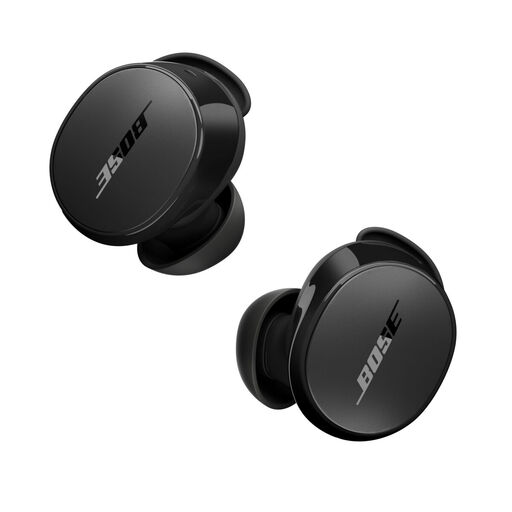 No image available
Bose QuietComfort Earbuds Black
A wireless option for watching from a compatible Bluetooth device in a noisy environment.
The product information lists active noise cancelling, an Aware mode, and ear tips and stability bands in three sizes. You may need a Bluetooth adapter for seat-back entertainment.
View at Joybuy
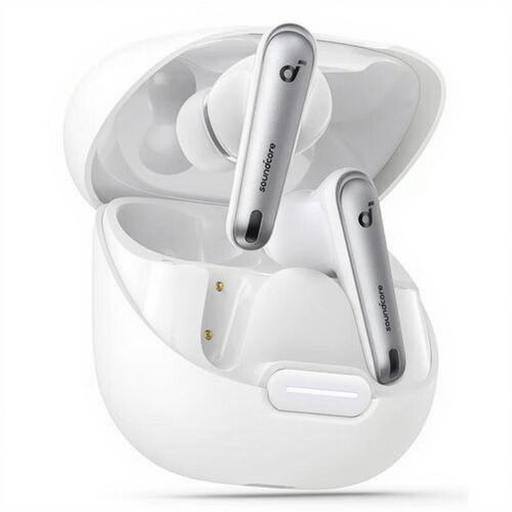 No image available
soundcore Liberty 4 NC – White
A wireless in-ear option for a compatible Bluetooth device.
The product information lists noise cancelling and up to 10 hours of audio playback per charge. You may need an adapter to use these with the screen in your aircraft seat.
View at Joybuy
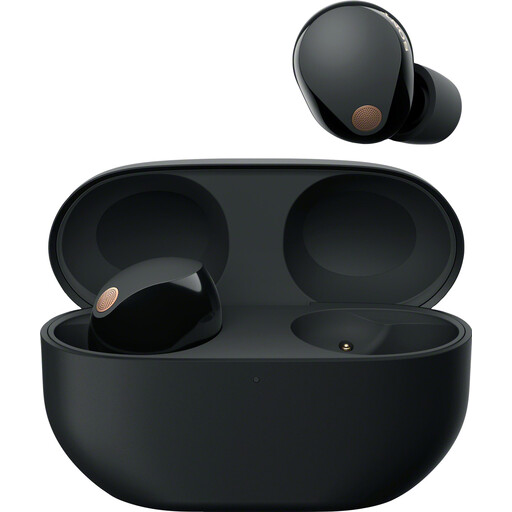 No image available
Sony WF-1000XM5 True Wireless Earbuds with Noise Cancelling – Black
A wireless in-ear option for a compatible Bluetooth device when you want to reduce cabin noise.
Sony states that they offer up to 8 hours of continuous music playback with noise cancelling on. Fit affects how well they seal, and you may need an adapter for seat-back entertainment.
View at Joybuy
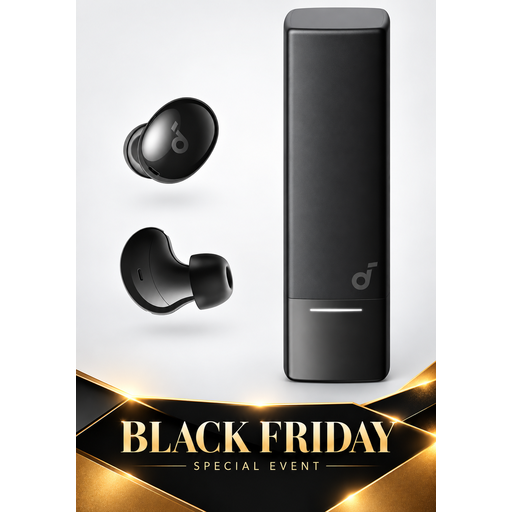 No image available
soundcore A30i by Anker
A wireless option for listening from a compatible Bluetooth device.
The product information lists Bluetooth 5.4, noise cancelling and up to 7 hours of listening per charge. You may need a Bluetooth adapter for seat-back entertainment.
View at Joybuy
Frequently asked questions
Can I connect Bluetooth earbuds directly to the screen in my aircraft seat?
Don’t assume you can. KLM recommends wired listening for Economy entertainment and says that anyone using their own Bluetooth headphones will need a Bluetooth adapter. Check the connection and guidance for your flight; KLM’s recommendation doesn’t necessarily apply to seats on other airlines.
How can I avoid constantly turning up the commentary?
Choose well-fitting ear tips and consider noise cancelling if your playback source supports it. The WHO recommends keeping the volume low and says that well-fitting, noise-cancelling earbuds can help reduce the need to turn up the volume in noisy environments.
How should I prepare wireless earbuds for a long-haul flight?
Charge the earbuds and case before you travel, and compare listening time per charge with noise cancelling on. Charging in the case interrupts your listening. Also check your airline’s latest guidance on electronic devices.
What if my earbuds turn out to be faulty after purchase?
In the Netherlands, you’re entitled to a product that works as it should. The Dutch government says there’s no set statutory guarantee period; if a product is faulty, the seller must provide a solution. Any additional manufacturer’s or seller’s guarantee is on top of your statutory rights.


