
Listeners who often repeat sections
If you practise short sections, you’ll want to play them and start again without reaching for your device each time. Check what the button controls do in the lesson app you use.


Choose earbuds based first and foremost on the controls your lesson app actually supports: skipping to the previous track isn’t the same as rewinding a few seconds. Wired listening means no charging breaks, while wireless models give you more freedom to move around. Fit and how much of your surroundings you want to hear also matter. The WHO emphasises that volume, listening time and how often you’re exposed to sound all play a part, so keep the volume at a manageable level.
If you practise short sections, you’ll want to play them and start again without reaching for your device each time. Check what the button controls do in the lesson app you use.
For longer listening sessions, fit, charging breaks and keeping the volume at a manageable level can all influence your choice.
If you practise with background noise, consider whether a more sealed fit helps you concentrate or whether you’d rather hear more of your surroundings.
Choose this option: if your device supports compatible USB-C audio and you don’t want to charge your earbuds.
Bear in mind: the cable limits your freedom to move around. Also check that the controls work with your lesson app.
Choose this option: if you want to move around while practising or prefer a more sealed fit.
Bear in mind: the earbuds need charging, and fit is a matter of personal preference.
Choose this option: if you find in-ear earbuds uncomfortable or want to hear more of your surroundings.
Bear in mind: an open design lets in more background noise too. Don’t automatically turn up the volume to drown it out.
| What to consider | What should you check? | Who does this matter most to? |
|---|---|---|
| Repeating sections | Check whether a button restarts the recording, skips to the previous track or only pauses playback. Rewinding a short distance may be a separate app feature. | If I often listen to short sections again, I want to do so without reaching for my device every time. Around 36% of consumers say repeat controls are their top buying priority. |
| Comfort and volume | Compare the fit and sizes available. For longer sessions, keep the volume at a manageable level and take breaks. | When listening for a long time, I want a comfortable fit that lasts without having to keep turning up the volume. Comfort is the top buying priority for around 29% of consumers. The WHO points out that volume, listening time and how often you’re exposed to sound all count. |
| Background noise | Compare a more sealed fit with an open design or an ambient sound mode. Don’t assume these options do the same thing. | If I’m practising in a shared space, I want to weigh up how much I block out and how much of my surroundings I can still hear. Around 21% of consumers put handling background noise first. |
| Connectivity and charging | Check whether your device supports the wired connection. For wireless models, compare playback time per charge, not just the total including the case. | If I don’t want charging breaks or need a specific connection, I want to know clearly what my options are before I buy. Around 14% of consumers give connectivity or ease of charging their highest priority. |
With a long practice recording, going back to the start of a track may be quite different from hearing the last sentence again. For the WF-C510, Sony describes skipping to the start of the current or previous track.
Check exactly what the buttons do and what features your lesson app offers before choosing earbuds for repeat controls.
The extra time provided by a charging case isn’t the same as the earbuds’ playback time on a single charge.
Compare the stated time per charge and check the conditions, such as the selected sound mode.
You can’t use the earbuds while they’re charging. The Consumentenbond points out that extra listening time from the case requires charging.
A USB-C port alone doesn’t confirm that wired earbuds will work with your device. JBL advises checking compatibility with your device, while Apple lists system requirements for its USB-C EarPods.
Check your device and operating system, and test the controls in the lesson app you use.
A sealed fit and an open design handle background noise differently. An uncomfortable fit or a tendency to turn up the volume could make either choice less suitable.
Decide whether you mainly want a quiet space to practise or prefer to stay aware of your surroundings, and keep the volume at a manageable level.
The WF-C510 is a wireless in-ear option to consider if button controls and switching between devices are important to you.
The Tune 310C USB is a wired USB-C option with controls on the cable.
EarPods (USB-C) are a wired earbud option without sealed silicone tips.
The P20i is a wireless in-ear option for anyone interested in app-based controls.
This selection includes wireless in-ear earbuds, wired USB-C earbuds and open-ear models to suit different preferences for controls, charging and background noise. Check that each model’s controls and connection work with your device and lesson app.
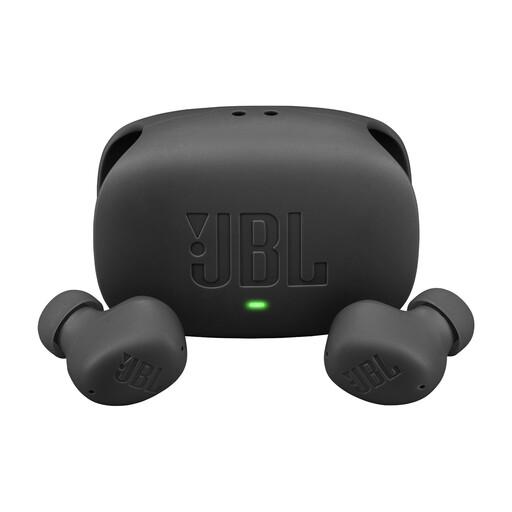 No image available
A wireless option with on-ear controls. Check which actions work in your lesson app.
Touch controls for playing, pausing and skipping tracks.
Stated playback time: 10 hours per charge and up to 40 hours including the case, with ANC off.
 No image available
A wired option for anyone looking for cable controls and listening without charging breaks. Check that your device supports USB-C audio.
USB-C connection and remote control on the cable.
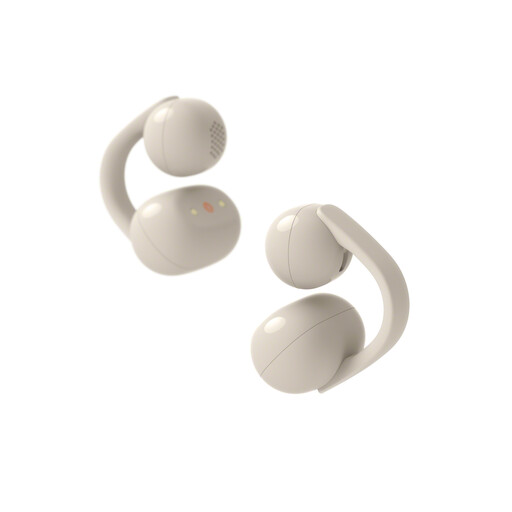 No image available
An open-ear option for anyone who wants to hear more of their surroundings while practising. The description doesn’t confirm a specific repeat function in a lesson app.
The open design leaves the ear canal unobstructed. The product information lists three listening modes, including Voice Focus.
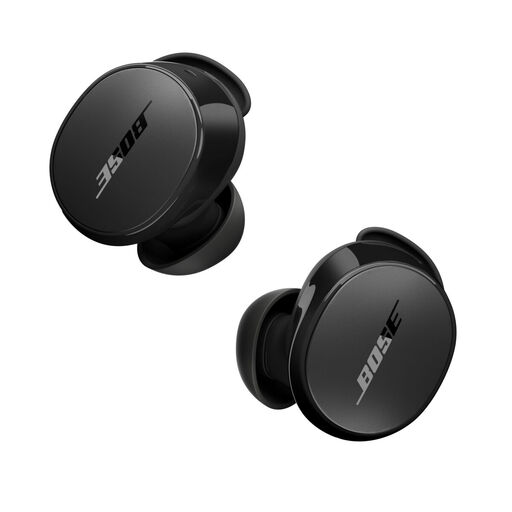 No image available
A wireless in-ear option with tap controls. Check separately how the available actions work in your lesson app.
The product information lists active noise cancellation, an ambient mode and customisable controls for playback, skipping and the previous track.
Stated battery life: up to 8.5 hours per charge.
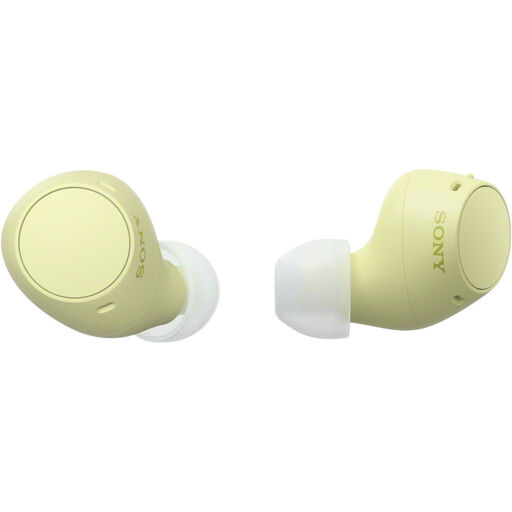 No image available
A wireless in-ear option with track controls. Check that the button action works with the way your lesson app repeats sections.
Sony describes skipping to the start of the current or previous track and lists multipoint.
Sony specifies up to 11 hours of continuous music playback with ambient sound mode off and up to 8 hours with it on. The product information lists 22 hours in total including the case; this isn’t the playback time on a single charge.
Don’t assume it can. For the WF-C510, Sony documents skipping to the start of the current or previous track, not a fixed ten-second jump. Test the controls in your lesson app or use the app’s own rewind function.
Keep the volume at a manageable level and take regular breaks. The WHO emphasises that volume, listening time and how often you’re exposed to sound all count. In a noisy environment, well-fitting headphones can help stop you from continually turning up the volume.
Follow the instructions for your model. For the WF-C510, Sony recommends gently cleaning the charging contacts with a soft, dry cloth or cotton bud, among other steps, and letting the earbuds dry completely after cleaning.
According to the Dutch government, the seller must offer a solution. The Netherlands doesn’t have a fixed statutory guarantee period for all products; what you can expect depends, among other things, on the product, its price and the information provided.
No, ‘always’ is too strong. According to the Dutch government, a 14-day cooling-off period applies in many cases when you buy at a distance. Before opening the packaging, check which terms and any exceptions apply to your purchase.