What should you look for when choosing?
Sealed wireless in-ear earbuds
Best for: listening to spoken-word episodes in noisy places, without a cable.
Bear in mind: the eartip sits in your ear canal; ANC can reduce battery life on some models.
Open-ear or non-sealing earbuds
Best for: listening while still being able to hear people or sounds around you.
Bear in mind: background noise can make quiet spoken passages harder to follow.
Wired earbuds
Best for: listening on a compatible device without having to charge your earbuds.
Bear in mind: a cable limits your freedom of movement, and a playback button is not necessarily a button for skipping back a few seconds.
When choosing earbuds for podcasts, consider the controls in your app, speech clarity, comfort, battery life per charge and how much you need to hear around you.
| Buying concern |
What should you look for? |
Who is this most important to? |
| Finding a passage again |
Test the controls in your own podcast app; check whether the app itself offers a short skip back or playback speed adjustment. |
When I replay names and dates, I want to find the right passage quickly; around 29% of consumers put replay controls first. |
| Speech clarity |
Pay attention to the fit and seal; if you’re comparing ANC, also check the listening time with that feature switched on. |
When background noise makes it hard to catch spoken details on the go, I want to follow voices without constantly turning up the volume; around 24% of consumers prioritise speech clarity. |
| Comfort |
Compare in-ear earbuds with a non-sealing design, and assess for yourself how the earbuds feel. |
I want to be able to wear earbuds comfortably throughout a long episode; around 18% of consumers prioritise long-term comfort. |
| Battery life per charge |
Compare the listening time of the earbuds themselves and check the settings used to arrive at the quoted figure. |
When I listen to several episodes back to back, I don’t want a charging break in the middle of a session; around 18% of consumers prioritise uninterrupted use. |
| Staying aware of your surroundings |
Compare an open design with an ambient sound mode; background noise can also drown out voices. |
When I want to stay aware of people around me while listening, I look for a way to hear ambient sounds; around 11% of consumers put this first. |
Earbuds at Joybuy
This selection includes wired USB-C earbuds, sealed wireless in-ear earbuds and open-ear earbuds for different podcast-listening situations.
 No image available
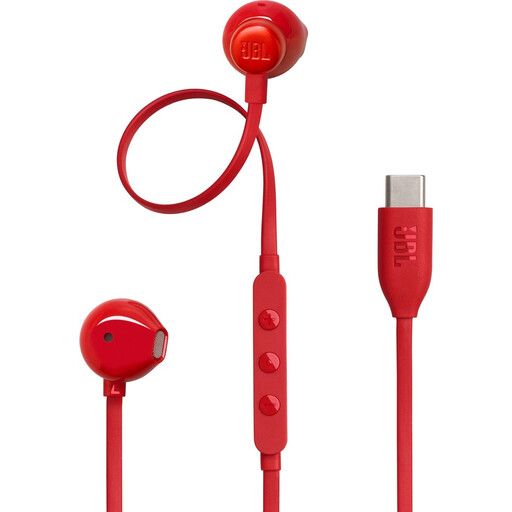
JBL Tune 305C USB-C earbuds, red
A good fit for anyone who wants to listen on a device with USB-C using a wired connection, without having to charge their earbuds. The cable controls are designed for music and volume; check whether they can also help you find the passage you want in your podcast app.
USB-C connection; your device needs to have a matching connector.
View at Joybuy
 No image available
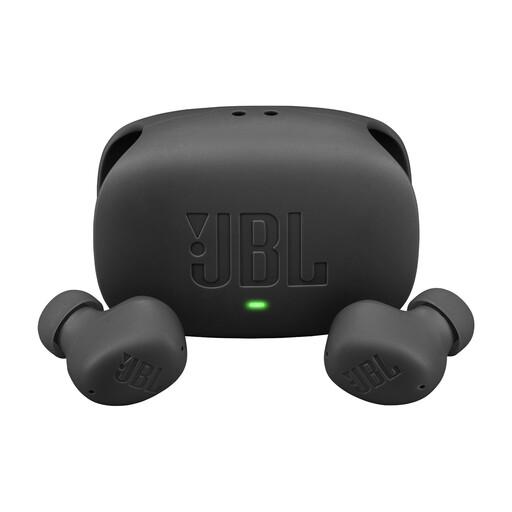
JBL Wave Buds 2, black
Worth considering if you’re looking for wireless in-ear earbuds for spoken-word episodes. When comparing options, check the fit, the controls in your podcast app and the listening time with the settings you use.
View at Joybuy
 No image available
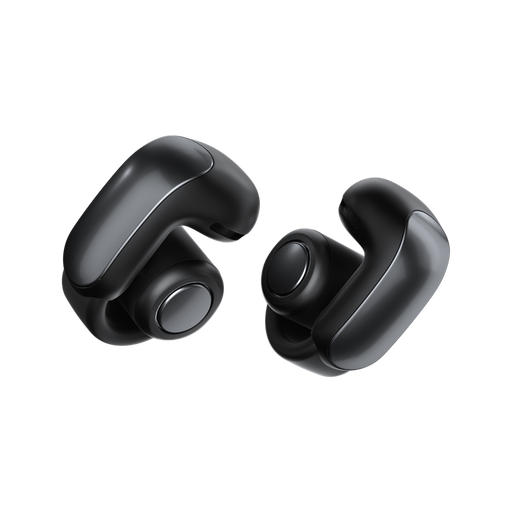
Bose Ultra Open Earbuds, black
A good fit for anyone who wants to stay aware of ambient sounds while listening. The open-ear design doesn’t seal your ears, so background noise can also drown out spoken passages.
View at Joybuy
 No image available
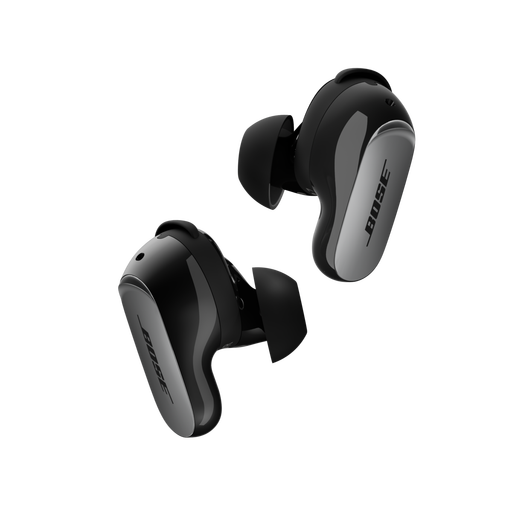
Bose QuietComfort Ultra Bluetooth Earbuds (2nd Gen), black
A sealed pair of wireless in-ear earbuds worth comparing if you listen to spoken-word episodes in noisy places. Check that the controls work with your podcast app and compare battery life per charge using your chosen settings.
The product information warns that the built-in magnets may affect pacemakers or other implanted medical devices.
View at Joybuy
 No image available
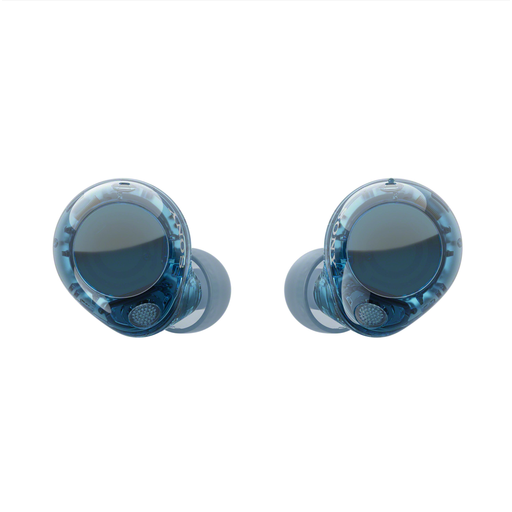
Sony WF-C710N Truly Wireless Noise Cancelling Earbuds, Glass Blue
A sealed pair of wireless in-ear earbuds to consider if you want to use the controls on the earbuds while listening. The product information mentions touch controls for music; check that they can perform the replay action you need in your podcast app.
Don’t use noise cancelling when hearing sounds around you is important for your safety.
View at Joybuy
Frequently asked questions
Can I use a button on my earbuds to skip back a few seconds in a podcast?
Not necessarily. Sony documents a control for going to the start of a track or to the previous track on the WF-C510, not specifically a short skip back within an episode. Test your earbuds with your phone and podcast app before relying on this feature.
Do I need to buy special earbuds to replay a passage?
Not necessarily: for example, you can adjust playback speed in the Apple Podcasts app. When choosing earbuds, also consider the fit, how they handle ambient sound, the controls and the listening time.
How can I avoid constantly turning up the volume in noisy places?
VeiligheidNL recommends earbuds that fit snugly, so you don’t have to turn the volume up as high, and also points to the use of a volume limiter. Keep an eye on your listening volume, even if you use an open design or an ambient sound mode.
What are my rights in the Netherlands if my earbuds develop a fault during normal use?
There is no fixed statutory warranty period in the Netherlands; according to the Dutch government, a product must meet what you can reasonably expect from it. Contact the seller if your product develops a fault. Normal wear and tear or damage caused by you isn’t automatically covered by free repair.
Will wired USB-C EarPods work with my device?
Check both the connector and compatibility with your device. Apple lists iPhones with USB-C and iOS 17 or later among the devices compatible with its EarPods (USB-C); a device with only a mini-jack or Lightning connector won’t have the same connection.


