
Comparing pronunciation at home
You listen to short Dutch speech clips repeatedly and want to pause and compare them easily, without wearing a large pair of headphones.


If you compare short Dutch speech clips at home on one compatible device, wired in-ear headphones with the right connection and easy-to-reach playback controls may be a practical choice. If you often listen in noisy surroundings or switch between devices, consider wireless in-ears with features that suit the way you use them. Check the fit and listening time per charge, too. None of these features alone proves that a model reproduces Dutch pronunciation more accurately.
You listen to short Dutch speech clips repeatedly and want to pause and compare them easily, without wearing a large pair of headphones.
You practise in places where background noise could interfere with the recording and want a compact set that’s easy to take with you. In that case, consider the fit and a comfortable listening volume.
You use more than one playback device and want to check in advance that the connection, controls or wireless link will work with both.
Start with where you listen and which devices you use for playback. Then decide whether you need simple controls, less background noise, a comfortable fit or fewer interruptions to charge.
| What to consider | What should you check? | Who is this important to? |
|---|---|---|
| Speech and controls | Try the same clip and check that pausing and replaying work properly in your app. | If you often replay short examples, you’ll want to assess speech comfortably and control playback without any fuss. Around 33% of consumers give speech comparison the highest priority. |
| Background noise | Check whether you need noise cancellation or, instead, an ambient sound mode; these features vary by model. | If you listen somewhere that outside noise could drown out your recording, consider how to manage this without constantly turning up the volume. Around 27% of consumers prioritise background noise. |
| Fit and size | Consider the shape, the available ear tip sizes and how comfortable the set feels; fit varies from person to person. | If you’re looking for a compact set that remains comfortable to wear for longer periods, fit could be the deciding factor. For around 20% of consumers, fit and portability are the main concerns. |
| Connection and charging | Check the connection with your device; for wireless models, compare the stated listening time per charge. | If you switch between a phone and laptop or don’t want to charge often, you’ll want to know in advance whether the connection will work with your set-up. Around 20% of consumers prioritise compatibility and charging. |
Consumentenbond assesses speech clips when testing headphones and earbuds, as speech should sound natural. This can help you choose what to listen for, but it doesn’t identify a specific model as the best for Dutch pronunciation.
A stated total operating time may include extra charges from the case. You can’t use the earbuds while they’re charging.
Compare the stated time per charge using the same noise-cancelling setting, and check which charging accessories are included. Apple, for example, says that the USB‑C charging cable for AirPods Pro 3 is sold separately.
Noise cancellation is designed to tackle background noise, while an EQ setting changes the sound profile. Neither is, in itself, a comparative test of Dutch speech reproduction.
Compare the same speech clip using the settings you actually plan to use, at a comfortable volume. You can try a Vocal EQ setting, but don’t treat it as proven to improve pronunciation.
Even for the JBL Tune 310C USB, JBL advises checking compatibility with your device. The JBL Tune 210 with a 3.5mm connection is a different model.
Check the full model name and the connection on both the earbuds and the playback device before choosing.
JBL offers both wired USB-C in-ears and separate wireless models. The Tune 310C USB is designed for anyone looking for wired controls, while the Tune Beam 2 is a separate wireless range.
The Sony WF-C710N is a wireless in-ear option to consider if you’re looking for noise cancellation, an ambient sound mode or the ability to switch between devices.
AirPods Pro 3 are wireless in-ears to consider if the fit and controls suit the devices you use.
Samsung positions the Galaxy Buds3 FE for Galaxy users who want to check which features work with their particular combination of devices.
This selection includes wired USB-C earbuds and wireless in-ears for a compact listening set-up. Check that each model’s connection and features suit your devices and the way you practise.
 No image available
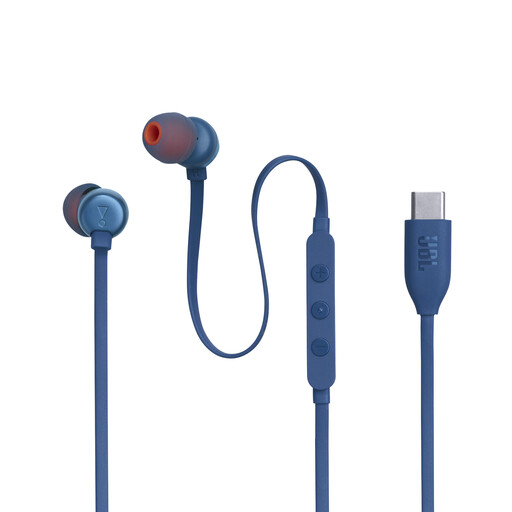
A wired USB-C option to consider if you want to replay clips repeatedly on a compatible device.
Wired; USB-C connection. Check that your device supports this connection.
 No image available
Wired in-ears to consider if you want easy-to-reach controls for short clips.
JBL lists three-button controls and EQ settings, including Vocal, for the Tune 310C USB. Check USB-C compatibility with your device; the EQ setting doesn’t prove more accurate reproduction of Dutch pronunciation.
 No image available
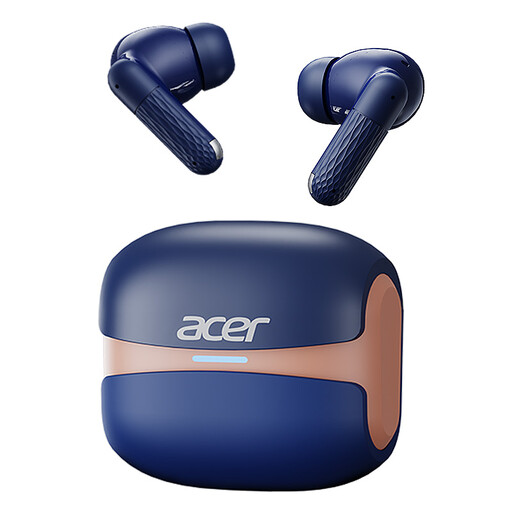
A wireless in-ear option to include in your comparison if you’re looking for a compact listening set.
The product name lists Bluetooth 5.4, touch controls and a Type-C charging case. Check that the connection works with your playback device.
 No image available
True wireless in-ears to consider if you’re looking for a wireless listening set-up with noise cancellation.
The product name lists true wireless and active noise cancelling. Check that the features suit your combination of devices.
 No image available
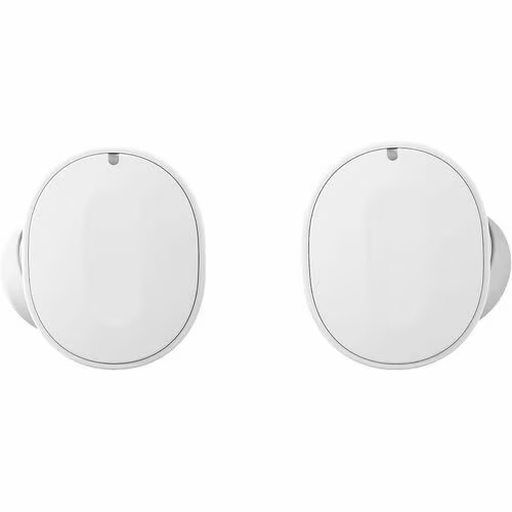
A Fairphone model to consider alongside the other compact listening options. Check which connection and connectivity options suit your devices.
No. Earbuds play back the recording; recording, replaying clips or comparing two recordings depends on your device and practice software. Try the process first with a short recording. An earbud specification alone doesn’t prove a learning benefit.
Keep an eye on both the volume and how long you listen. VeiligheidNL recommends turning on the volume limiter on mobile devices. A good seal can help keep outside noise out, but don’t turn up the volume to drown out background noise.
For a wired USB-C model, check that your device is compatible. Choose ear tips that feel comfortable, and follow the instructions for the exact model when cleaning or replacing them. Don’t assume that the same cleaning product or replacement schedule is right for every pair of earbuds.
According to the Rijksoverheid, a product must be fit for purpose, and the seller must offer a solution if a fault is upheld; the Netherlands has no fixed statutory guarantee period. For online purchases by consumers, the withdrawal period is generally 14 days from receipt, under European consumer rules. Before breaking any seal, check the terms that apply to your purchase. The right to withdraw and a solution for a faulty product are separate matters.
According to the European Commission, radio equipment placed on the EU market, including Bluetooth devices, must meet requirements covering areas such as safety and electromagnetic compatibility. These rules govern the placing of products on the market; they don’t require ordinary buyers to register or obtain a permit to use earbuds.