
Language learners who replay clips
You listen to short speech clips regularly and want to pause and replay them without using room speakers. Easy controls and clear speech matter more to you than extra music features.


First, choose earbuds that work with your phone or computer and let you use the controls you need in your practice app. Wired earbuds don’t need charging, while wireless models give you more freedom to move around. If background noise is a problem, you could also consider a model with active noise cancellation (ANC). A good fit can help reduce how much you need to turn up the volume to drown out your surroundings. Check the connection, app controls and fit to make sure they suit the way you’ll use them.
You listen to short speech clips regularly and want to pause and replay them without using room speakers. Easy controls and clear speech matter more to you than extra music features.
You practise somewhere that background noise can be distracting, and want earbuds that fit well so you don’t have to keep turning up the volume.
You might use a phone and a computer, for example. It’s important that the connection, whether wired or wireless, works with your devices and the way you practise.
Ideal for: practising in one place, avoiding the need to charge your earbuds and using a device with a compatible audio connection.
Keep in mind: a cable restricts your freedom to move around. For USB-C, check that your device supports audio through that connection.
Ideal for: anyone who wants to move around while practising or switch between devices, and can manage with a good fit in a quiet environment.
Keep in mind: you’ll need to charge them. Ambient sound mode is not the same as active noise cancellation.
Ideal for: anyone who finds background noise distracting and wants to compare models with active noise cancellation.
Keep in mind: check the exact variant and controls. An ANC listing doesn’t tell you how clearly you’ll hear speech in your surroundings.
| What to consider | What should you check? | Who is this important for? |
|---|---|---|
| Speech and replaying | Try pausing, replaying and, if available, rewinding in your own practice app. Controls on the earbuds don’t guarantee that every app supports the same actions. | If I replay short clips regularly, I want to find the controls quickly and follow spoken words clearly. Around 31% of consumers prioritise replay controls and speech playback. |
| Background noise | Check the fit and compare earbuds with ANC if your surroundings are noisy. Keep the volume moderate; ANC is no reason to listen at a higher volume. | When the noise around me disrupts my practice, I want a good seal without having to keep turning up the volume. Around 25% of consumers give background noise the greatest consideration. |
| Connections and devices | Check the audio output on your phone or computer. For USB-C, make sure it’s explicitly compatible with audio. For wireless models, check which connections work with your devices. | If I practise on different devices, I want to know whether I can use the same earbuds or need a compatible connection. Around 25% of consumers prioritise connections and switching between devices. |
| Fit and listening time | Check which ear tips are included. For wireless models, compare the battery life per charge with the total listening time including the charging case. | When listening repeatedly or for longer periods, I want comfortable earbuds with battery life that suits my sessions. Around 19% of consumers prioritise fit and listening time. |
VeiligheidNL notes that well-fitting earbuds let less sound escape, so you don’t need to turn the volume up as high. The Consumentenbond assesses speech clips as a separate part of its listening tests; listen for yourself to see whether Dutch speech sounds clear to you.
Playback or pause controls don’t automatically mean you can go back to an earlier part of a clip in your practice app.
Try the actions you need with your own device and app. If rewinding doesn’t work, use the app’s timeline.
Having a USB-C port doesn’t automatically mean it supports audio with the earbuds you choose.
Check your phone or computer’s audio compatibility before choosing a USB-C model. You may need a different connection or a compatible adapter.
The stated battery life per charge may differ from the total listening time when you include the charging case.
For an uninterrupted practice session, compare the stated battery life of the earbuds themselves and check which sound mode it applies to.
According to the World Health Organization, volume, listening time and repeated exposure to loud sounds all contribute to listening risks.
Choose a good fit, keep the volume moderate and take listening breaks. VeiligheidNL also recommends using a volume limiter.
The Tune 310C USB-C is a wired in-ear option for anyone who doesn’t want to charge their earbuds while practising.
The WF-C510 is a wireless in-ear option with multipoint and an ambient sound mode.
AirPods 4 are available in a version without active noise cancellation and one with it.
Samsung positions the Galaxy Buds3 FE as wireless earbuds with ANC, designed for its Galaxy ecosystem.
The P20i is a wireless option that soundcore says you can customise using its own app.
This selection includes wired USB-C earbuds and wireless models for private listening with on-earbud controls. Check which features suit your practice app for each model.
 No image available
The controls on the cable can be handy if you want to control your music without holding your phone. Try the actions you need in your practice app.
USB-C connection; three-button controls and built-in microphone, according to the product description. Check that your device supports USB-C audio.
 No image available
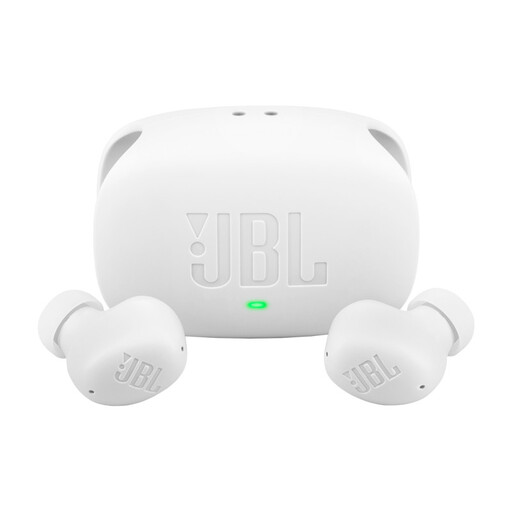
A wireless option if you don’t want a cable while practising; check that the controls work with your practice app.
The product description lists ANC, Smart Ambient and connection to two Bluetooth devices. The stated playback time of up to 10 hours applies with ANC off.
 No image available
Wired earbuds could be a good fit if you don’t want to charge a wireless battery; check your device’s connection.
The product description lists USB-C, noise cancellation, in-line controls with a microphone, and three sizes of ear tips.
 No image available
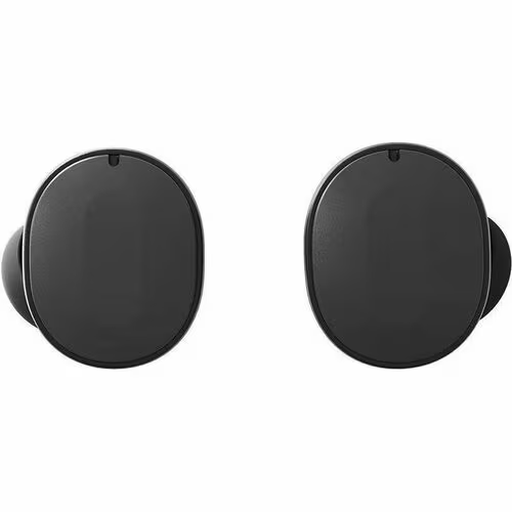
The product description lists playback controls and hybrid ANC. Try the controls with your own practice app, and stay aware of your surroundings when using ANC.
Multipoint for two active devices, according to the product description. The stated playback time of up to 8 hours applies with ANC off.
 No image available
The product title lists studying as a use case; check which features you need to play and replay exercises.
The product information lists touch controls, Bluetooth multipoint and ANC. It warns that ANC may affect your awareness of your surroundings; don’t use the earbuds while driving, cycling or in traffic.
Not automatically: playback or pause controls don’t prove that rewinding will work in your practice app. Try the controls with your own device. If they don’t work, use the app’s timeline to listen to a clip again.
Start with a good fit and a moderate volume, and don’t automatically turn the volume up to drown out background noise. VeiligheidNL recommends a volume limiter and well-fitting earbuds. The World Health Organization also highlights the importance of volume, listening time and listening breaks.
Check that your phone’s USB-C connection supports audio with the model you’ve chosen. The shape of the connection alone doesn’t confirm compatibility.
For an online purchase in the Netherlands, you’ll generally have a statutory 14-day cooling-off period after delivery, with exceptions, including certain unsealed hygiene products. Check the applicable terms before opening the packaging. Your statutory guarantee is separate: if a product used normally doesn’t meet what you could reasonably expect, the seller is responsible for providing an appropriate solution.