
Taking a lesson in a shared space
You want to hear your tutor without using room speakers or turning the volume up to drown out background noise. VeiligheidNL recommends well-fitting earbuds to help limit sound leakage.


Choose earbuds based on where you take your lesson and whether you’ll only be listening or also replying. A well-fitting pair of in-ear earbuds can help reduce background noise, while your lesson app’s microphone and audio settings matter if you’ll be speaking. For longer lessons, comfort and battery life per charge are important. Wired earbuds mean you won’t need to charge them, but they require a compatible socket and may not block out your surroundings as effectively.
You want to hear your tutor without using room speakers or turning the volume up to drown out background noise. VeiligheidNL recommends well-fitting earbuds to help limit sound leakage.
You’ll also need to reply during the lesson. So check not only the earbuds, but also which microphone and speaker your lesson app is using. Microsoft Support explains these settings for Teams.
Consider comfort and battery life per charge: you can’t wear earbuds in their charging case. Consumentenbond highlights this difference.
First decide whether your priority is following what’s being said, replying yourself or staying aware of your surroundings. Then compare the fit, microphone use and battery life per charge with your lesson routine.
| What to consider | What should you check? | Who is this most important for? |
|---|---|---|
| Understanding spoken Dutch | Check the fit and the sizes of tips supplied. Find out which ambient sound or noise-cancelling features are specified for the exact model. | If I’m taking a lesson in a shared or noisy space, I want to understand what’s being said without constantly turning up the volume. Around 36% of consumers prioritise being able to hear the lesson clearly. |
| Being heard when you reply | Check the microphone and speaker selected in your lesson app, and test the connection beforehand. | In interactive lessons, I want to be able to respond and know that the app is using the microphone I intended. Around 29% of consumers prioritise being able to take part in conversations. |
| Comfort and awareness of your surroundings | Check the shape, the available tip sizes and whether the model has an adjustable ambient sound mode. | If sealed tips feel uncomfortable or I want to be able to hear someone in the room, comfort matters more. Around 21% of consumers prioritise fit and awareness of their surroundings. |
| Finishing your lesson without a charging break | Compare the stated battery life per charge with the length of your lesson, and check whether a separate battery life is specified for calls. | For a long session, I don’t want to rely on a charging break; time in the case isn’t continuous listening time with the earbuds in. Around 14% of consumers prioritise uninterrupted use. |
The case charges your earbuds while you’re not wearing them. Consumentenbond also points out that batteries may not be replaceable.
Compare battery life per charge with the length of your lesson, and distinguish playback time from any stated call time.
Your lesson could be interrupted if the earbuds run out of charge sooner than expected; a battery that’s losing capacity can shorten listening time.
Fit and the noise in your own surroundings still make a difference. Noise cancellation doesn’t guarantee that background noise or all speech will disappear.
Check the fit and listen at a sensible volume in your lesson environment. Treat noise cancellation as a possible feature, not a guarantee that you’ll hear everything clearly.
Apple lists specific compatible devices and system requirements for the EarPods (USB-C). A plug that fits doesn’t prove they’ll work with every device.
Before buying, compare the requirements with your lesson device and check which audio devices are selected in your lesson app.
The WF-C710N is worth considering if you’re looking for sealed wireless earbuds with an ambient sound mode and the ability to connect to multiple devices.
The Tune Flex 2 is an option if you’d like to choose between open and more sealed tips within one product.
The EarPods (USB-C) are a wired option if you don’t want to charge your earbuds during a lesson and your device meets the compatibility requirements.
The Galaxy Buds3 FE are worth considering if you take lessons on several compatible Samsung Galaxy devices.
These Joybuy picks are wireless in-ear earbuds for listening to lessons privately. If you take interactive lessons, also check your lesson app’s microphone and audio settings.
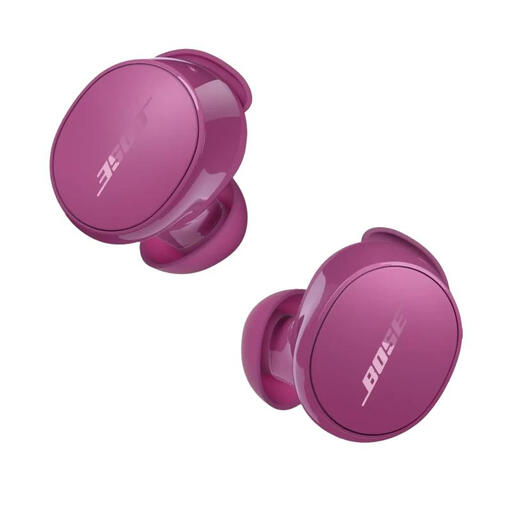 No image available
An option for private listening, with the choice of the listed Quiet and Aware modes. Check that the fit is comfortable for your lesson.
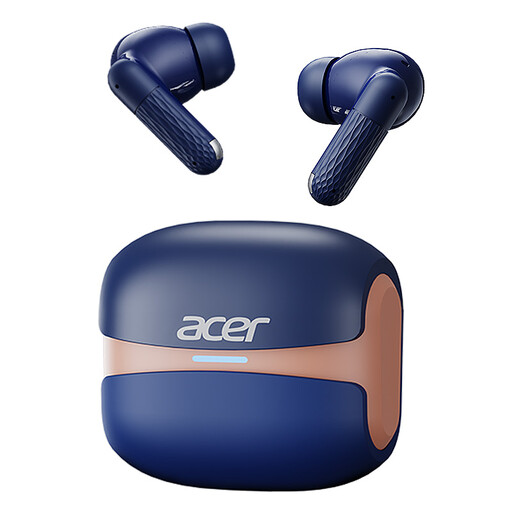 No image available
The in-ear design may suit you if you want to listen to your lesson privately. Before an interactive lesson, check that your lesson app is using the microphone.
The product name lists Bluetooth 5.4 and a charging case with a Type-C connection.
 No image available
A wireless in-ear option for listening to lessons privately; the product name lists active noise cancellation.
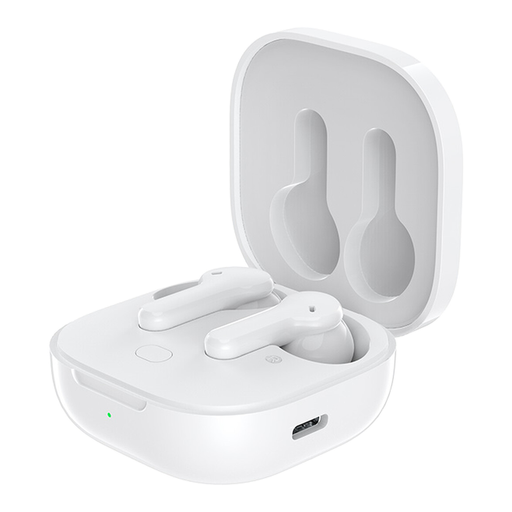 No image available
The in-ear design is an option for private listening. If you want to speak, check that the microphone and audio settings work with your lesson app.
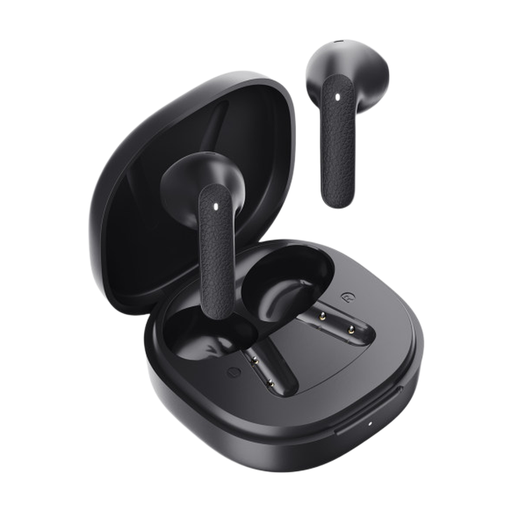 No image available
A wireless in-ear option for longer listening sessions; compare the battery life per charge with the length of your lesson.
Before joining, select your preferred speaker and microphone in the lesson app, and test the connection if you can. Microsoft Support explains these settings for Teams; check the steps separately for other apps.
First, try improving the fit or reducing distracting background noise. VeiligheidNL recommends well-fitting earbuds, so noise from your surroundings is less likely to make you turn up the volume.
No. Check the earbuds’ battery life per charge, and for interactive lessons look for a separate stated battery life for calls. The case charges the earbuds while you’re not using them.
Don’t assume so. ACM ConsuWijzer says you’ll generally have 14 days to change your mind after delivery when you buy online. There’s also an exception for certain hygiene products that have been removed from their packaging. Before breaking any seal, check the product information and the returns policy for the specific product.
The statutory guarantee applies in addition to any manufacturer’s warranty. According to ACM ConsuWijzer, the seller must offer a suitable solution free of charge if a product doesn’t do what you could reasonably expect under normal use. This doesn’t mean there’s a fixed guarantee period for all earbuds.