
Earbud user with one spare socket
Wants to charge the case, and possibly another device, using a single mains adapter. Start by checking the connection and charging method for your own case.


First, check how your earbuds’ case charges. If it has a USB connection, a multi-port USB charger may be suitable. A wireless charging station will only work if both the case and the designated charging area support it. Choose extra charging spots only if you want to charge those devices at the same time, and check the connections, included power supply and compatibility for each model.
Wants to charge the case, and possibly another device, using a single mains adapter. Start by checking the connection and charging method for your own case.
Wants to charge two devices in one place. A two-device charging station is only suitable if the case supports wireless charging and the relevant spot is designed for it.
Wants to charge three devices at once, so needs to check that each charging spot works with the specific device.
The way your case charges determines whether a USB charger or wireless station is suitable. The number of charging spots only matters after that.
| What to consider | What should you check? | Who is this important for? |
|---|---|---|
| Several devices using one socket | Count how many devices you want to charge at once, then check that the connections and power supply suit your setup. | If I want to use one socket for several devices, I need enough suitable connections without paying for charging spots I won’t use. Around 36% of consumers give highest priority to sharing one socket. |
| Case compatibility | Check the exact case model, its connection and whether it explicitly supports wireless charging. | I want to avoid finding that my case doesn’t work on the chosen charging pad. Around 29% of consumers prioritise case compatibility. |
| Charging spots for a phone and watch | Compare your models with the compatibility information for each individual spot, and check which spot is intended for the case. | If I want to charge earbuds, a phone and a watch at the same time, the charging spots must suit all three. Around 21% of consumers particularly value this combination. |
| Power supply and safe use | Check which adapter and cables are included, and what power supply the station requires. Follow the instructions and don’t use damaged cables. | I want to know whether I can plug in the setup straight away and where I can place it safely. Around 14% of consumers focus particularly on the power supply and safe use. |
Wireless earbuds charge in their case, but that doesn’t automatically mean the case can charge on a wireless charging pad.
Check the charging options for the exact case model before choosing a wireless charging station.
The manufacturer may specify requirements for the phone spot, watch module and case spot. A spot that isn’t suitable for your device may end up unused.
Compare your devices’ model numbers with the information for each individual charging spot.
The wattage may refer to a specific charging spot or the mains charger, and doesn’t automatically indicate the charging performance for the case.
Check the stated requirements for each port or charging pad, and which devices the specified power applies to.
These examples show different charging setups. Check the compatibility and box contents for the exact model.
The WIZ032kqBK described is a 3-in-1 charging stand for a compatible phone, Apple Watch and wireless-charging earbud case.
The MagGo 3-in-1 stand described is designed for a phone, AirPods and Apple Watch.
The Nexode 10335 is a multi-port wired mains charger for cases that charge via cable.
The 4-1 Wireless Charger described combines charging spots for a phone, watch and AirPods with an extra USB-C port.
These Joybuy products are suited to wired charging. Check that your case can connect to the charger you choose using a suitable cable.
 No image available
Worth considering if you want to charge several devices from one adapter using suitable USB cables.
Stated power: up to 65 W. Connections: two USB-C ports and one USB-A port.
 No image available
An option to look at if you want to connect several devices with suitable USB cables to one charging station.
The product name lists 10 ports, USB-C and USB-A. Check which connections your devices need.
 No image available
Could suit a wired charging setup on the go, provided the case and cable are compatible with the available connections.
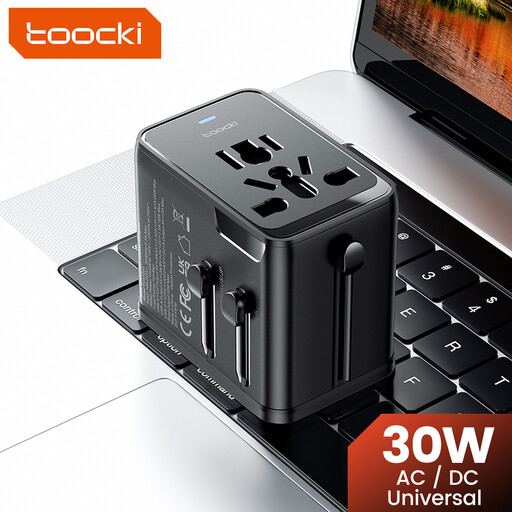
The product name lists 30 W PD, two USB-C ports and one USB-A port. It lists plug types for the EU, UK, US and Australia; check which one is suitable for your destination.
 No image available
Worth considering if you want to charge devices via USB; check that the connections suit your case and cables.
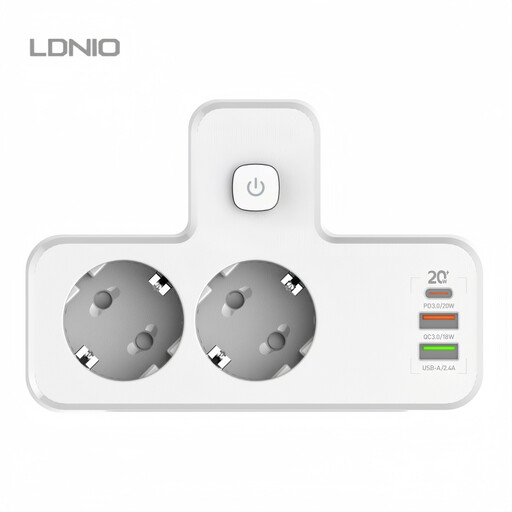
The product name lists PD20W and multiple USB connections.
 No image available
A wired travel charger to consider if your case charges via a suitable USB cable.
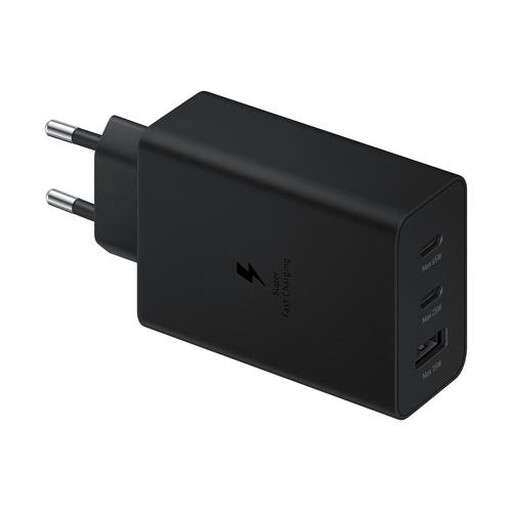
The product name lists 65 W. Check the connections, included accessories and conditions for simultaneous charging for the exact model.
No. The case itself must support wireless charging and fit the designated charging spot. Check the charging options for the exact case model. You can look up a charger’s Qi certification claim in the Wireless Power Consortium’s product database.
That depends on the exact model, what’s included in the box and the connection on your case. Belkin lists a 40 W power supply included with the WIZ032kqBK. For other models, check which adapter and cables are included and whether they’re suitable for your devices.
Not necessarily: the stated power may apply to the charger as a whole or to a specific charging spot. Check which requirements and devices the stated power applies to. For example, UGREEN lists a maximum of 65 W for the Nexode 10335, not 65 W per port when they’re all in use.
Follow the instructions, place the charger in an open spot where heat can escape, and don’t use damaged cables. This follows advice from Brandweer Nederland and isn’t a guarantee that a specific model is safe.
In addition to any manufacturer’s warranty, you’re covered by the statutory guarantee. If a product breaks sooner than you could reasonably expect under normal use, the seller is responsible for providing a suitable solution at no extra cost. According to ACM ConsuWijzer, there is no fixed statutory guarantee period that applies to every product.