
Student with one charging case
You’re looking for a compact, dedicated place to charge and mainly want to know whether your exact case can charge wirelessly and what you need to connect the charger.


First, check whether the charging case for your exact earbud model supports Qi charging. A Qi charging pad is only useful if the case can charge wirelessly. Then choose a single charging spot if you only need to charge the case, or a station with two suitable zones for your case and phone. Check which cable and adaptor are included with each version, and place the charger somewhere unobstructed.
You’re looking for a compact, dedicated place to charge and mainly want to know whether your exact case can charge wirelessly and what you need to connect the charger.
You want to charge your case and phone at the same time. Samsung and Belkin set out separate requirements for the devices placed on their charging zones.
You’re looking for a clear spot where the charger can release heat. Brandweer Nederland advises placing chargers in an unobstructed position and not using them under a pillow or duvet.
A good choice if: you only want to charge a Qi-compatible case in that spot and keep your desk clear.
Bear in mind: one charging spot isn’t designed to charge a phone and case at the same time. IKEA says the USB-C cable and power adaptor for the LIVBOJ are sold separately.
A good choice if: you want to place a compatible case and phone on the charger at the same time. Samsung lists specific Galaxy Buds models for the Wireless Charger Duo; Belkin describes a separate Qi surface for AirPods on the WIZ028vfBK.
Bear in mind: check compatibility for each zone and what’s included in the box. Samsung says the EP-P5400BBEGEU doesn’t include an adaptor; Belkin says the WIZ028vfBK comes with an adaptor and USB-C cable.
A good choice if: the case for your exact model doesn’t support wireless charging, or you don’t need a second wireless charging spot.
Bear in mind: you’ll need to connect the case with a suitable cable each time; follow the instructions provided with the case.
| What to consider | What should you check? | Who is this important for? |
|---|---|---|
| Case compatibility | Check whether the case for your exact model supports wireless charging and whether it’s suitable for the charging zone. | I want to avoid choosing a charging pad that my case can’t use. Around 33% of consumers prioritise case compatibility. |
| A safe spot in a small room | Set aside a clear spot where heat can escape. Brandweer Nederland advises against charging under bedding. | I have little free space and don’t want to cover the charger or tuck it between other things. Around 27% of consumers prioritise a suitable, clear spot. |
| Charging a case and phone at the same time | Check that each device is suitable for its own charging zone. Samsung and Belkin specify separate requirements for each device and spot. | I want to place my phone and charging case on the station at the same time and know where each one belongs. Around 20% of consumers prioritise simultaneous charging. |
| Cable and adaptor | Compare what’s in the box for the exact version with the cable and power supply you already have. | I don’t want to overlook any connections I need when setting up my charging spot. Around 20% of consumers prioritise a suitable, complete connection. |
Wireless charging depends on the case. If it doesn’t support wireless charging, a Qi charging pad won’t be able to charge it.
Check the charging methods for your exact case version before choosing a wireless charging spot.
A charging pad that isn’t compatible with your case won’t provide a usable way to charge it.
A magnetic phone spot and a Qi surface for earbuds don’t automatically have the same requirements.
Check which zone the manufacturer recommends for each device.
What’s included can vary between models and versions in the same product range.
Check the full model code and box contents, then compare them with the power supply you already have.
If a suitable cable or adaptor isn’t included, you may need to buy one separately.
Brandweer Nederland says a charger should be unobstructed so it can release heat.
Set aside a clear spot and don’t use damaged cables.
The LIVBOJ is a compact charging pad with one charging spot, suited to anyone who wants to charge wirelessly after checking their case is compatible.
The Wireless Charger Duo EP-P5400 range is designed for charging two devices at once. Samsung lists compatibility with specific Galaxy Buds models.
The foldable BoostCharge WIZ028vfBK combines a magnetic phone spot with a Qi charging surface for compatible earbud cases.
The Single Wireless Charger Combi Pack EU is a charging spot for cases that support wireless charging.
This selection of Joybuy products is for anyone looking for a wireless charging spot for their earbud case, and who may also want to charge a phone at the same time.
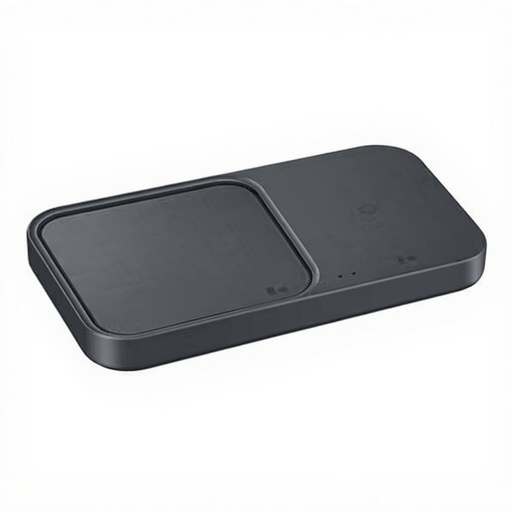 No image available
A good choice if you want to charge an earbud case and another compatible device wirelessly at the same time, provided each device is suitable for its own charging spot.
The product information lists a USB-C cable as included. The charging case itself must support wireless charging.
No. Check whether the charging case for your exact model supports wireless charging. For example, Apple lists Qi and USB-C for the AirPods Pro 3 case; that doesn’t automatically tell you anything about other cases. The Wireless Power Consortium provides information about Qi-certified products.
Place the charger somewhere unobstructed so heat can escape. Brandweer Nederland advises against charging under a pillow or duvet; also follow the product’s placement and care instructions.
No, what’s included varies by version. IKEA sells the USB-C cable and power adaptor for the LIVBOJ separately, while Belkin lists both as included with the WIZ028vfBK. Check the contents of the exact version before ordering.
For online purchases, ACM ConsuWijzer generally states that you have 14 days from delivery to change your mind, with some exceptions. If a product doesn’t do what you could reasonably expect when used normally, you’re also covered by the statutory guarantee. Contact the seller for help.
No. Qi certification relates to tests for wireless charging; CE marking relates to applicable legal product requirements in the European Union. The requirements depend on the product version and the regulations that apply. A Qi label alone doesn’t prove legal compliance.