Which option is right for you?

Outdoor reader of continuous text

Do you mainly read chapters or stories in daylight and want a comfortable, easy-to-hold screen? Compare E Ink with a tablet first, then check that your book will work on it. The Consumentenbond describes e-readers as suitable for reading in the sun.

Language learner who looks up words

If you regularly translate words, the exact edition and file format of your book matter more than simply having a dictionary. Rakuten Kobo warns that the dictionary function may not work with certain PDFs and other types of book.

Reader of formatted lesson pages

Does your language textbook contain large PDF pages, images or exercises whose layout needs to stay intact? In that case, screen size and useful document features may matter more than a compact design.

What should you consider when choosing?

What to consider What to look for when buying Who is this important for?
Readability outdoors Compare E Ink with a matte or anti-reflective finish, and try reading your own text outdoors if possible. The Consumentenbond notes that tablets may suffer from reflections. If I mainly read continuous text outdoors, I want to see the screen clearly without having to keep changing the viewing angle. Around 36% of consumers put readability in bright daylight first.
Dictionary and translation Check the language pair you need and test word selection with the exact file of your book. Rakuten Kobo notes limitations with some PDFs, library books and free e-books. I want to look up words in my own language textbook as I read, not just in a sample file. Around 29% of consumers prioritise working word-assistance features.
PDFs and lesson layouts Check whether your book is a fixed-layout PDF or a reflowable e-book, and try a sample page. According to the Consumentenbond, a small e-reader can be awkward to use with large pages. For exercises and images, I want to view the original page layout without constantly zooming in. Around 21% of consumers give the clear display of lesson pages top priority.
Reading and other study activities Decide which apps and note-taking features you really need, and check that they work with your book format. Having more tablet features won’t eliminate potential reflections outdoors. If I need apps or notes as well as reading, I want to do those things on the same device. Around 14% of consumers put versatility first.

Common pitfalls

  • Assuming an anti-reflective coating makes a tablet equivalent to E Ink

    A coating or brightness specification isn’t the same as a comparative outdoor test. The Consumentenbond points out that direct sunlight and reflections can make a tablet screen harder to see.

    Take both your outdoor use and the format of your language textbook into account. If possible, assess the screen using your own text.

  • Choosing an e-reader for its dictionary without checking your book

    Rakuten Kobo warns that the dictionary may not work with some PDFs, library books and free e-books.

    Before you buy, check the language pair you need and test word selection with your book file.

  • Choosing a small E Ink screen for large PDF lesson pages

    With a fixed page layout, you may need to zoom in a lot; reflowing the text can change the original formatting.

    View a sample page and, if needed, compare it on a larger screen before choosing a device.

  • Confusing paid-for extra cover with your statutory guarantee

    Your statutory guarantee is separate from any additional cover you pay for. The retailer remains responsible for your statutory consumer rights.

    Before choosing a paid guarantee product, read exactly what additional cover it provides. ACM ConsuWijzer has information about statutory guarantees.

Brands to compare

Kobo

E Ink reading devices for people who mainly read books outdoors. The Clara BW is a compact black-and-white option; according to Rakuten Kobo, the Libra Colour has a 7-inch colour screen and page-turn buttons.

  • Rakuten Kobo describes its screens as anti-glare and offers word translation for supported books.
  • Rakuten Kobo warns that the dictionary may not work with some PDFs, library books and free e-books. So be sure to check your own language textbook.

Apple

The iPad Air is a versatile tablet option for formatted documents, apps and note-taking alongside reading.

  • Apple lists an anti-reflective coating and 500 nits of brightness for the 11-inch iPad Air M4.
  • These manufacturer specifications don’t show that the screen will always be comfortable to read in direct sunlight; tablets can reflect light.

Lenovo

The Tab P12 with Matte Display is a tablet option for people who value a large page and a matte finish.

  • Lenovo describes the screen as 12.7 inches, with a matte, anti-reflective finish.
  • This is the manufacturer’s description, not an independent measurement of readability in bright daylight. A large screen is also less compact to hold.

BOOX

The Go Color 7 (Gen II) is a compact E Ink option for readers who also want to use Android apps.

  • BOOX lists a 7-inch colour screen, page-turn buttons and adjustable front lighting.
  • The listed app capabilities don’t confirm that every language-learning or translation app will work with every file. Check the combination you need.

PocketBook

The Verse Pro Color is a compact colour E Ink option for comparing supported file formats and dictionaries.

  • PocketBook lists a 6-inch screen and pre-installed dictionary pairs.
  • Check whether your preferred language pair is available; the listed pairs don’t mean that every language pair is supported.

Products for reading and studying

These Joybuy products include E Ink readers for continuous text and tablets for anyone who also needs to read larger documents or carry out other study activities.

Bigme B751C S e-reader

Bigme B751C S e-reader

An E Ink reader to consider if you mainly read continuous text outdoors; check separately that your language textbook and preferred word-assistance features work.

The product lists a 7-inch colour screen, 4+64GB, 300 ppi and front lighting with 36 levels.

A larger tablet screen may be more practical for large PDF lesson pages.

View at Joybuy

Bigme HiBreak Pro Color Display e-reader

Bigme HiBreak Pro Color Display e-reader

This E Ink reader could suit you if you’re looking for a compact reading device with app capabilities; test whether the specific reading and translation app works with your book.

The product information lists a 6.13-inch screen, Android 14 and 8GB+256GB. The description mentions that apps can be installed.

For large PDF lesson pages, the smaller screen may be less practical than a tablet.

View at Joybuy
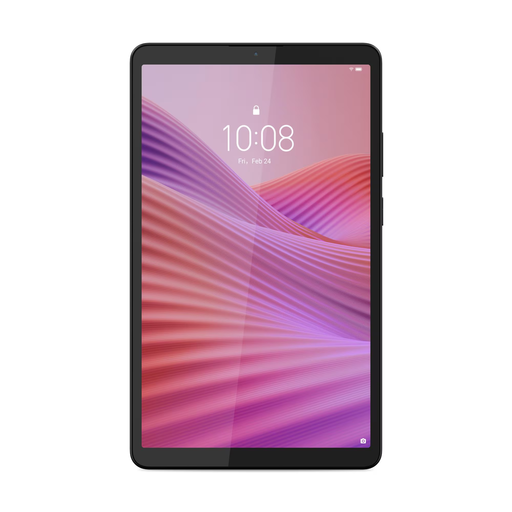
Lenovo Tab One 8.7-inch Wi-Fi tablet

Lenovo Tab One 8.7-inch Wi-Fi tablet

A tablet option if you want to use the same device for reading and other study activities. A tablet screen may reflect light outdoors, so assess it using your own text.

The product information lists 4GB RAM, 128GB storage, an IPS touchscreen, Android 14 or later and brightness of up to 480 nits.

According to the product description, a USB power adapter isn’t included.

View at Joybuy
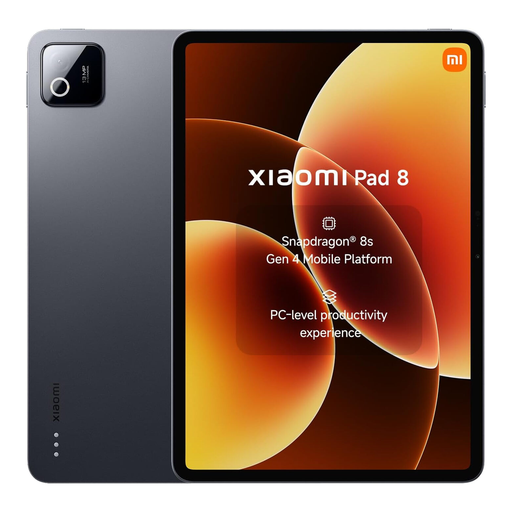
Grey Xiaomi Pad 8 tablet with 8GB RAM and 256GB storage

Xiaomi Pad 8

A tablet to compare if you want to combine reading with other tablet use. Potential reflections outdoors are still worth considering with tablets.

The product title lists the grey version with 8GB RAM and 256GB storage.

View at Joybuy

Lenovo Yoga Tab ZAG60028PL tablet with Tab Pen Pro

Lenovo Yoga Tab ZAG60028PL tablet

This tablet could suit you if you want to take notes as well as read; the product title lists a Tab Pen Pro as included. If you read outdoors, assess the screen using your own material.

The product information lists an 11.1-inch touchscreen, a 3.2K screen, 12GB RAM, 256GB storage and Android 15.

Tablet screens can reflect in direct sunlight and make reading harder.

View at Joybuy

Frequently asked questions

Can I translate every word in my language textbook on an e-reader?

No, you can’t assume that just because it has a dictionary. Rakuten Kobo warns that the dictionary function may not work with some PDFs, library books and free e-books. Check the language pair you need and, if possible, try your own file.

Is a tablet more useful for a PDF with lesson exercises?

A tablet may be more practical if your PDF has large pages with a fixed layout. According to the Consumentenbond, these pages can be hard to read on small e-readers, and reflowing the text can disrupt the layout. View a sample page before choosing a size.

What can I do if my tablet bought online breaks down too soon?

If you’ve used the product normally and it doesn’t meet the standard you could reasonably expect, the retailer is responsible for putting things right under the Dutch statutory guarantee. This is separate from any manufacturer’s guarantee, and there is no fixed standard period that applies to every product. Online purchases from businesses generally also come with a 14-day cooling-off period, subject to exceptions. ACM ConsuWijzer and the Dutch government provide information about these rights.

Does a tablet sold in the Netherlands need an EU energy label?

Since 20 June 2025, EU energy-labelling rules have applied to slate tablets covered by the regulation and placed on the EU market. The European Commission distinguishes between these devices and certain tablet computers. So don’t assume the rules apply based on the word ‘tablet’ alone.
