What should you look for?
Start with a non-glare E Ink screen for reading in bright daylight. Then check that the exact title and edition work with your preferred buying or borrowing option. Finally, compare the size and note-taking features with your reading habits.
| What to consider |
What should you check? |
Who is this important for? |
| Reading in bright daylight |
Check that the exact model has a non-glare E Ink screen and, if possible, try reading on it outdoors. |
If I read text outdoors for a long time, I want the page to remain comfortable to look at. Around 36% of consumers put readability in bright daylight first. |
| Access to the book |
Search for the exact title and edition. If you’re borrowing it, check that an e-reader version is available and that the device, DRM and file format are compatible. |
If I want to borrow the book club read, that specific edition needs to open on my e-reader. Around 29% of consumers give access to the book top priority. |
| Ease of use |
Compare the screen size and stated weight of the models you’re considering. If possible, try holding and using them. |
For long reading sessions, I want a device that feels comfortable to hold and makes turning pages easy. Around 21% of consumers focus most on ease of use. |
| Finding passages again |
Check how highlighting and note-taking work on the model and in the app or file format you’ll use to read the book. |
If I want to find quotes or comments again for the discussion, useful highlighting and note-taking features matter. Around 14% of consumers put this need first. |
E-readers at Joybuy
This selection includes Bigme E Ink e-readers for reading text, including a model with Android 14 and one with a 7-inch colour screen.
 No image available
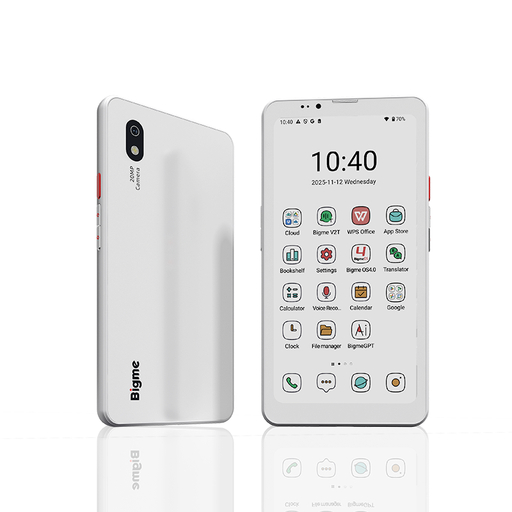
Bigme HiBreak Pro Color Display 6.13'' E-Ink-e-reader
An option to consider if you’re looking for an E Ink e-reader and also want to use Android apps.
The product title lists a 6.13-inch screen, Android 14 and 8GB+256GB.
View at Joybuy
 No image available
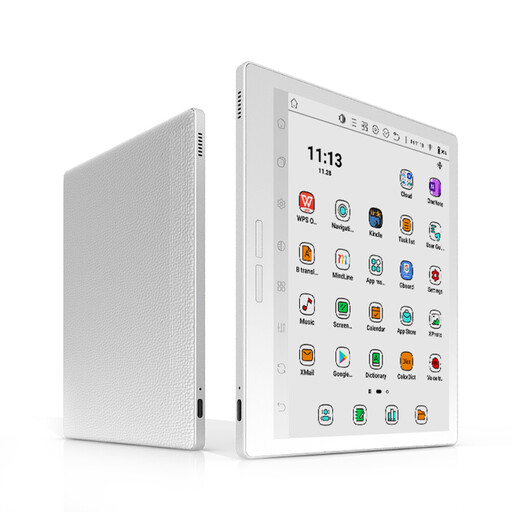
Bigme B751C S 7-inch colour E Ink e-reader, white
A model to consider if you’re looking for an e-reader with a colour screen.
The product title lists a 7-inch screen, 300 ppi and a front light with 36 brightness levels. According to the product description, this model is sold without a power adapter.
View at Joybuy
Frequently asked questions
Can I read any book club book from the online Library on an e-reader?
No, not every e-book is available for e-readers. The online Library indicates for each title whether an e-reader version is available. Then check that your device supports the DRM protection and file formats used for that edition.
How do I transfer a library book to my e-reader?
According to the online Library, the transfer process described uses Adobe Digital Editions on a computer, with the downloaded book transferred via USB. For new authorisations, the library has used a ByteBooks account since 23 June 2026.
Do I need screen lighting to read in the sun?
Not necessarily: the Consumers’ Association recommends an e-reader screen without distracting reflections for reading in the sun. Adjustable lighting is an extra feature for when the ambient light changes.
What cooling-off period and warranty apply to an online purchase?
According to ACM ConsuWijzer, a standard online consumer purchase usually comes with a statutory cooling-off period of up to 14 days after delivery. Check the relevant exceptions and returns policy. The statutory guarantee is separate from any manufacturer’s warranty, and the retailer is your point of contact if a product is faulty.
What can I do with my old e-reader when I buy a new one?
The Dutch government describes a take-back scheme for privately owned electrical appliances: a retailer will accept an old, similar appliance free of charge, including for an online purchase using the delivery method described.


