Start with an e-reader whose brightness can be turned down low enough, then check that it opens the books you want to read. Borrowed books from the Dutch Online Library require Adobe DRM support; Kindle does not support these protected books. A compact black-and-white screen suits essays that are mostly text, while colour or page-turn buttons only matter if you’ll actually use those features.
Who is this choice relevant to?
Evening reader sharing a bedroom
You mainly read text while someone else in the same room wants to sleep. Check how low the brightness goes while still being comfortable for you to read: adjustable colour temperature doesn’t automatically mean the screen won’t disturb anyone else.
Reader who borrows books
You want to read travel essays borrowed from the Dutch Online Library. Check that the exact model supports the library’s security requirements and file formats.
Reader of illustrated essays
Your essays also include photos, maps or coloured highlights. Decide whether colour really adds anything, or whether a simpler black-and-white screen will do.
What should you look for when choosing?
Compare the lighting settings and access to your books first; then consider size, controls and colour based on what you need while reading.
| What to consider |
What should you check? |
Who is this important for? |
| Reading light in the evening |
Try the lowest usable brightness and the colour temperature setting. The Consumers’ Association describes differences between e-readers when reading in low light. |
If I read while the person sharing my bed is asleep, I want to see whether the lowest readable setting still lights up the room. Around 36% of consumers prioritise evening lighting. |
| Access to books |
Check the file format and whether Adobe DRM is required for the specific model. The Dutch Online Library does not support Kindle for its Adobe DRM-protected e-books. |
If I mainly want to open borrowed books or files I already own, I’ll check compatibility and transfer options first. Around 29% of consumers give access to books top priority. |
| Holding and turning pages |
Try the size in your usual reading position and see whether physical page-turn buttons would be useful. |
If I read in bed for long periods, I want a device that’s comfortable to hold and easy to use. Around 21% of consumers prioritise the controls. |
| Photos and maps |
Preview your essays and compare how easy the text and images are to read. The stated pixel density may differ between colour and greyscale on a colour screen. |
When photos or maps are part of the essays, I want to know whether colour on screen makes enough of a difference for me. Around 14% of consumers prioritise illustrated content. |
Common buying mistakes
-
Assuming EPUB works with every library book
The Dutch Online Library uses Adobe DRM for its protected e-books, and not every book is available in a version for e-readers.
Before choosing, check that the exact model supports Adobe DRM and see whether the title you want is suitable for e-readers.
An incompatible device can mean extra time spent checking and transferring books.
-
Assuming warm light means dim light
A warmer tint doesn’t tell you how much light the screen gives off at its lowest setting. The Consumers’ Association reports differences between e-readers when reading in low light.
Try the lowest setting you can still read comfortably at, and assess it in the room where you plan to use the device.
-
Choosing a colour screen without comparing text and images
For the PocketBook Verse Pro Color, the manufacturer lists different pixel densities for greyscale and colour.
Compare a page of ordinary text with a photo or map similar to the content you read.
If your essays are mostly text, a colour feature may add little to your reading experience.
Brands to consider
Kobo
Options include compact black-and-white models, as well as models with colour or page-turn buttons.
- Rakuten Kobo lists ComfortLight PRO on models including the Clara BW and Libra Colour. According to Kobo, the Libra Colour has a 7-inch colour screen and page-turn buttons.
- These features vary by model. For library books, check compatibility and the latest transfer instructions.
PocketBook
The Verse Pro is a compact black-and-white option; the Verse Pro Color is for those who also want to view colour content.
- PocketBook lists a 6-inch screen, 300 ppi and SMARTlight for the Verse Pro. The manufacturer states that it supports EPUB with Adobe DRM.
- For the Verse Pro Color, PocketBook lists 300 ppi for greyscale and 150 ppi for colour. Support for a file format doesn’t guarantee that every library book will be available.
tolino
The tolino shine is a black-and-white option with adjustable colour temperature.
- tolino lists adjustable colour temperature and 16 GB of storage for the shine.
- Before you buy, check which book service and file formats you want to use, and what you’ll need to do to transfer your books.
Joybuy product picks
This selection includes e-readers and devices with a reading function, including models with a colour screen.
 No image available
Bigme B751C S, e-reader with colour screen
The stated 7-inch colour display may suit essays with images or maps.
The product name lists 7 inches, 4+64GB, 300 ppi and a front light with 36 levels. A power adapter is not included.
Joybuy
 No image available
Bigme HiBreak Pro Color Display, e-reader
The colour e-paper display may be useful if you want to view images as well as text.
The product name lists a 6.13-inch screen and Android 14. The stated pixel density is 300 ppi for black and white and 150 ppi for colour.
Joybuy
 No image available
iFLYTEK AINOTE 2, e-ink tablet
This is an e-ink tablet whose product information mentions reading and note-taking.
The product name lists a 10.65-inch screen.
Joybuy
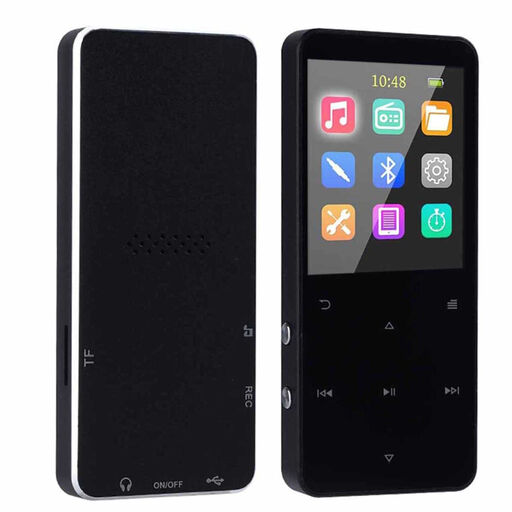 No image available
Bluetooth MP3 player with e-reader function
The product name lists an e-reader function alongside the features of an MP3 player.
The stated colour screen is 1.8 inches.
Joybuy
Frequently asked questions
Will warm screen light stop it disturbing the person sharing my bed?
No, that’s not guaranteed. A warmer colour temperature and brightness are separate settings; the Consumers’ Association describes differences between e-readers when reading in low light. So also check the lowest brightness at which you can still read comfortably.
Do books from the Dutch Online Library work on a Kindle?
The Adobe DRM-protected e-books for e-readers from the Dutch Online Library don’t work on Kindle. For another e-reader, check that the exact model supports the required security and file formats.
What do I need to put library books on my e-reader?
Follow the Dutch Online Library’s instructions for using Adobe Digital Editions on a computer and authorising your e-reader. According to the library, since 23 June 2026, new users and users who need to authorise again have used a ByteBooks account.
Does a new e-reader in the Netherlands need to have USB-C?
The USB-C requirement under EU rules applies to e-readers with a rechargeable battery that can be charged by cable and that were first placed on the EU market from 28 December 2024. The European Commission links the requirement to these conditions; the model’s design date alone doesn’t determine whether it applies.
Can I charge my e-reader on the bed?
For the Kobo Clara BW, the user guide recommends placing it on a hard surface while charging: a soft surface such as a bed can restrict cooling. Check the safety instructions for other models separately.


