
E-reader owner with an existing charger
You want to check whether your current cable and USB power supply will do the job before buying extra equipment for your desk.


If you’re only charging an e-reader, a suitable USB charger you already own may be all you need. Check that the cable and connector are right for your model. A wired charging station is most useful if you also want to connect other devices at the same time, while wireless charging is only an option for a compatible e-reader model. If you’re considering a mains-powered charging station, also check the relevant safety information.
You want to check whether your current cable and USB power supply will do the job before buying extra equipment for your desk.
You want one dedicated charging spot for your e-reader and other devices. In that case, the number and mix of USB-A and USB-C ports matter.
You want to check first whether your specific e-reader and the charger you’re considering support wireless charging.
Choose this if: you only want to charge your e-reader and already have a suitable cable and USB power supply. Rakuten Kobo describes charging via a computer or USB mains adaptor.
Bear in mind: an existing charger won’t automatically give you extra ports or a dedicated spot for other devices.
Choose this if: you want to connect your e-reader and other devices in one place. Choose a mix of ports that suits the cables you use.
Bear in mind: the total power output isn’t the same as the output per port, especially when you connect several devices at once.
Choose this if: the manual for your exact e-reader model confirms that it supports wireless charging.
Bear in mind: check that the charger is compatible, and whether positioning or a case could affect charging.
| What to consider | What should you check? | Who should bear this in mind? |
|---|---|---|
| Connector and cable | Check your e-reader model, the port on the device and the plug at the charger end of your cable. | If I only want to charge my e-reader, I want to know whether my current cable and USB power supply are suitable. Around 40% of consumers say the connector and cable are their main consideration. |
| Charging several devices at once | Count the devices you’ll connect at the same time, then compare the number of USB-A and USB-C ports and the output per port. | If I want to connect my e-reader and other desk devices in one place, I look at the mix of ports. Around 30% of consumers give simultaneous charging top priority. |
| Safety of a dedicated charging spot | For a mains-powered charging station, check the relevant safety information, CE marking and instructions for use. | If I use a charging spot every day, I want to know what product information and instructions apply. Around 20% of consumers consider responsible use their main priority. |
| Wireless charging | Check whether your exact e-reader model supports wireless charging and whether the charger is compatible. | If I want to charge my e-reader without a cable, I first check whether my model supports it. Around 10% of consumers prioritise the convenience of wireless charging. |
Electrical products that are required to carry a CE marking must meet the applicable requirements. The NVWA distinguishes between mandatory CE marking and product testing; a CE marking alone is not proof of independent testing.
The output must match the plug at the charger end of your cable. Check the connector on your e-reader too, as not all cables serve the same purpose.
Check both ends of your current cable before choosing a charging station or replacement cable.
A charging station may list a total power output as well as separate outputs for each port. The highest figure alone won’t tell you what output a port provides when you connect several devices.
Compare the figures for each port and for simultaneous use with the devices you want to connect.
Wireless charging depends on the exact e-reader model and the charging spot you use.
Check the model name and compatibility information before choosing a wireless charger.
UGREEN describes the Nexode Desktop GaN Charger as a five-port desktop charger.
Hama describes charging stations with different port configurations, including models with USB-A and models with both USB-A and USB-C.
Belkin describes the BoostCharge Pro WCH014btWH as a four-port wall charger.
Anker describes a 112 W charging station with a cable organiser.
These Joybuy products are wired extension leads with USB ports, designed to give you a dedicated charging spot on or near your desk. For a mains-powered product, check the relevant Dutch safety requirements and product information before choosing.
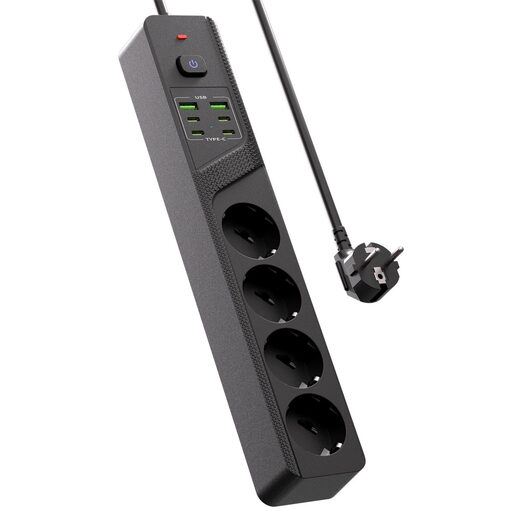 No image available
Designed for anyone who wants to connect an e-reader and other USB devices in one dedicated spot on their desk.
Four Schuko sockets, four USB-C ports, two USB-A ports and an on/off switch.
Before use, check the relevant safety information and product markings for this mains-powered product.
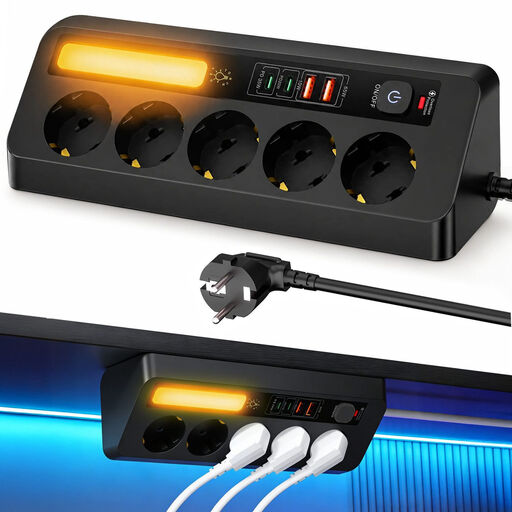 No image available
Suitable if you want to connect several devices by cable in one spot near your desk.
Five sockets and four USB ports.
Before use, check the relevant safety information and product markings for this mains-powered product.
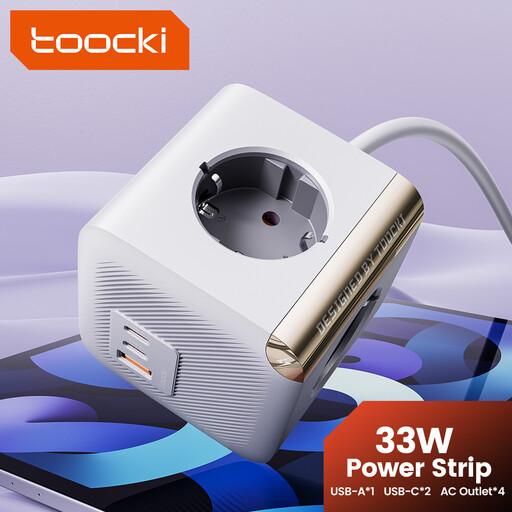
 No image available
An option for anyone who wants to connect USB devices and other desk equipment in one place.
Three Schuko sockets and three USB ports.
Before use, check the relevant safety information and product markings for this mains-powered product.
 No image available
Designed for anyone who wants a dedicated spot to connect USB devices on their desk and is looking for a clamp-mounted model.
USB-C and USB-A ports.
Before use, check the relevant safety information and product markings for this mains-powered product.
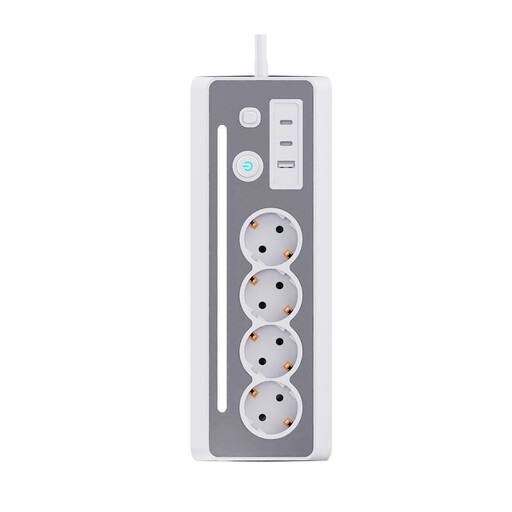
 No image available
Suitable if you want to connect USB-C devices and other desk equipment in one dedicated spot.
Four sockets and two USB-C ports.
Before use, check the relevant safety information and product markings for this mains-powered product.
No, not necessarily. Rakuten Kobo describes charging with a suitable USB cable via a computer or USB mains adaptor. Check the connector on your own model and the cable you use.
Check the relevant safety information, product markings and instructions for use for the specific model. The NVWA explains when CE marking is mandatory; the mark alone isn’t proof of independent testing.
The Fire Service recommends charging devices during the day where possible, on a hard surface, so you’re nearby. Also follow the charging station’s instructions.
No. The European Commission states that the common charger rules have applied since 28 December 2024 to e-readers covered by the regulation. These rules don’t change the port on an older device, so check the connector on your own e-reader.
In the Netherlands, there’s no fixed statutory guarantee period, but you can expect a product to do what you could reasonably expect of it. The Dutch government advises contacting the seller about a faulty product; a commercial manufacturer’s warranty is separate.