
Reader with one spare socket
You want to charge your e-reader without unplugging anything else. First, decide whether you also need extra mains sockets.


If you need extra sockets as well as a place to charge your e-reader, choose a power strip with USB ports that suit your cable and your e-reader’s charging recommendations. If you have a spare wall socket and don’t need any extra connections, a separate USB charger may be enough. If you’re charging several devices at once, check the shared USB power output and safe load too. The Netherlands Food and Consumer Product Safety Authority (NVWA) says that electrical products covered by the relevant regulations must carry a CE mark, so check the specific power strip.
You want to charge your e-reader without unplugging anything else. First, decide whether you also need extra mains sockets.
You might charge your e-reader alongside a phone, for example. Check which USB ports you need and how much power is available when charging devices at the same time.
You want easy-to-reach connections on your desk, and need to consider cable length and safe placement.
Choose this if: you want to plug in other devices or mains plugs as well as your e-reader.
Bear in mind: shared USB power output and the power strip’s maximum load.
Choose this if: you have a spare wall socket and only need a charging point for your e-reader.
Bear in mind: this option won’t give you any extra mains sockets.
First decide whether you need extra mains sockets. Then check your cable, the charging recommendations, the power available when charging several USB devices at once, and where you’ll put the power strip.
| What to consider | What to look for | Who should consider this most? |
|---|---|---|
| Enough connections | Count mains plugs and USB cables separately, and check the maximum load. Don’t connect extension leads to one another. | I want to leave my other plugs connected while my e-reader charges. Around 36% of consumers put extra connection points first. |
| Compatible connection and charging recommendations | Check your e-reader’s port, both ends of your cable and the charging recommendations for your model. | I want to choose a charger that suits my e-reader and cable, rather than going by a high wattage alone. Around 29% of consumers prioritise this connection and charging method. |
| USB power when charging several devices at once | Check the power output for the combination of ports you’ll use at the same time, not just the rating for each individual port. | If I charge my e-reader and another USB device at the same time, I want to know how the power is shared. Around 21% of consumers say simultaneous charging is their main concern. |
| Reach and placement | Measure the distance to the wall socket and check that the shape and mounting will work where you plan to put it. | I want to reach the connections on my desk easily and need a suitable cable length. Around 14% of consumers prioritise reach and placement. |
With the ACT AC2420, the combined USB output varies depending on the combination of ports in use. A higher stated power rating also doesn’t, by itself, guarantee faster charging for your e-reader.
Compare the output for the exact ports you’ll use at the same time, and follow your e-reader manufacturer’s charging recommendations.
Plugging in too many devices or connecting power strips to one another can increase the risk of a safety hazard.
Check the maximum load, don’t connect extension leads to one another, and plug high-power appliances directly into a wall socket. The Fire Service also advises against plugging too many devices into a single power strip.
The connector at the power source end of your cable determines which port you can plug it into directly.
Check both ends of your cable and your e-reader’s port before choosing a power strip or charger.
Offers power strips for compact workspaces, including a cube model and one with a desk clamp.
Offers power strips with USB ports, including models with a stated surge protection rating.
Offers power strips with USB-A or USB-C outputs, including products in the Ecolor and Premium-line ranges.
These power strips combine mains sockets with USB ports, giving you a place to charge your e-reader and other devices. Before buying, check that the connections, placement and load suit the way you’ll use it. Also check that the specific item carries the required CE mark.
 No image available
Could suit you if you want a charging point for your e-reader and several other connections on one power strip.
Lists 4 AC sockets, 3 USB-A ports, 2 USB-C ports, a digital clock and a 3 m cable.
The stated maximum load is 2500 W; not intended for high-power appliances. Don’t connect power strips to one another. Check the CE mark on the specific item before buying.
 No image available
The cube shape could suit you if you want to combine different connections on a desk or bedside table.
The product name lists USB-A and USB-C charging ports and a 1.5 m cable.
The stated maximum load is 2500 W; not intended for high-power appliances. Don’t connect power strips to one another. Check the CE mark on the specific item before buying.
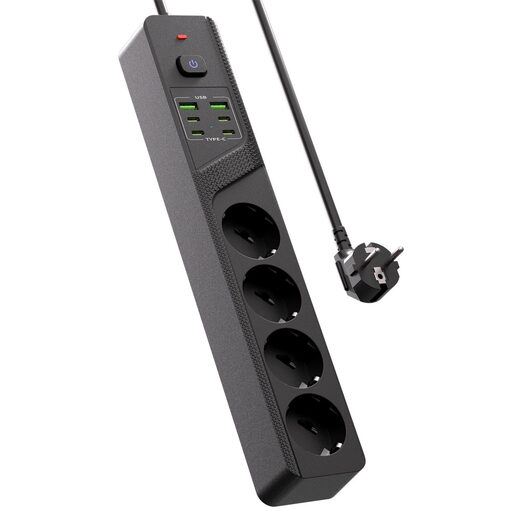 No image available
Could suit you if you need several connections on your desk as well as a USB charging point for your e-reader.
The product name lists 4 Schuko sockets, 4 USB-C ports, 2 USB-A ports and an on/off switch.
Check that the specific item carries the required CE mark before buying.
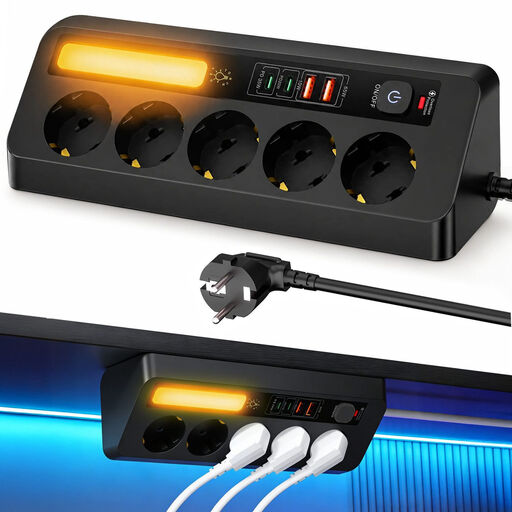 No image available
The corner design could suit you if you want to place the power strip on a desk or in a small space.
The product name lists 5 sockets, 4 USB ports, PD 35 W and a 2 m cable.
The stated maximum load is 2500 W; use high-power appliances only within this limit. Don’t connect power strips to one another. Check the CE mark on the specific item before buying.
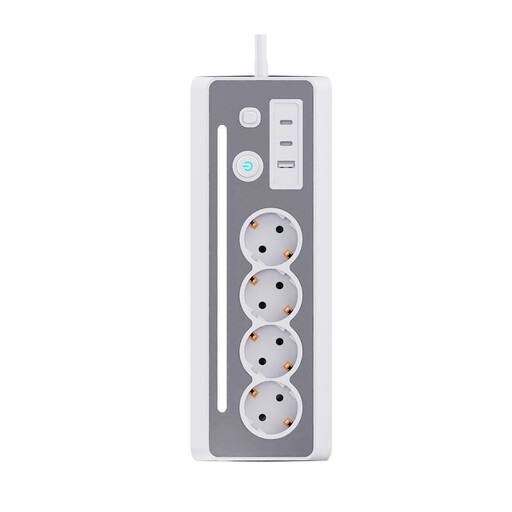 No image available
Could suit you if you want to set up a charging point for your e-reader on a desk or bedside table.
The product name lists 3 Schuko sockets, 3 USB charging ports and a 1.5 m cable.
Check that the specific item carries the required CE mark before buying.
No. A high wattage listed for a power strip doesn’t mean your e-reader needs a fast charger. Rakuten Kobo recommends a 10 W, 5 V adapter for charging problems and warns against powerful fast chargers. For another brand or model, check its own charging recommendations.
You can, as long as you stay within the stated load and use the power strip as intended. The Fire Service advises against connecting extension leads to one another, plugging too many devices into a single power strip, and plugging high-power appliances into a power strip instead of directly into a wall socket.
First, check the cable and connection. For charging problems, Rakuten Kobo recommends trying another USB cable and a 10 W, 5 V adapter. This advice applies to Kobo and isn’t a diagnosis for all e-readers.
The Netherlands Food and Consumer Product Safety Authority says that CE marking is required for electrical products covered by the relevant regulations. Check the mark on the specific product; CE marking is not the same as a mandatory independent product inspection.
For a standard online purchase by a consumer, ACM ConsuWijzer says you’ll usually have up to 14 days after delivery to change your mind. You’re also covered by the legal guarantee if a product used normally doesn’t do what you could reasonably expect; the seller is responsible for this. These are separate rights.