
Vandaag of morgen in huis

Kwaliteit gegarandeerd

Welkomstaanbiedingen ontgrendelen: GRATIS bezorging | Tot 80% korting | Gratis 30 dagen JoyPlus-proefperiode
Download de app
An organized home or office often starts with a simple idea: give everything its own place and its own label. A label maker seems like the perfect solution, but reality can be challenging. Many users run into the same problems: unstable connections, unexpectedly high costs for refills, or an app that causes more frustration than convenience.
Before you invest in a new wireless label printer, it's wise to know what to look for. Here, we'll discuss the most common pitfalls and the specifications that truly matter, so you can choose a model that will actually help you get organized.
label printer for your smartphone is only as good as its companion app. A slow, illogical app with limited design options undermines the entire user experience. Designing a simple label shouldn't be a complex puzzle.To avoid the problems above, there are a few technical features that should guide your choice.
For a portable label maker, a wireless connection is essential. A model with an automatic and stable Bluetooth connection is the standard for ease of use. This allows you to design and print labels directly from your smartphone or tablet, without the hassle of cables. Check if the printer is compatible with recent versions of iOS and Android for smooth operation.
Most modern label makers, including the DYMO label maker, use thermal printing technology. This means no ink or toner is required. The printer uses heat to print text on special thermal paper or plastic. This has two major advantages: you never have to replace expensive ink cartridges, and the prints are instantly dry and smudge-proof.
Look beyond the printer itself and investigate the available labels. A good system offers a wide range of materials for different purposes. Think of paper labels for folders, durable plastic labels for storage boxes in the kitchen or garage, and even iron-on fabric labels for clothing. The availability and price of these refills will determine how versatile and cost-effective your office label printer or home organization tool will be in the long term.
Not everyone has the same needs. Below are a few options that suit different user profiles, based on their functionality and practical application.
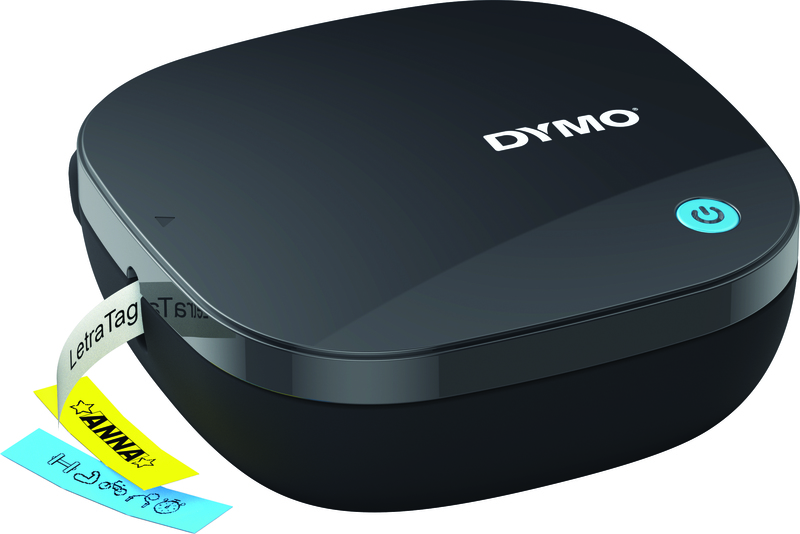
Why This Fits Their Persona: Ideal for those seeking a seamless experience from smartphone to label. Perfect for organizing the kitchen, home office, or hobby room with personalized labels.
The automatic Bluetooth connection and the intuitive LetraTag Connect app tackle the frustration of poor connectivity and software. Works with widely available DYMO LetraTag labels.
Compact, lightweight, and battery-powered, making it easy to take anywhere. The thermal printing technology means you never have to buy ink.
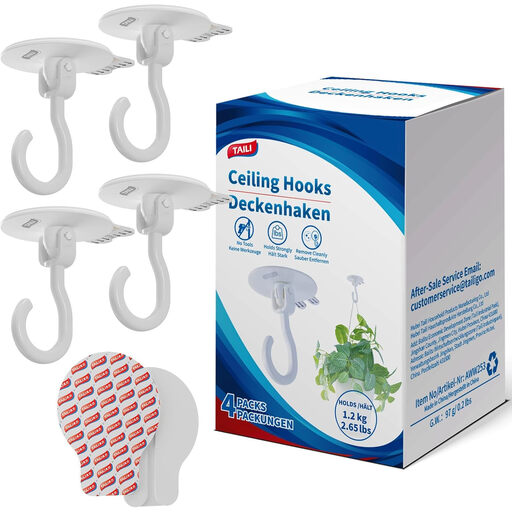
Why This Fits Their Persona: A practical solution for those who want to hang and organize items without making permanent holes. Useful for renters or for decorating with plants and string lights.
This is a purely mechanical solution. You bypass all potential technical pitfalls like software issues, batteries, or connectivity. It does one thing, and it does it reliably.
Tool-free installation and damage-free removal. The hooks rotate 360 degrees for flexible use on walls and ceilings.
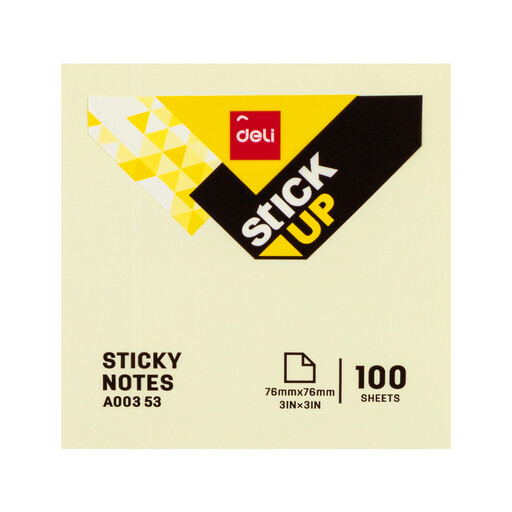
Why This Fits Their Persona: For those who need a quick, simple, and inexpensive way to take notes, mark documents, or apply temporary labels. No frills, just functional.
This product completely bypasses the pitfall of hidden costs. It's a bulk pack with a clear, low price per sheet. What you see is what you get, with no technological complications.
A very large supply of 1200 sheets for a low price. The removable adhesive leaves no residue, making them ideal for temporary use.
Whether you're looking for permanent labels, decorative stickers, or other ways to personalize your belongings, there are countless possibilities.
The LetraTag 200B runs on 4 AA batteries. These are typically not included with the purchase, so it's advisable to buy them separately. The device has an auto-off feature after 5 minutes of inactivity to extend battery life.
The lifespan of thermal labels depends on the conditions. For indoor use on folders, boxes, or in drawers, they remain legible for years. When exposed to direct sunlight or heat, the text can fade over time. For applications requiring extreme durability, DYMO's plastic labels are a better choice than the paper version.
No, the DYMO LetraTag 200B is specifically designed as a Bluetooth label printer. All functionality, from designing to printing labels, is controlled via the free LetraTag Connect app on your iOS or Android smartphone. The device itself does not have a screen or keyboard.
