What should you look for?
First, check that the headset can connect to your device and be used as a microphone. Then choose a position and recording setting that let you listen back to your voice.
| Buying concern |
What to check |
Who considers this important? |
| Usable voice recordings |
Choose an adjustable boom microphone and make a short test recording using your recording software, with the sounds you want to practise. |
When I want to assess my vowels and consonants, I need to be able to hear my own voice clearly. Around 36% of consumers choosing a headset for this kind of practice put usable voice recordings first. |
| Connection to your practice device |
Check the exact model and your device’s ports, then select the headset as the recording source. |
I want to avoid a situation where the headset plays sound but my computer uses a different microphone. For around 29% of consumers, device compatibility is their main buying concern. |
| Compact setup and comfort |
Check the adjustability, cable routing and position of the volume and mute controls. |
When I practise at a small desk, I want to listen and record using a single portable device. Around 21% of consumers give top priority to a compact setup and a comfortable fit. |
| Background noise |
Make a test recording where you plan to practise, then listen back to see whether your speech is easy to follow. |
I sometimes practise with other sounds around me and want to know whether they interfere with my pronunciation recording. Around 14% of consumers put background noise first. |
Joybuy headsets for speaking practice
These wired headsets with microphones are options for a compact practice space. Check that each model’s connection is compatible with your computer.
 No image available
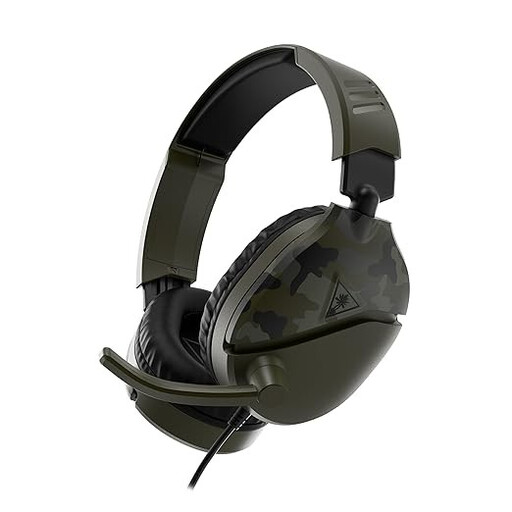
Turtle Beach Recon 70, Green Camo
A wired headset for anyone who wants to listen and record using a single device.
The product description lists a 3.5mm connection and a flip-up microphone that mutes when raised.
PC compatibility is listed; check that the connection is also compatible with your computer.
View at Joybuy
 No image available
Logitech PC 960 USB
A wired USB headset for a computer setup without a separate microphone stand.
The product description lists an adjustable boom microphone and in-line mute and volume controls.
Check whether your device recognises the headset as a recording source.
View at Joybuy
 No image available
Logitech H340 USB Headset Black, Wired
A wired USB headset for anyone who wants to record and listen back using a single device.
The product description lists an adjustable microphone and volume and mute controls.
Check that your computer has a suitable USB connection.
View at Joybuy
 No image available
Logitech USB Headset H540 Wired
A wired USB headset for computer use when you want to control the microphone during practice.
The product description lists USB Type-A and controls on the ear cup for volume and mute.
Check that your computer has a suitable USB Type-A connection.
View at Joybuy
 No image available
Jabra Evolve 30 II MS Stereo
A wired stereo headset with a microphone for anyone who wants to record and listen back using one headset.
The product description lists a 3.5mm connection and a USB controller.
Check which connection you can use for recording on your device.
View at Joybuy
Frequently asked questions
How can I tell whether the headset, rather than the laptop microphone, is being recorded?
Select the headset as the recording device in your recording software and make a short test recording. The Audacity guide explains that recording and playback devices have separate selection menus.
Where should I position the boom microphone during speaking practice?
Keep the microphone close to your mouth, but try positioning it outside the direct path of your breath. DPA Microphones explains how breath and plosive sounds can cause wind noise; the best position also depends on the microphone.
How can I avoid a recording that’s too loud or distorted?
Start with a test recording and check the levels while speaking at both a normal and a louder volume. The Audacity guide recommends setting the recording level before you start recording to avoid noise or distortion.
Will audio remain in stereo when I use a Bluetooth headset microphone?
Not in every setup. Microsoft says stereo may be available during microphone use with certain Bluetooth LE Audio headsets and a compatible Windows 11 computer, version and driver support; without the required support, playback may be mono. Test your particular combination.
Can I share recordings of speaking practice with a teacher or another participant?
According to the Dutch Data Protection Authority, a recognisable voice in an audio recording may count as personal data. Keeping your own practice private is different from recording identifiable others or sharing a recording widely; check which privacy rules apply in that situation.


