
Listening back to your pronunciation
You record short sentences to hear your articulation. An adjustable microphone and a test recording are more useful for assessing this than meeting features.


If you practise in one place alongside your laptop, choose a wired headset with a microphone you can position near your mouth and a connection that’s compatible with your laptop. Before a longer practice session, check that the headset is selected as the microphone input and listen back to a short recording. A manufacturer’s claim about noise cancellation won’t tell you how your Dutch pronunciation sounds alongside your laptop.
You record short sentences to hear your articulation. An adjustable microphone and a test recording are more useful for assessing this than meeting features.
You practise close to a laptop and want to find out how much background noise comes through in your voice recording. Logitech, EPOS and Jabra describe their microphone features, but the best thing to do is listen to a recording made in your own workspace.
You use different devices or practise for longer stretches. The right connection, the selected microphone input and a comfortable fit all matter. For one version of the Blackwire 3320, HP Poly specifies a USB-C cable with a USB-A adapter.
First, choose a connection that your laptop supports as a microphone input. Then assess a short recording made in your own practice space.
| What to consider | What to look for when buying | Who is this most important for? |
|---|---|---|
| Listening back to your voice | Check that you can position the microphone near your mouth and make a test recording. | If I want to assess the sounds I’ve pronounced, I need to be able to hear my voice clearly in the recording; around 36% of consumers prioritise clear voice reproduction. |
| Laptop and background noise | Listen to a recording made where you practise; descriptions of noise cancellation are no substitute for this test. | If you practise alongside a noisy laptop, you’ll want to know how much of that noise comes through in your voice recording; around 29% of consumers give background noise top priority. |
| Connection and input | Check for USB-A, USB-C or a suitable 3.5 mm microphone connection, and select the headset as the input device. | If I want to use the headset with different laptops, both the connection and the selected microphone input need to be right; around 21% of consumers prioritise this compatibility. |
| Comfort and freedom of movement | Consider how the fit will feel for the length of your practice sessions and whether the cable will restrict your movement. | For longer practice sessions, or if I want to move around while practising, fit and freedom of movement matter; around 14% of consumers make comfort or freedom of movement their top priority. |
A manufacturer may mention noise cancellation for calls, but that doesn’t show how clearly Dutch sounds come through in your practice recording.
Record a short practice sentence where you usually practise. Listen for both background noise and how clearly the sounds you pronounced come through.
A compatible connection doesn’t automatically mean your recording software will use the headset microphone; the laptop’s built-in microphone may still be selected.
Check the full model, the laptop port and any adapter you may need. Then select the headset as the input device in your recording software and make a test recording.
If you always sit next to your laptop, you may rarely use the extra freedom of movement, while pairing and charging a wireless headset still take time.
Choose wireless if being able to walk around while practising matters to you. Otherwise, compare the wired options too, and check the recording input beforehand.
The H390 has a wired USB connection and a microphone boom, while the H151 uses a 3.5 mm connection. Logitech describes the H390 as having a noise-cancelling microphone.
The PC 8 USB is a wired stereo headset for PC and Mac, with controls on the cable.
According to HP, the Blackwire 3320 version 8X220AA has a USB-C cable with a USB-A adapter and an adjustable microphone boom.
The Evolve2 40 SE comes in different versions, including models with USB-A or USB-C and mono or stereo sound.
The Primo Chat Headset 21665 is designed for calls on a laptop or PC and has an adjustable headband and microphone.
This selection includes wired headsets for speech practice, with USB options and models with a 3.5 mm connection. Match the connection to your laptop, then check which microphone is selected as the input.
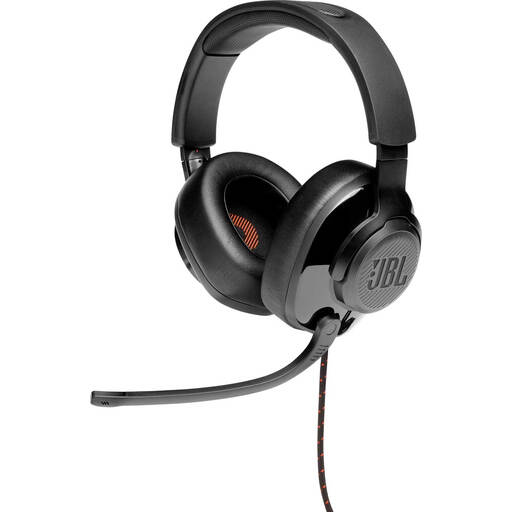 No image available
An option if you want a wired headset with a 3.5 mm connection or the stated USB audio adapter.
Model: Quantum 300. The product name specifies a flip-up microphone.
 No image available
A wired USB option if you want to position the microphone while practising and your laptop has a compatible USB port.
The model name specifies a USB connection.
 No image available
A wired USB headset to consider if you want to use a headset microphone with your laptop.
The model name specifies USB and the black version.
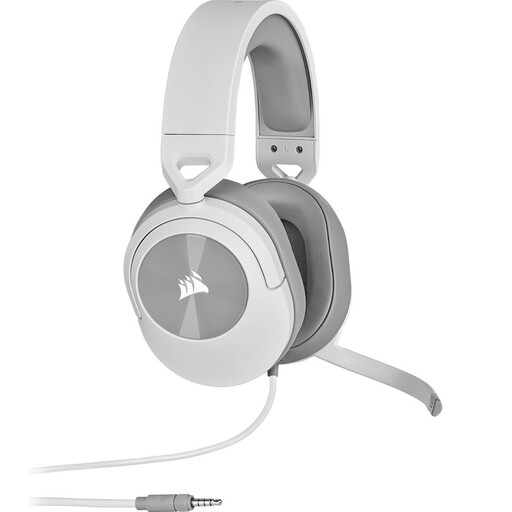 No image available
A wired option if your laptop has a suitable 3.5 mm microphone connection.
According to the product information, the included Y-splitter is needed if your device has separate headphone and microphone ports.
 No image available
A wired USB option if your laptop has a suitable USB-A port and you want to be able to mute the microphone while practising.
The product name specifies USB Type-A.
Select the headset as the input device and make a test recording. Microsoft Support explains how to choose an input device in Windows. Also check that your recording software has microphone access and that the headset isn’t muted. Other operating systems have their own settings.
No. A noise-cancellation claim doesn’t prove how clearly your pronunciation will be recorded alongside your laptop. Make a short recording using the settings and in the place you’ll practise, then listen back to it.
For online consumer purchases in the Netherlands, you generally have up to 14 days from delivery to change your mind, subject to legal exceptions. ACM ConsuWijzer explains this cooling-off period. A fault is a separate matter from changing your mind: contact the seller about your applicable statutory rights.
According to the Dutch Data Protection Authority, the GDPR doesn’t apply to use that is exclusively personal or domestic. An identifiable audio recording can still be personal data. If you process or publish recordings of other people, consider separately which rules apply.