
Speakers who listen back to their pronunciation
If you record the Dutch museum text to assess your pronunciation and how clearly you speak, a well-positioned microphone and a recording input that works with your device will help.


If you mainly practise at a computer, choose a wired headset with a connector that fits and a microphone you can position easily. Record a short test and play it back to assess your pronunciation. If you want to move around while practising or hear your own voice as you speak, check the wireless connection and make sure microphone monitoring works with your device. Microphone noise reduction does not make your own voice quieter, and the RDI states that electrical and electronic equipment must carry the correct CE marking.
If you record the Dutch museum text to assess your pronunciation and how clearly you speak, a well-positioned microphone and a recording input that works with your device will help.
A headset lets you listen to sample texts and recordings through the ear cups rather than a speaker. It won’t automatically make your own voice quieter in the room.
If you want to move around while presenting, a wireless model may be worth considering. Check separately whether microphone monitoring is available if you want to hear your own voice as you speak.
| What to consider | What should you check? | Who is this important for? |
|---|---|---|
| Clarity of the recording | Check whether the microphone is adjustable and make a short test recording in your practice space. | If I want to assess my pronunciation, I need a usable recording and a well-positioned microphone. Around 36% of consumers put recording clarity first. |
| Comfortable playback | Consider the fit and volume controls. Start at a low volume and take listening breaks. | In the evening, I want to hear text and recordings through my headset rather than a speaker, without assuming this will muffle my own voice. Around 29% of consumers give comfortable playback top priority. |
| Connection to your device | Compare the available ports with the exact model: USB-A, USB-C with a suitable adapter, or 3.5 mm. | I want to know in advance that both the headphones and microphone will work with my recording device. Around 21% of consumers put the connection first. |
| Moving around and hearing yourself live | Check the wireless connection and whether microphone monitoring works with your device and recording app. | If I practise while walking or want to hear my voice as I speak, I look for freedom of movement and an explicitly listed monitoring feature. Around 14% of consumers give this need top priority. |
Noise reduction affects the signal picked up by the microphone; it won’t make your presentation sound quieter in the room.
Record a short passage at your usual speaking volume and assess both the recording and the sound in your surroundings.
Products in the same range can have different connectors, adapters and styles depending on the specific model.
Before buying, compare the full model name, connector and box contents with your device.
Bluetooth alone does not mean microphone monitoring is available.
Look for an explicitly listed monitoring feature and check that it works with your connection mode and recording app.
The H390 is a wired computer headset for practising in one place. Check that the model and connector you choose are compatible with your device.
The Ayda is available as a USB headset and as a separate 3.5 mm model. The connector is key to choosing the right one.
The Evolve2 65 is a wireless office headset for anyone who wants to move around while practising. Check whether you want the mono or stereo model and which adapter you need.
The second-generation GO Work Wireless On-Ear Headset is an option to explore if you want to hear your own voice as you speak.
The wired Blackwire 3200 series includes mono and stereo wearing styles; mono may suit you if you want to keep one ear free.
This selection includes wired headsets with 3.5 mm and USB connections for voice recording and playback. Check that the connector on the model you choose is compatible with your recording device.
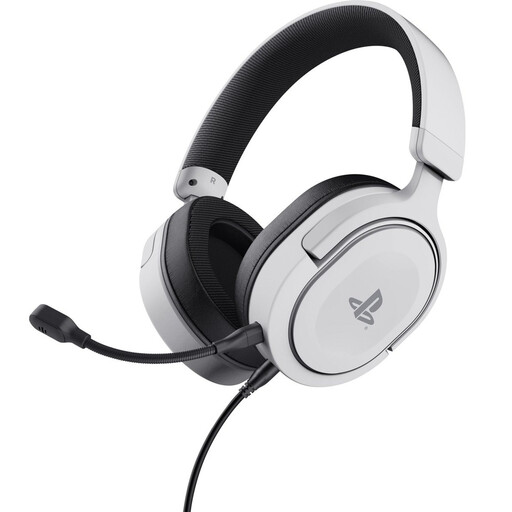 No image available
The described 3.5 mm headset has a detachable, flexible microphone and may be suitable for recording and playback if the connector is compatible with your device.
The description lists volume and mute controls on the ear cup, as well as an over-ear design.
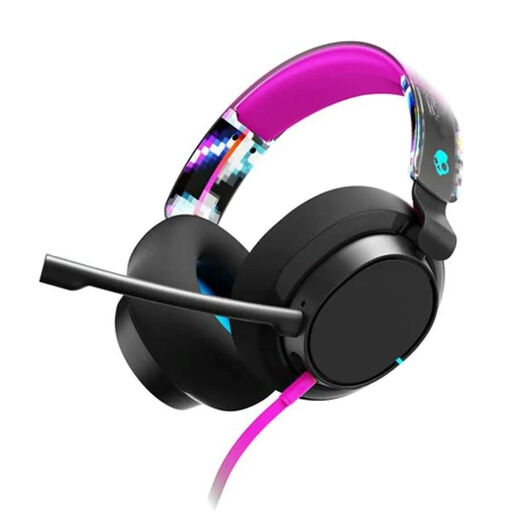 No image available
This wired over-ear headset may suit practising and playback if one of the listed connections is compatible with your device.
The product description lists USB-C and 3.5 mm connections, microphone mute and volume controls.
 No image available
The described USB-A model is a wired option for recording and playback on a device with a compatible connection.
The description lists two microphones, stereo playback and volume and mute controls. USB-C is listed as compatible with an adapter, but it is not confirmed that the adapter is included.
 No image available
This headset may be suitable for recording your voice and listening back through the headset; check that it connects to your recording device.
The product description lists a cardioid microphone, stereo playback and volume and mute controls.
 No image available
This wired USB headset is an option for a computer with a compatible USB connection, and for practising with an adjustable microphone boom.
The product description lists stereo playback and in-line volume and mute controls.
You can listen to sample texts and test recordings through the ear cups rather than a speaker. This won’t automatically make your own spoken voice quieter, so try a short passage at a speaking volume that suits your surroundings.
Check that the microphone isn’t muted, then select the headset as the recording input in the app and operating system. The Logitech H390 user guide also recommends checking the USB connection and, if there’s a problem, trying another direct USB port.
Only choose a model that explicitly lists microphone monitoring, and test whether the feature works with your device and connection mode. Bluetooth alone doesn’t mean you’ll hear your own voice live.
Check that the actual product being offered or received has the correct CE marking. The Dutch Authority for Digital Infrastructure states that electrical and electronic equipment must carry the correct CE marking; a brand or model name alone doesn’t prove this.
According to the RDI, Bluetooth on licence-exempt frequencies does not require a licence, notification or registration. Separate wireless microphone systems may be subject to different rules: some frequency bands require a licence.