
Practising on your own
If you’re recording Dutch phrases and listening back to your pronunciation, look for a suitable computer connection and an adjustable boom microphone. Logitech lists these features for the H390.


If you’re practising on your own, choose a wired headset with a connection that suits your computer and a boom microphone you can position near your mouth. If you want to listen back to a full remote conversation, first check whether your calling app can record both voices; a headset microphone won’t automatically capture someone else in the same room. Then compare comfort and controls.
If you’re recording Dutch phrases and listening back to your pronunciation, look for a suitable computer connection and an adjustable boom microphone. Logitech lists these features for the H390.
If you want to listen back to both sides of a conversation, check the recording features and permissions in your calling app as well as the headset. Zoom says the host must record the meeting or give a participant recording permissions.
If you want to connect and put your headset away quickly, check the connection, cable and fit of the exact model. Jabra and EPOS offer different variants across their product ranges.
First decide whether you need to record just your own voice or your conversation partner’s too. Then check the connection, fit and controls.
| What to consider | What should you check? | Who should prioritise this? |
|---|---|---|
| Your own voice | Position the boom microphone near your mouth and make a test recording. Also try it with the background noise in your practice space. | If my main aim is to listen back to my own pronunciation, a clear recording of my voice comes first; around 36% of consumers say this is their main concern. |
| Both people in the conversation | For online calls, check the app’s recording features and permissions. If two people are in the same room, test whether both voices can be heard. | If I want to hear both voices, I check separately that my conversation partner is being recorded; around 29% of consumers prioritise capturing both voices. |
| Connection and space | Check that the model you choose is compatible with your device’s USB port or connection, and whether any required adapter is included. | If I want to connect quickly and store my headset neatly, the connection and setup are key; around 21% of consumers prioritise these practical considerations. |
| Fit and controls | Check the fit and make sure the mute and volume controls are easy to reach and work with your recording app. | For regular or longer practice sessions, I want to listen comfortably and mute the microphone easily; around 14% of consumers prioritise comfort and controls. |
A headset microphone is designed to pick up the person wearing it. For an online call, the app may record the whole conversation; in the same room, one microphone won’t necessarily capture both speakers clearly.
Before choosing, make a short test recording with your conversation partner and recording app, then listen back to each voice separately.
To capture both voices, you may need a different recording feature, microphone placement or an extra microphone.
Headsets in the same range may have different USB versions. The connection determines whether you can plug the headset straight in or need a suitable adapter.
Before buying, compare the full model name, connection and listed contents with the ports on your computer.
If the model isn’t compatible, you may need an adapter or a different version.
According to ACM ConsuWijzer, your statutory guarantee is separate from any guarantee offered by the manufacturer or seller.
Keep your proof of purchase and contact the seller if there’s a fault.
The H390 is a range of wired computer headsets designed for a simple USB-A setup, with a boom microphone and in-line controls.
The Evolve2 30 SE is an on-ear headset range for voice calls and online collaboration, with mono, stereo and different connection options.
The wired IMPACT 100 range includes mono and stereo versions. EPOS lists product code 1001420 for the UC Stereo USB-C+A model.
The Blackwire 3200 is a wired range for computer calls, with mono and stereo models.
These wired headsets are options to consider if you mainly want to record your own voice during conversation practice. Check that the connection is compatible, then test separately whether your recording also captures the other speaker.
 Image unavailable
An option for wired practice sessions, with a boom microphone you can position near your mouth.
The product description lists a 3.5 mm connection, a flip-up microphone that mutes when raised, an adjustable headband and a volume wheel.
 Image unavailable
A wired option for computer-based practice if your device has a compatible USB-A connection.
The product description lists two built-in microphones, an adjustable headband and memory foam ear cushions.
 Image unavailable
A wired option for voice practice on a computer with a compatible USB Type-A port.
The product description lists a microphone for communication, volume and mute controls on the ear cup, soft ear cushions and an adjustable headband.
 Image unavailable
An option for wired computer-based practice, with an adjustable boom microphone.
The product description lists in-line volume and mute controls, plus a mute indicator.
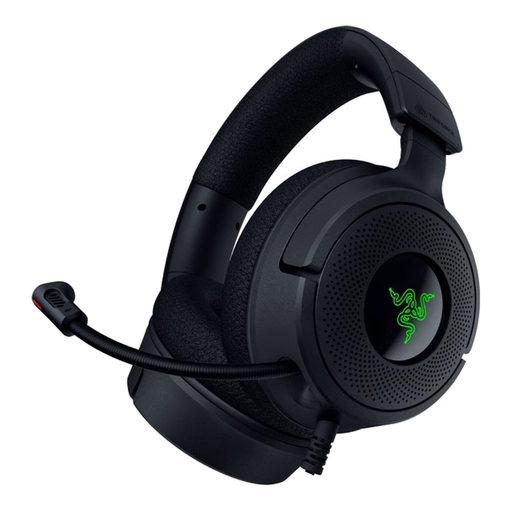 Image unavailable
A wired option to consider if the connection suits your computer and you want a retractable microphone.
The product description lists USB-C and USB-A, as well as a retractable cardioid microphone.
No, don’t assume it will. Zoom says the host must record the meeting or give a participant recording permissions. Test the app you’re using and check that both voices can be heard.
Select the headset as your input device, position the boom microphone and make a short test recording. Check separately whether you can hear the other speaker. Audacity Support describes loopback recording as capturing computer audio; on its own, this doesn’t prove that your microphone is being recorded too.
Before buying, check that the fit is comfortable and that you can mute the microphone. For care advice, consult the support information for the exact model; EPOS, for example, provides information about cleaning and replacing an ear cushion for the IMPACT 100.
Online consumer purchases generally come with a statutory cooling-off period. ACM ConsuWijzer says this period ends 14 days after delivery; some exceptions may apply. Your statutory guarantee is separate from any guarantee offered by the manufacturer or seller.
Discuss recording and sharing with your conversation partner beforehand, especially if the recording will be used professionally or made public. The Dutch Government says specifically that you don’t have to ask permission in advance to record your own conversation with a doctor for personal use; this example doesn’t amount to general permission to record all conversations. The GDPR may be relevant if personal data is processed for purposes beyond purely personal use.