
Email and calendar user
Wants to keep the main screen directly in front of them and position the calendar beside it. Arboportaal advises placing the screen directly in front of the user.


Choose based on the weight and VESA pattern of both monitors, as well as where you can mount the stand on your desk. A free-standing stand avoids the need for a clamp or grommet hole, but takes up desk space. Two independently adjustable arms give you more freedom to position your main screen directly in front of you and your calendar beside it, provided the monitors and desk are compatible with the mount.
Wants to keep the main screen directly in front of them and position the calendar beside it. Arboportaal advises placing the screen directly in front of the user.
Wants to weigh up how much desk space a free-standing base takes up against the mounting requirements of a clamp or grommet mount. Neomounts and StarTech.com list different mounting options and base dimensions for the models mentioned.
Wants to adjust each screen independently, so needs to check the adjustment range and weight limits of the arms they choose. Neomounts and StarTech.com describe different adjustment options for their models.
A good fit if: you don't want to use a clamp or grommet hole and have room for a base on your desk.
Bear in mind: the base takes up desk space; with a crossbar, height adjustment may move both screens together.
A good fit if: you want to keep your desk clear or position the screens independently.
Bear in mind: the desk edge, desktop thickness and weight limits must all be suitable for the mounting method and both screens.
| What to consider | What should you check? | Who is this important for? |
|---|---|---|
| Position of both screens | Check the height, depth and swivel adjustments, and whether you can position the main screen directly in front of you. | I want to keep the main screen directly in front of me and position the calendar beside it. Around 33% of consumers prioritise this viewing position. |
| Compatibility with both monitors | Check the weight of each screen without its stand and its VESA pattern, then compare these with the mount's specifications. | I want to know in advance whether both of my existing screens will fit, not just whether the screen size matches. Around 25% of consumers prioritise compatibility. |
| Mounting and available space | Measure the available desk depth and, if using a clamp or grommet mount, check the desktop mounting instructions. | I want to know whether a base will fit on my desk or whether a clamp or grommet mount will work. Around 25% of consumers start by considering where they can mount it. |
| Adjusting screens separately | Compare independently adjustable arms with a crossbar that moves both screens up or down together. For gas-spring arms, check the minimum screen weight. | I want to move the calendar and main screen separately on a regular basis. Around 17% of consumers prioritise ease of adjustment. |
Arboportaal advises positioning the screen directly in front of you. Also measure the mounting area and check the weight and VESA pattern of each screen against the specifications for your chosen model.
A screen's diagonal measurement alone doesn't tell you whether it will fit a mount. The weight of each screen and its VESA pattern matter too; a gas-spring arm may also have a minimum weight requirement.
Check the weight without the stand and the VESA pattern for both exact monitor models. Compare each set of specifications with the mount's limits.
With a crossbar, both screens may move up and down together. This may not suit you if you regularly want to position the calendar at a different height.
Choose based on how often you want to move the calendar screen separately, and check the adjustments available on the specific model.
A free-standing base takes up desk space; a clamp or grommet mount needs a suitable spot on or in the desk.
Measure the available space and check the desk edge and mounting instructions for the exact model before choosing a mount.
According to the Authority for Consumers and Markets (Autoriteit Consument & Markt), statutory rights in the Netherlands don't automatically expire after a fixed two-year period.
Keep your proof of purchase and contact the seller if you think the product may be faulty. Consider what an additional warranty offers beyond your statutory rights.
Offers, among other options, dual gas-spring arms and a dual stand with a desk base.
The 2MC1S-MONITOR-STAND is a free-standing dual monitor stand with a crossbar.
Offers modular desk and wall-mounted set-ups for two screens, including the MOMO series.
The IB-MS504-T from manufacturer RaidSonic is a dual stand with gas springs and desktop mounting.
This selection includes a free-standing stand and dual arms for placing and positioning two screens side by side.
 No image available
The adjustable width and rotating side platforms give you options for arranging two screens straight or at an angle.
The width adjusts from 80 to 108 cm. The height is fixed at 10.4 cm and cannot be adjusted.
Material: MDF.
 No image available
Height and depth adjustments help you position two screens for email and calendar use.
Suitable for screens up to 27 inches and a maximum of 10 kg per monitor. The description mentions cable management for up to ten cables.
Dell Quick Release is listed for compatible Dell UltraSharp and P-series monitors; check whether your screen is compatible.
 No image available
This dual gas-spring arm offers height and depth adjustment, so you can position each screen independently.
Per screen: 2–8 kg. VESA: 75 × 75 or 100 × 100 mm.
The description lists tilt, swivel and rotation. Before buying, check that both screens are within the weight range.
 No image available
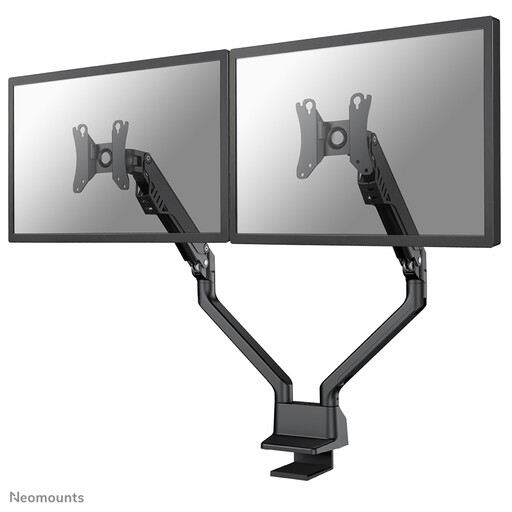
This dual gas-spring arm offers height and depth adjustment for positioning two screens.
Per screen: 2–8 kg. VESA: 75 × 75 or 100 × 100 mm. The stated height adjustment ranges from 20 to 51 cm, and depth adjustment extends up to 53 cm.
Mounts with a desk clamp or grommet mount. Check that the desktop and both screens are suitable for the mounting method and weight limits.
 No image available
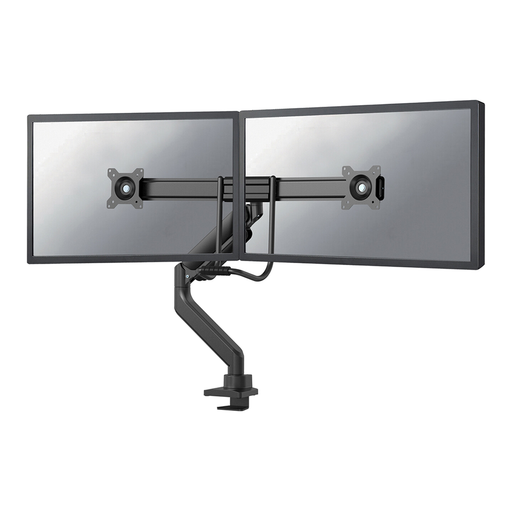
This dual gas-spring arm is designed to position two screens; the description mentions pneumatic height and depth adjustment.
VESA: 75 × 75 or 100 × 100 mm. The listed mounting options are a top-fix clamp and a grommet mount.
Before buying, check that the weight limit is suitable for each screen.
Position the screen you use most directly in front of you, and place the calendar beside it. Arboportaal advises setting the screen at a slight downward viewing angle. This is workplace guidance, not a guarantee of the effect of a particular mount.
Yes, a free-standing base doesn't need a clamp or grommet hole. According to Neomounts, the Neomounts DS70-250BL2 has a desk clamp as an alternative to a grommet mount; check that the clamp fits your desktop.
First check that the screen is within the stated minimum and maximum weight limits, then adjust the arm according to the model's instructions. Neomounts specifies 1–9 kg per flat screen for the DS70-250BL2, and a maximum of 8 kg per curved or ultrawide screen; adjustment doesn't change these weight limits.
No. According to the Authority for Consumers and Markets (Autoriteit Consument & Markt), there is no fixed statutory two-year guarantee period in the Netherlands. What you can expect from a product depends on the circumstances. Contact the seller if you think the product may be faulty; a manufacturer's warranty is separate from your statutory rights.
No, Arboportaal doesn't specifically require a dual monitor mount. There are, however, rules for display screen workstations for employees. For employees who work at a screen for more than two hours a day, Arboportaal includes requirements such as the screen and keyboard not being attached to each other. These requirements don't automatically apply to every private home office.