
Translator comparing two texts
You want to line up the source text and translation on separate screens and adjust the viewing angle. Look at how independently you can adjust each screen.


First, check that each monitor separately meets the stand’s stated VESA pattern, weight and size requirements. Then choose a mounting option that suits your desk: a clamp or grommet mount can free up desk space, while a freestanding base doesn’t need a desk edge to clamp onto but does take up room.
You want to line up the source text and translation on separate screens and adjust the viewing angle. Look at how independently you can adjust each screen.
You want to leave room for notes and input devices. Compare how much space a freestanding base takes up with the room a clamp needs.
You want to make sure both screens will fit. Check each screen’s VESA pattern, weight and size against the limits of the same stand model.
Choose this if: your desk has a suitable edge and you want to keep the surface clear for your keyboard and notes.
Bear in mind: you’ll need space around and underneath the edge. Check that the desk surface and clamp are compatible.
Choose this if: your desk has a suitable edge or an existing grommet hole, and you want to align each screen separately. Ewent lists both mounting options for the EW1512.
Bear in mind: a grommet mount needs a suitable hole. For the EW1512 clamp, Ewent specifies a desk thickness of 10–88 mm.
Choose this if: you don’t want to clamp anything to your desk, or can’t, and have enough surface space for a base.
Bear in mind: the base takes up space. Check that it fits where you want it and that both screens are within the model’s limits.
| What to consider | What should you check? | Who is this important for? |
|---|---|---|
| Positioning source text and translation for easy reading | Check that each screen can be aligned, tilted and rotated separately, and see how much space they take up in the position you want. | I want to read the source text and translation side by side and position the screens comfortably. Around 33% of consumers prioritise being able to compare text easily. |
| Space on a small desk | Measure the space available for the base, or allow for room behind and beneath the desk surface for a clamp. | I want to leave room for my notes and keyboard. Around 27% of consumers give available desk space their top priority. |
| Mounting that suits your desk | Check the shape of the edge, desk thickness, space underneath the edge and whether there’s an existing grommet hole. Follow the instructions for the exact model. | I want to know which mounting option suits my desk without modifying it or putting it under the wrong kind of strain. Around 20% of consumers prioritise mounting options. |
| Ensuring both monitors fit | Check the weight, VESA mounting holes and size of each screen against the limits of the same stand. | I want to use my two existing screens together on one stand. Around 20% of consumers start by checking that both monitors are compatible. |
The stated screen size in inches alone doesn’t tell you whether both monitors are within the stand’s weight capacity and VESA pattern requirements.
Compare the specifications of each screen separately with those of the exact model. Don’t assume an adaptor will work unless compatibility has been confirmed.
A freestanding stand doesn’t need a clamp, but its base still sits on your desk. StarTech.com specifies a base measuring 300 × 520 mm for the ARMDUALSS.
Mark out the stated dimensions on your desk and check that you’ll still have room for your keyboard and notes.
The length of a manufacturer’s warranty doesn’t, by itself, determine how long you have legal rights against the seller in the Netherlands. ACM ConsuWijzer explains that the law doesn’t set a fixed two-year period for the legal guarantee.
Keep your proof of purchase and contact the seller if there’s a fault. Consider what you could reasonably expect from the product under normal use.
The FPMA-D700D is a dual stand with a desk clamp, designed for desks with a suitable edge.
Ewent says the EW1512 offers a choice of clamp or grommet mounting, with each screen adjustable separately.
The AC8332 is a freestanding dual stand with a gas spring system, for anyone who doesn’t want to use a clamp.
The ARMDUALSS is a freestanding dual stand. Its stated base dimensions make it easier to check whether it will fit on a small desk.
This selection includes stands and arms for two monitors, including models with adjustable screen positions and options with a desk clamp.
 No image available
For anyone who wants to position two monitors side by side and adjust the width and angle of the setup.
The title specifies MDF, an adjustable width of 80–108 cm and a white finish.
 No image available
For anyone who wants to mount two monitors on an arm and adjust their positions.
According to the product information, the clamp needs a desk surface that’s sturdy enough. Check that your desk is suitable.
 No image available
For anyone who wants to adjust their screen position. Check that the desk clamp is suitable for your desk surface.
The product title specifies a 10–32-inch range, a gas spring, Topfix and a 180° stop.
 No image available
For anyone who wants to use two screens side by side and needs a short upper arm to position them close to a wall.
The product title specifies a range of 17–27 inches. Check that your desk surface is sturdy, flat and suitable for mounting.
 No image available
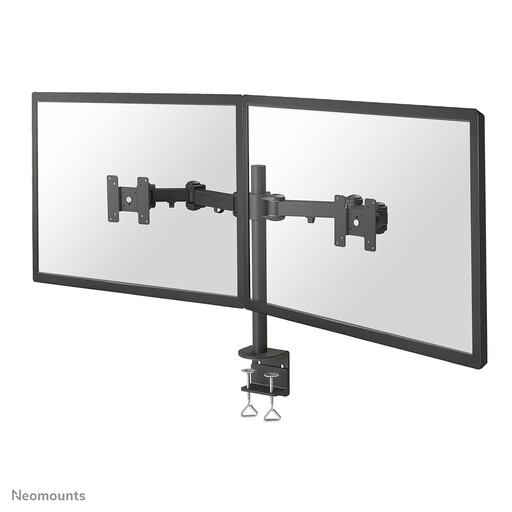
For anyone who wants to mount two screens on an adjustable stand. Check that a desk clamp is suitable for your desk surface.
The product title specifies a range of 10–27 inches.
Not necessarily. Check the weight, VESA pattern and size of each screen separately against the limits of the same stand model. Ewent says the EW1512 allows you to adjust each screen separately.
Check whether a clamp will fit the desk edge, or choose a freestanding stand if you have enough desk space. A grommet mounting option doesn’t mean you have to, or are allowed to, drill a new hole; Ewent also lists clamp mounting for the EW1512.
Follow the mounting and adjustment instructions for the exact model. Adjust both screens from your usual sitting position, and make sure the cables don’t become taut when you move them. Arboportaal notes that text that’s difficult to read and a poorly arranged workspace can be associated with strain on the eyes, neck and shoulders. A monitor arm alone won’t prevent these problems.
For online consumer purchases, you generally have a 14-day cooling-off period from delivery, subject to legal exceptions. You may also have a legal guarantee if a product breaks earlier than you could reasonably expect under normal use. According to ACM ConsuWijzer, the law doesn’t set a fixed two-year period for this.
No. The rules described by Arboportaal are aimed at employers and employees, and don’t automatically apply as legal requirements to your own study space. However, it’s still a practical choice to set up your screens so they’re easy to read and can be adjusted to suit your posture.