What should you look for?
Start by measuring your desk and deciding how you want to position the screens. Then check the mounting options and the stand’s limits for each screen individually.
| What to consider |
What should you check? |
Who should prioritise this? |
| Comfortable viewing position |
Check the height, swivel and depth adjustments offered by the stand you’ve chosen. The Arboportaal recommends positioning the top of the screen slightly below eye level and looking slightly downwards. |
If I’m reading my script alongside a video call, I want to position the screens so I can see both clearly. Around 31% of consumers put a comfortable viewing position first. |
| Desk space |
Measure the width and depth of your desk, as well as the space between it and the wall. ACT specifies a 14 cm gap to the wall for the AC8322; StarTech describes the ARMDUALPIVOT as suitable for both horizontal and vertical positioning. |
With limited desk space, I want to fit two screens without losing room for my keyboard or notes. Around 25% of consumers give limited desk space top priority. |
| Mounting and screen size |
Check the weight and VESA mounting holes for each screen. Neomounts specifies 2–7 kg per screen and VESA 75 × 75 or 100 × 100 mm for the DS70-750BL2. If you’re using a clamp, measure your desk thickness too. |
If I want to mount the stand on my desk and attach my screens, I want to know in advance whether the fittings will work. Around 25% of consumers put compatible mounting first. |
| Parts required and support |
Check what’s included with the exact model, whether you’ll need a compatible VESA adapter, and who the seller is. If you’re buying online, check the returns process too. |
If I want to know my costs in advance, I check which extra parts I might need and what I can do if the stand doesn’t fit. Around 19% of consumers put total costs and support if something goes wrong first. |
Joybuy products
These products are for anyone looking to position two screens on a single stand or dual monitor arm. Check that each model’s features suit your desk and screens.
 No image available
Floordirekt stand for 2 monitors, 80–108 cm, white
Could suit you if you want to position two screens on a single stand and adjust their width or angle.
According to the product name: adjustable width and angle, MDF, 80–108 cm and white.
Joybuy
 No image available
DELL Dual Monitor Arm MDA20
An option to compare if you want to position two screens for reading a script and taking a video call.
The product information mentions Quick Release for Dell UltraSharp and P Series monitors; check that your screen is included in the compatibility details.
Joybuy
 No image available
iiyama dual desk stand
Could suit you if you want to position two screens on a desk stand; check in advance that the mount is compatible with your desktop.
The product name describes a dual desktop arm.
Joybuy
 No image available
Neomounts DS60-425BL2 monitor arm 17–27 inches
An option to compare if you want to position two screens close to a wall or partition.
The product name lists model DS60-425BL2, 17–27 inches and “Space Saving”. Check that it’s suitable for your screens and desk.
Joybuy
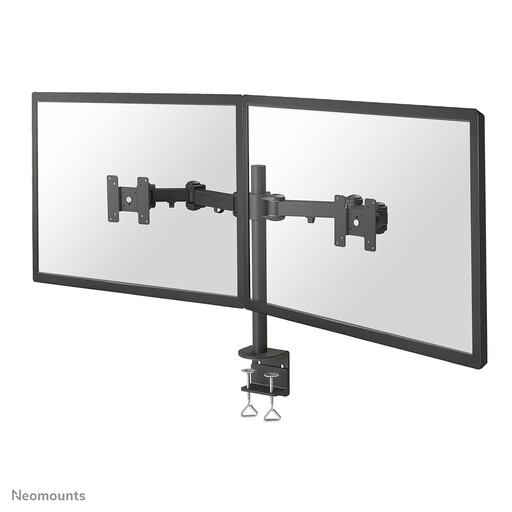 No image available
Neomounts FPMA-D960D monitor arm 10–27 inches
An option to compare if you want to position two screens for reading a script and taking a video call; check the mounting and screen compatibility before buying.
The product name lists model FPMA-D960D and 10–27 inches.
Joybuy
Frequently asked questions
Do my monitors need to have a particular VESA size?
It depends on the stand and on each screen individually. ACT specifies VESA 75 × 75 and 100 × 100 mm for the AC8322, as does Neomounts for the DS70-750BL2. Check the permitted weight per screen too.
How should I position my screens to read a script during a video call?
Position the screen you look at most often as directly in front of you as possible, then adjust the viewing angle of the other screen. The Arboportaal recommends positioning the top of the screen slightly below eye level and looking slightly downwards. If you’re stacking the screens, make sure that position is practical for you.
Does a dual monitor stand also connect to my computer?
No, the stand holds the screens but doesn’t connect or control them. Microsoft Support recommends connecting the cables to your computer or docking station, then checking your display settings.
What can I do if a stand I bought online doesn’t fit or breaks too soon?
For a standard online consumer purchase, ACM ConsuWijzer says you’ll generally have up to 14 days after delivery to change your mind, with some exceptions. You’re also covered by the statutory guarantee: if a product doesn’t meet what you could reasonably expect under normal use, the seller is responsible for providing a suitable solution. This isn’t the same as a fixed two-year warranty period.
Are students in the Netherlands legally required to use a dual monitor arm?
No, the Dutch regulations cited don’t impose a general requirement for students to buy a dual monitor arm. The Arboportaal’s information on working with display screens is aimed at employers and employees in the workplace conditions it describes; its workstation tips may also be useful in other settings.


