
Colleagues using a hot desk
You share the desk and want to reposition the screens without having to take them apart each time. Arboportaal advises setting up your workstation again when you move to a different desk.


Choose a dual mount that fits both screens and is approved for use on the shared desk. Then decide how much independent adjustment the users need. Individually adjustable arms are useful if colleagues swap places often or want to position each screen separately. A simpler mount may be enough if the screens usually stay in the same position. For each screen, check the VESA size, weight and dimensions, and make sure the clamp or grommet fitting is suitable for the desktop.
You share the desk and want to reposition the screens without having to take them apart each time. Arboportaal advises setting up your workstation again when you move to a different desk.
You compare bills on one screen with invoices on the other, so suitable viewing angles and enough room for documents matter. Manufacturers specify the screen adjustments available for each model; this is not a measure of how effectively you can check invoices.
You want to check that both screens and the desktop are suitable for the chosen fixing. Check the screen mounts and the installation requirements for the specific model.
First, check that both screens and the mount are suitable for the workspace. Then decide how much independent adjustment is needed to position the screens comfortably side by side and make it easy for the next colleague to set them up again.
| What to consider | What to check before buying | Who this matters most to |
|---|---|---|
| Reading documents side by side | Check whether each screen can be rotated and tilted independently, and whether there is enough room to place them side by side. | If I want to compare bills and invoices side by side, I need to be able to position both screens usefully; around 31% of consumers prioritise readability when comparing documents. |
| Screen compatibility | Note the weight of each screen without its stand, its VESA size and its dimensions. Check each screen against the limits of the model you have chosen. | If I have two existing monitors, I want to know in advance whether both will fit and stay within the weight limit; around 25% of consumers give screen compatibility top priority. |
| Adjusting the setup for someone else | Check whether the height and depth of each screen can be adjusted independently, and whether they can move freely alongside a wall or partition. Arboportaal advises setting up the workstation again for a new user. | If colleagues take turns using the desk, I want to reposition the screens without having to dismantle the mount; around 25% of consumers prioritise quick readjustment. |
| Attaching the mount to the desk | Check that installation is permitted, and check the desktop thickness and construction. For the clamp on the Neomounts DS70-250BL2, the manufacturer specifies a desktop thickness of 10–50 mm; this measurement does not automatically apply to other models. | At a shared desk, I want an approved fixing that suits the desktop and leaves room for paperwork; around 19% of consumers put desk mounting first. |
A screen may be within the stated size range but still exceed the permitted weight or have an incompatible VESA pattern. Neomounts specifies different weight limits for flat and curved screens on the DS70-250BL2.
Check the weight without the stand, VESA size and physical dimensions of each screen separately. Compare them with the specifications for the exact mount model.
A screen position that works for one person may need to be adjusted for the next user. Arboportaal advises reviewing the workstation when someone moves to a different desk.
Choose the level of adjustability based on how often users change, and check that the screens can be repositioned easily.
ACM ConsuWijzer explains that there is no fixed time limit for the statutory guarantee on consumer purchases. The retailer is your point of contact if a product does not last as long as you could reasonably expect under normal use.
Keep any advertised warranty period separate from your statutory rights if a product is faulty. For a business purchase, check the applicable agreement separately.
The DS70-250BL2 is an example of a mount with two independently adjustable gas-spring arms.
The AC8302 is a dual desk mount with independent screen positioning and clamp or grommet mounting.
The LX Dual Side-by-Side range is worth considering if you want to position two screens next to each other with independent movement.
This selection includes a stand and arms for positioning two screens side by side. Check the screen sizes and weights supported by each model, and make sure its fixing is suitable for your desk.
 No image available
A stand for two monitors with adjustable width and angle, ideal if you want to position your screens side by side.
Material: MDF. The white version listed has an adjustable width of 80–108 cm.
 No image available
This dual monitor arm is designed for a two-screen setup. The mounting features listed are specifically for compatible identical Dell monitors.
The product description lists a maximum of 27 inches and 10 kg per monitor, height adjustment and cable management.
Dell Quick Release and a counterbalance indicator are listed for mounting identical monitors.
 No image available
A desk mount for two monitors with adjustable positioning, for anyone who wants to reposition screens when comparing documents.
The product description lists a maximum of 30 inches and 10 kg per monitor, with VESA 75 × 75 and 100 × 100 mm.
Height, tilt, swivel and rotation adjustments are listed.
 No image available
This arm is designed for two screens and offers manual adjustment so you can reposition them.
The product description lists a maximum of 8 kg per screen and VESA 75 × 75 or 100 × 100 mm.
The short upper arm is designed for positioning close to a wall or partition. Check the available space around your planned setup first.
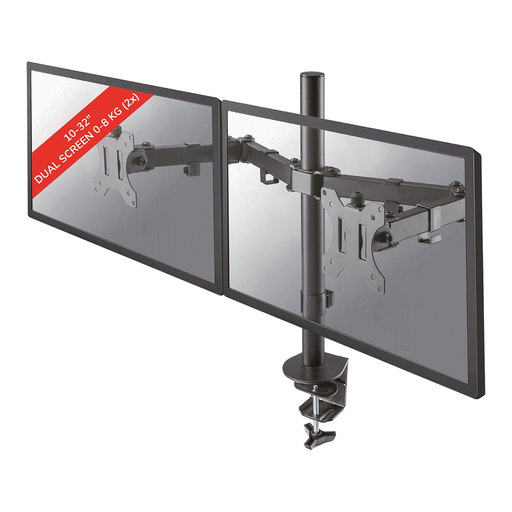 No image available
A desk mount for two screens, with independent adjustments so you can set the viewing angle for each screen.
The product description lists a maximum of 8 kg per screen and VESA 75 × 75 or 100 × 100 mm.
Clamp or grommet mounting and manual height and depth adjustment are listed, along with swivel, tilt and rotation.
No. Arboportaal advises reviewing and adjusting your workstation when you move to a different desk; it does not specify a fixed monitor height. Check that the mount you choose allows the adjustments users need.
No, it depends on the desktop and the requirements of the model. Check the desktop thickness, edge and construction, and ask permission before installing the mount. For the clamp on the Neomounts DS70-250BL2, the manual specifies a desktop thickness of 10–50 mm; this measurement does not automatically apply to other mounts.
Adjust the screens for each user and check that the cables have enough room to move. For the Neomounts DS70-250BL2, the manufacturer lists integrated cable management and an adjustable height and depth range; follow the manual for the model you buy.
No. ACM ConsuWijzer explains that there is no fixed time limit for the statutory guarantee: a product should last as long as you could reasonably expect it to under normal use. If a product is faulty, the retailer is your point of contact. This answer applies to consumer purchases; for a business purchase, check the applicable agreement separately.
No, the government guidance mentioned does not require a dual monitor arm. Arboportaal does state that employers are responsible for employees’ health and safety when they work with screens; a monitor arm is one possible workstation setup, not a prescribed model.