
Translators reading two texts at once
If you compare a source text with its translation, look for independently adjustable screens and a position that makes both texts comfortable to read.


For comparing source and target texts side by side, an adjustable dual arm is a good choice if your desk can accommodate a clamp or grommet mount. A freestanding mount is an option if neither type of fixing is suitable and you have enough room for the base. Check the weight, VESA pattern and preferred position for each screen separately. A monitor mount does not replace the screens’ power supplies: USB pass-through is not specified as a power supply for monitors.
If you compare a source text with its translation, look for independently adjustable screens and a position that makes both texts comfortable to read.
If you have few available sockets, plan separately for powering your computer and monitors. A mount with USB pass-through will not automatically remove the need for additional power connections.
If you want to keep the desk surface clear, consider a clamp or grommet mount. A freestanding base, on the other hand, takes up space on the desk.
First, check that your desk and screens are compatible with the mounting method. Then see whether the mount can position both texts as you want, and remember to plan for power separately.
| What to consider | What should you check? | Who is this important for? |
|---|---|---|
| Aligning texts | Check the direction of adjustment and the clearance behind the desk. Assess readability using your own font size. | I want to position the source and target texts independently while translating. Around 33% of consumers give aligning the texts top priority. |
| Power and connections | List the power requirements for your computer and both monitors separately; do not treat USB pass-through as monitor power. | If I have few power sockets, I want to know in advance which devices need their own power supply. Around 27% of consumers prioritise the connections available. |
| Desk mounting | Measure the available desk edge, desktop thickness and any grommet hole, then compare these with the mount’s fixing method and base size. | If my desk does not have a suitable place for a clamp, I need to know whether there is room for a base. Around 20% of consumers make mounting options their main consideration. |
| Compatibility with both screens | Note the weight and VESA pattern of each screen, then compare both with the limits of the exact mount. | I want to use my existing monitors without judging compatibility by screen size alone. Around 20% of consumers prioritise compatibility with their own screens. |
The USB and audio connections specified by StarTech.com for the ARMSLIMDUO are pass-through ports; they are not specified as a replacement for the power supplies of two monitors.
Before buying, check what power supplies your computer and both screens need.
A size in inches alone does not tell you whether a mount is suitable for a monitor’s weight and VESA pattern. Neomounts specifies separate limits for each screen on the DS70-250BL2.
Check the weight and VESA pattern of each screen and compare them with the specifications of the exact mount.
If the VESA pattern does not match, you may need a suitable adapter or a different mount.
A freestanding mount avoids the need for a clamp, but its base takes up space on the desk. The base of the StarTech.com ARMDUALSS measures 300 × 520 mm.
Measure the available space and compare it with the base dimensions. Also check whether a clamp or grommet mount will work on your desk.
The models mentioned offer different mounting methods and adjustment options.
The models mentioned offer a freestanding base, desk clamp or arm with connections.
The LX Dual Side-by-Side is an example of a model with two screens that can be adjusted next to each other.
These Joybuy products are designed to position two screens side by side, with desk arms and a freestanding mount among the options.
 No image available
For anyone who wants to mount two monitors on a desk arm and adjust their height and depth.
The product description mentions cable management for up to ten cables. The desktop must be sturdy enough to support the clamp.
 No image available
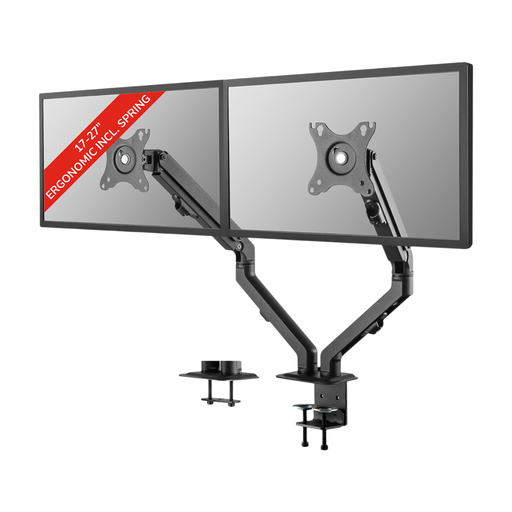
A dual desk arm for anyone looking to position two screens up to 27 inches with adjustable arms.
The product name specifies 17-27 inches and a coil spring. The description mentions height and depth adjustment, tilt, rotation and swivel.
 No image available
For anyone who wants to position two screens up to 32 inches manually on a desk arm.
The description specifies VESA 75 × 75 or 100 × 100 mm, height adjustment from 0–46 cm and depth adjustment from 4–40 cm.
 No image available
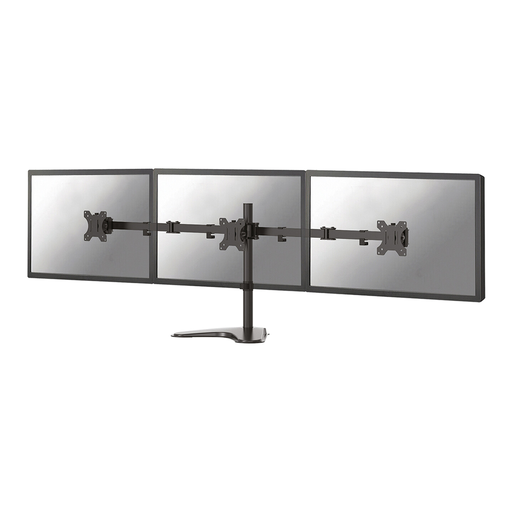
A freestanding option for anyone who wants to place two screens on one stand rather than use a desk arm.
The width adjusts from approximately 80–108 cm and the side platforms swivel. The height is fixed at 10,4 cm; this stand does not offer height adjustment.
Not according to the mount specifications mentioned. StarTech.com’s ARMSLIMDUO lists USB and audio pass-through, not power for two monitors. Check the power requirements for your computer and both screens separately.
Compare the weight and VESA pattern of each screen with the specifications of the exact mount, and check that your chosen fixing method works with your desk. Route the cables so they do not become taut when you adjust the screens.
Adjust the screens and furniture to suit your own measurements. Arboportaal recommends adjusting screen furniture to suit the user and the workplace.
The regulations cited do not specify a particular type of monitor arm. However, employees are covered by rules for safe screen-based workstations. Arboportaal notes, among other things, that if you work at a screen for more than two hours a day, the screen and keyboard must not be attached to each other. This is not a universal product requirement for every private buyer.
Statutory consumer rights apply alongside any manufacturer’s warranty. According to ACM ConsuWijzer, if a product is faulty, the seller must provide an appropriate solution free of charge, such as a repair, replacement or refund. A stated manufacturer’s warranty period does not automatically limit your statutory rights.