What should you look for when choosing one?
First decide whether you want to move the screens independently or usually together. Then check your monitors and the mounting position.
Two independently adjustable arms
Choose this if: you want to keep the accounting screen directly in front of you and often move the invoice screen separately.
Bear in mind: the space both arms need, and the mounting and weight limits for each screen.
A simpler adjustable dual mount
Choose this if: you want to align two compatible screens side by side and don’t need separate gas-spring adjustment.
Bear in mind: being able to align each screen individually doesn’t necessarily mean you can adjust their heights independently.
Linked crossbar
Choose this if: you usually want to move the screens as a pair.
Bear in mind: lifting both screens together is different from adjusting the height of each one individually.
| What to consider |
What should you check? |
Who is this important for? |
| Screen position |
Check the height and depth range, and whether you can position both screens separately where you want them. |
If I’m reading accounting information and invoices side by side, I want to be able to turn the screen I use less often independently. Around 29% of consumers prioritise screen position. |
| Monitor compatibility |
Note the weight, VESA size and dimensions of each monitor, then compare them with the specifications of the exact mount. |
I want to make sure both of my existing screens are within the mount’s fixing and weight limits. Around 29% of consumers prioritise monitor compatibility. |
| Desk mounting |
Measure the desk thickness and check the space under and behind the desk. Follow the instructions for the mounting method you choose. |
For my desk, the main thing is whether I can attach the mount in the available space. Around 24% of consumers make desk mounting their top priority. |
| Clear workspace |
Check where the mount will go and how much room the arms need to move behind and beside the desk. |
If I want to keep using invoices at a small desk, I want to position the arms and screens so there’s still room to work. Around 18% of consumers prioritise a clear workspace. |
Joybuy products for two monitors
These product options are intended for a two-monitor desk setup. Compare the stated screen, mounting and fitting details with your own equipment and workspace.
 No image available
Floordirekt stand for 2 monitors, white
An option if you want to place two monitors on a stand and adjust their width or angle.
The title lists MDF, an adjustable width of 80–108 cm and a white finish.
Joybuy
 No image available
Dell MDA20 dual monitor arm
A desk arm for two screens, provided the stated screen limits are suitable for your monitors.
The product description lists monitors up to 27 inches and 10 kg per screen, height and depth adjustment, and cable management for up to ten cables. Dell Quick Release is listed for tool-free mounting with Dell UltraSharp and P Series monitors.
Joybuy
 No image available
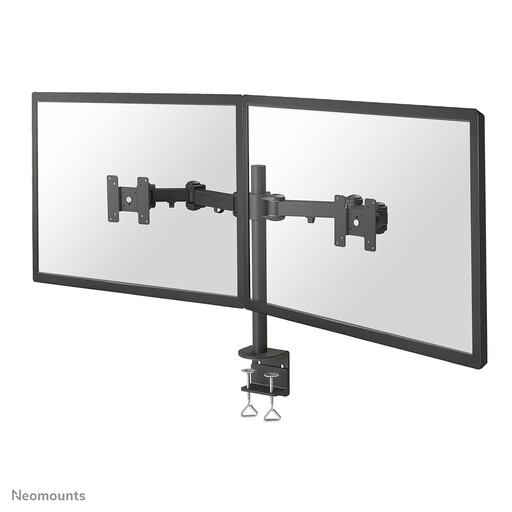
Neomounts FPMA-D960D monitor arm 10–27 inches
A dual monitor arm to consider if both screens are within the stated size and weight limits.
The description lists a maximum of 27 inches and 8 kg per screen, VESA 75 × 75 and 100 × 100 mm, and height and depth adjustment.
Joybuy
 No image available
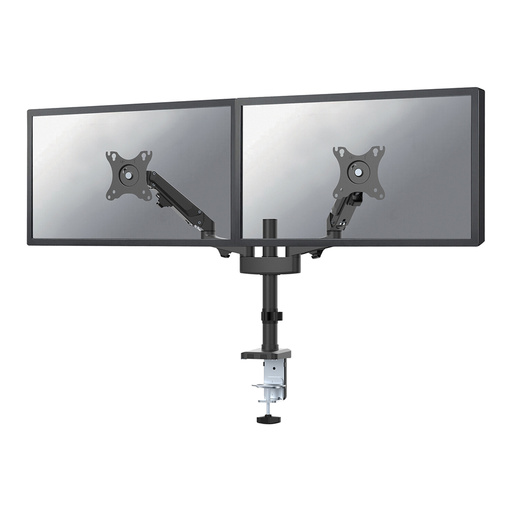
Neomounts DS70-750BL2 gas-spring arm 17–27 inches
A dual arm to consider if you regularly want to adjust the screen position and both monitors are within the stated limits.
The description lists screens from 17–27 inches, up to 7 kg per screen, and VESA 75 × 75 or 100 × 100 mm. It also mentions gas-spring height adjustment, depth adjustment, clamp and grommet mounting, and cable management.
Joybuy
 No image available
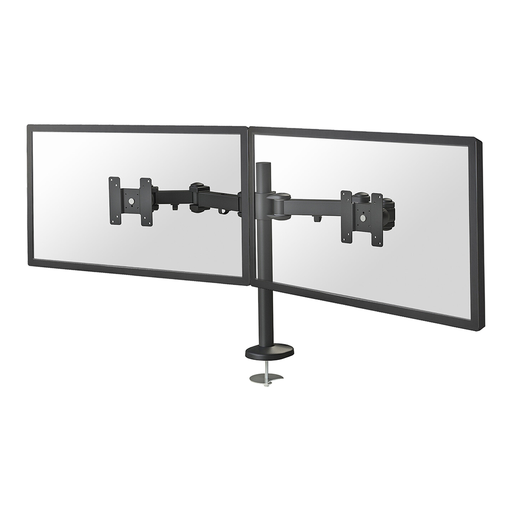
Neomounts FPMA-D960DG monitor arm 10–27 inches
A dual arm to consider if the monitors are within the stated screen size and weight limits and grommet mounting is possible.
The description lists a maximum of 27 inches and 8 kg per screen, VESA 75 × 75 or 100 × 100 mm, and manual height and depth adjustment. This version is described as using grommet mounting, so the mounting position must be suitable.
Joybuy
Frequently asked questions
How should I position two screens if I use one for accounting and the other for invoices?
A useful starting point is to place both screens side by side at the same height, with you sitting centrally in front of them. The industry health and safety guidance describes this setup; adjust the precise positions to suit the information you look at most often. This is practical advice on arranging your setup, not a universal legal requirement for every user.
What should I check before mounting a dual monitor arm?
Measure your desk and check the weight and VESA mounting of both monitors against the limits of the exact mount. The instructions for the Neomounts DS70-250BL2 clamp specify a desk thickness of 10–50 mm; this measurement doesn’t automatically apply to other models.
What are my rights if a mount bought online doesn’t fit or breaks?
For an applicable distance purchase by a consumer, the Dutch government generally allows a 14-day cooling-off period, with some exceptions. There is no fixed statutory warranty period in the Netherlands: you’re entitled to a product that works properly, and the seller is your point of contact if it’s faulty. If you’re buying for business, don’t assume the same consumer rights apply.
Is a dual monitor arm legally required in a Dutch workplace?
No. The government guidance consulted doesn’t require a specific product such as a dual monitor arm. However, rules apply to screen-based work to ensure a safe and suitable workplace, including a height-adjustable screen. The guidance also covers the conditions under which employers may depart from these rules while maintaining health and safety.


