
Translators who read two texts at once
If you view the source text and translation side by side, you may benefit from being able to position each screen independently.


Two independently adjustable arms are a good choice if you want to position your source text and translation differently. A shared mount works well when keeping the screens aligned is your priority, while a freestanding stand is an option if you don’t want to clamp anything to your desktop. Before buying, check the weight and VESA pattern for each screen, and measure the mounting point, available space and adjustment range you need.
If you view the source text and translation side by side, you may benefit from being able to position each screen independently.
If you regularly readjust your workstation, check that the screens are easy to reposition at both desk heights.
If you can’t or don’t want to clamp anything to the desk edge, you could also compare freestanding stands and check how much desktop space the base takes up.
When: if the source text and translation each need their own position or viewing angle, or you regularly change your setup.
Trade-off: check that both screens fit side by side with enough room to move, and that the mount is suitable for your desktop.
When: if you mainly want to keep two screens side by side and aligned.
Trade-off: a shared mount offers less independent positioning than two separate arms. For the Ergotron LX Dual Side-by-Side Arm 45-491-216, Ergotron specifies 3.2–9.1 kg per monitor and a clamp for desktops up to 66 mm thick; check that this version suits your screens and desktop.
When: if you don’t want to or can’t attach a clamp to your desktop, and usually keep the screens together.
Trade-off: the base takes up desktop space, and the screens move less independently. For the StarTech.com 2MC1S-MONITOR-STAND, StarTech.com specifies a maximum of 27 inches and 6 kg per VESA mount.
When: if you rarely change the screen height after mounting.
Trade-off: In a 2020 comparison, Tweakers reported that adjusting the height with screens mounted can be impractical with many pole arms. This finding does not necessarily apply to every current model.
| What to consider | What to look for | Who is this more important to? |
|---|---|---|
| Position of the source text and translation | Choose between independently adjustable arms and a shared mount; measure the space available for both screens too. | If I want to give the source text and translation different viewing angles, I focus on independent positioning. Around 36% of consumers say screen positioning is their main concern when buying. |
| Adjusting the screens when sitting and standing | Check how the exact model adjusts and its range of movement in both working positions. | If you regularly reposition your screens, it helps to have a stand that’s easy to adjust in practice. Around 29% of consumers say frequent adjustment is their top priority. |
| Screens and desk mounting | Check the weight and VESA pattern for each screen; if using a clamp, measure the desktop thickness where you plan to mount it. | If I want to avoid buying a stand or mount that isn’t suitable for my screens and desk, I check both in advance. Around 21% of consumers prioritise this compatibility. |
| Mounting without a clamp | Measure the space available for the base and check the VESA size and weight capacity for each screen. | If you can’t or don’t want to use a clamp on the desk edge, look for a stand with a base and make sure there’s enough clear desktop space. Around 14% of consumers say clamp-free mounting is their main concern. |
A stand also has limits for screen weight and VESA pattern. For the Neomounts DS70-250BL2, Neomounts also specifies a lower maximum weight for curved or ultra-wide screens than for flat screens.
Check each screen against the specifications for the exact version of the stand.
Clamp thickness limits vary by model. The construction of your desktop can also affect how the stand can be mounted.
Measure the intended mounting point and check the installation instructions for both the stand and the desk. If necessary, compare a grommet-mounted or freestanding option.
A shared mount can keep screens aligned, but it doesn’t give you the same freedom to set the source text and translation at different heights.
Before buying, decide whether keeping the screens aligned or positioning them independently matters more to you.
The manufacturer’s stated warranty period does not, on its own, determine how long statutory rights apply to a consumer purchase in the Netherlands.
Keep your proof of purchase and contact the retailer if you think a product may be faulty. ACM ConsuWijzer explains that the outcome also depends on what you could reasonably expect from the product.
The NEXT Slim DS70-250BL2 is a dual gas spring arm with two independently movable screens.
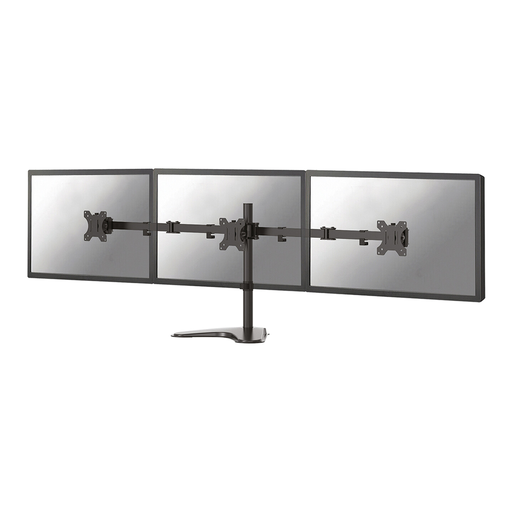
The LX Dual Side-by-Side Arm 45-491-216 uses a shared mount to position two screens side by side.
The freestanding 2MC1S-MONITOR-STAND is an option if you don’t want to attach anything to the desk edge.
The Reflex Dual Monitor Arm 8502601 is a desk-mounted option for two screens.
These Joybuy products include independently adjustable arms and a desk stand for two screens. For each model, check that its adjustability, mounting method and space requirements suit your sit-stand desk.
 No image available
Suitable if you want to position two screens independently; check that your desktop is suitable for the clamp.
Quick Release is described as compatible with Dell UltraSharp and P Series monitors.
 No image available
An option for two screens if you want to adjust their position manually.
The product name specifies screens from 10–32 inches; the height and depth adjustments described are manual.
 No image available
A good way to position two screens side by side on a desk if the stand’s fixed height suits your working posture.
The width adjusts from approximately 80 to 108 cm, and the side platforms swivel for a straight or angled setup. The stand is 10.4 cm high and has no height adjustment.
Not necessarily. Check each screen’s weight and VESA size, as well as the space available. With a shared mount, also check that screens of different sizes can be aligned at the height you want for reading.
Check the VESA pattern and weight of both monitors without their original stands. If using a clamp, measure your desktop at the mounting point and follow the instructions for both the stand and the desk.
Check the screen position both sitting and standing, and adjust it if needed. A gas spring arm can be practical if you make frequent adjustments, but check with your own screens that its range works for both positions.
No. Dutch guidance on screen work does not specify a dual monitor arm as a required product. Arboportaal does outline requirements for employees’ screen work, including a height-adjustable screen, but these workplace rules do not automatically mean that private buyers are required to buy one.
For a consumer purchase in the Netherlands, statutory warranty rights may still apply after a shorter manufacturer’s warranty has expired. ACM ConsuWijzer explains that if a product becomes faulty under normal use sooner than could reasonably be expected, the retailer must put it right free of charge. The outcome depends on the circumstances.