First, make sure the weight and VESA mounting pattern of both screens are compatible with the mount, and check how it can be attached to your desk. A crossbar is a good fit if you usually move both screens together. Separate arms give you more freedom to position email directly in front of you and your calendar beside it, while a freestanding stand is an option if you can’t use a clamp or grommet mount. Also check the space behind your desk and how often the screens will need to be repositioned.
Who is this setup suitable for?
People using a hot desk
You share a desk and want to quickly set the screens to a comfortable height at the start of your working day. ACT describes the AC8322 as tool-free height-adjustable for flexible workspaces; Arboportaal recommends readjusting your workstation each time you use it.
People who keep their calendar beside their email
You use email as your main task and want to see your calendar beside it without moving your main screen away from the centre. Arboportaal recommends placing the screen directly in front of you; separate arms let you position each screen independently.
People setting up compact desks
You need to fit two screens beside a partition or on a desk with limited mounting space. First, check how much room the arms need and whether a clamp, grommet mount or freestanding stand will work with your desk.
What should you look for when choosing?
First, decide whether the screens should move together or independently. Then check the screens and desk setup to make sure the mount won’t get in the way when you readjust it each day.
| What to consider |
What to check before buying |
Who is this important for? |
| Readjusting the setup |
Check whether the height can be adjusted without tools and whether the screens need to move independently. |
If I share a desk, I want to adjust the screen height quickly. Around 36% of consumers say quick readjustment is their top priority. |
| Compatible mounting |
Check each screen’s weight and VESA hole spacing against the arm’s supported range. Also check the desk thickness and available mounting space. |
I want to make sure the mount is compatible with both my existing screens and my desk; around 29% of consumers put this compatibility first. |
| Space and screen position |
Measure the available width and space behind the desk, and check whether there’s room for a base. Consider whether your calendar and email need their own viewing angles. |
If I want to keep my calendar beside my main screen, I need to think about both the layout and the room to move the screens; around 21% of consumers prioritise space and positioning. |
| Parts and aftercare |
Check which mounting hardware is included and what terms apply to the exact model. Keep the seller’s details and your proof of purchase. |
I want to know in advance which parts I’ll need and who to contact if there’s a problem; around 14% of consumers prioritise purchase and aftercare. |
Which mistakes can you avoid?
-
Checking only screen size or total weight
A mount might appear suitable for the screen size, but one screen’s weight or VESA hole spacing could fall outside the model’s specifications. Some gas spring arms also have a minimum weight limit per screen.
Weigh each screen separately without its stand, then check the VESA size and full supported weight range for the exact model.
If the mount isn’t compatible, you may need a different mount or a VESA adaptor.
-
Choosing a clamp mount before checking your desk
The supported desk thickness and mounting method vary by model. ACT specifies a maximum desk thickness of 88 mm for the AC8322.
Check whether clamps or grommet mounts are permitted on your desk, then measure the desktop thickness and available edge space. Only choose a base if you have enough desk space for it.
-
Choosing a crossbar when the screens need to sit separately
A shared crossbar and two separate arms offer different ways to position your main screen and calendar.
Think about how the screens need to be positioned for different users. Choose independently adjustable arms if each screen needs to move separately.
-
Confusing the manufacturer’s warranty with your rights if a product is faulty
A manufacturer’s warranty is not the same as the rights you have when buying as a consumer in the Netherlands. According to the Dutch government, the seller is your point of contact if there’s a problem with a product; there is no fixed statutory warranty period in the Netherlands.
Keep your proof of purchase and model details, and check who the seller is and what terms apply to the manufacturer’s warranty.
Which brands are worth considering?
ACT
ACT offers models with a crossbar, independently alignable screens and a base.
- According to ACT, the AC8322 is height-adjustable without tools and suitable for two screens up to 27 inches and 7 kg per screen.
- ACT specifies a maximum desk thickness of 88 mm for the AC8322. The AC8320 has a base that takes up space on the desktop.
Neomounts
Neomounts offers dual gas spring arms with different weight ranges, so always check the exact model.
- Neomounts specifies a 180° rotation stop and a range of 1–9 kg per flat screen for the DS70-250BL2.
- For some curved or ultrawide screens, Neomounts specifies a maximum of 8 kg per screen for the DS70-250BL2. The DS70-750BL2 has a range of 2–7 kg per screen.
Ergotron
The LX Dual Side-by-Side Arm is an option with separate arms for screens positioned side by side.
- For version 45-491-216, Ergotron specifies two screens up to 27 inches and a weight of 3,2–9,1 kg per screen.
- The product information provided relates to a US version. Check the version and terms of the model you intend to buy.
Fellowes
Fellowes offers a dual monitor arm and a dual vertical model in its Platinum Series, among other options.
- Fellowes describes the gas spring on the Platinum Series as easy to adjust.
- Before choosing a model, check the weight limits and desk mounting requirements for the specific version.
Monitor mounts for two screens
This selection includes adjustable arms for two screens and a fixed-height monitor stand for a side-by-side setup.
 Image unavailable
Dell MDA20 Dual Monitor Arm
This arm is designed for two screens and could be a good fit if you need to readjust the setup at a shared workstation.
Suitable for screens up to 27 inches. Tool-free Dell Quick Release is listed for compatible Dell UltraSharp and P Series monitors.
Joybuy
 Image unavailable
Neomounts DS60-425BL2
The short upper arm is designed for setups close to a wall or partition panel. Check that it has enough room to move on your desk.
Maximum 8 kg per screen, for screens up to 27 inches, with VESA 75×75 or 100×100 mm.
Joybuy
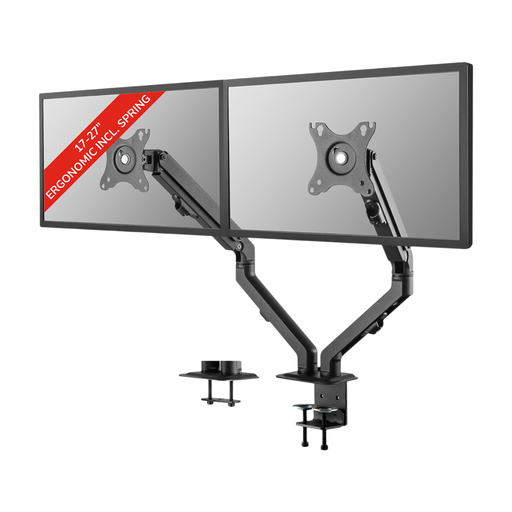 Image unavailable
Neomounts FPMA-D650DBLACK
This spring-assisted arm is designed for two screens whose viewing angles you may want to adjust at a shared workstation.
Suitable for screens from 17–27 inches and up to 7 kg per screen, with VESA 75×75 or 100×100 mm. The product description lists clamp and grommet mounting.
Joybuy
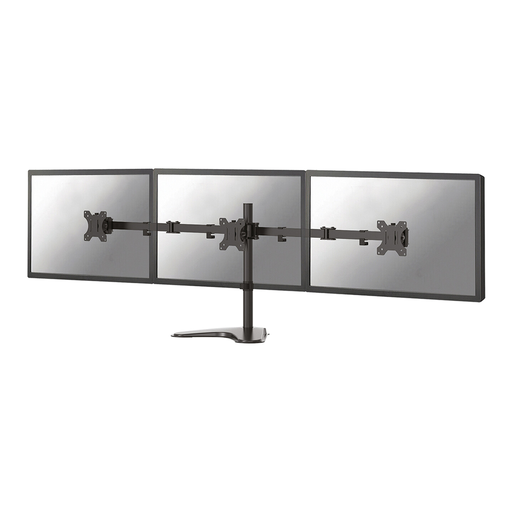 Image unavailable
Neomounts FPMA-D550DDBLACK
This mount may suit you if you want to adjust the height and depth of two screens manually for different users.
Suitable for screens up to 32 inches and up to 8 kg per screen, with VESA 75×75 or 100×100 mm.
Joybuy
 Image unavailable
Floordirekt Monitor Stand for 2 Monitors, White
The rotating side platforms provide a side-by-side setup for two screens. Bear in mind that the screen height is fixed if the desk is used by different people.
The width adjusts from around 80 to 108 cm. The screen height is fixed at 10,4 cm.
Joybuy
Frequently asked questions
How can I position my calendar and email without constantly turning my head?
Place the screen you use most directly in front of you, with the other beside it within a comfortable viewing angle. Readjust the screens when you sit down at a shared workstation. Arboportaal recommends positioning the top of the screen slightly below eye level and looking down at it gently; this does not guarantee that you won’t experience discomfort.
Will a dual monitor arm fit any shared desk?
No. The mounting method and desk dimensions must be compatible with the exact model. Check whether clamping or drilling is allowed, measure the desktop thickness and make sure there’s room for the mount. For example, ACT specifies a maximum desk thickness of 88 mm for the AC8322; the AC8320 is a freestanding alternative that takes up space on the desktop.
What should I check before installing the arm?
For each screen, compare its weight without the stand and its VESA pattern with the specifications for the exact model. Follow the installation instructions and make sure the cables have enough slack when you move the screens. Once installed, check that the mount remains stable.
Is a dual monitor arm a legal requirement in the office?
No. Dutch government guidance does not require a dual monitor arm as a product. However, Arboportaal outlines employers’ obligations for safe screen work and workstation setup, including providing a height-adjustable screen. For employees who work with screens for more than 2 hours a day, Arboportaal also specifies requirements for the screen and keyboard. Screen work should be alternated with other tasks or a break at regular intervals.
What can I do if a monitor arm develops a fault?
If there’s a problem with a consumer purchase in the Netherlands, you can contact the seller. According to the Dutch government, you’re entitled to a product that works properly, and there is no fixed statutory warranty period in the Netherlands. A manufacturer’s warranty is additional and does not automatically cover every type of damage. Keep your proof of purchase and check who the seller is and what warranty terms apply to the model.


