
Presenter with separate notes
You want to keep the presentation screen directly in front of you while being able to turn or move the notes screen independently, including when switching between sitting and standing.


Choose independently adjustable arms if you regularly want to position your notes screen differently from your presentation screen. If both screens usually stay together, a crossbar may suit the way you work better. Before buying, check the weight of each screen without its stand and its VESA size. Also measure the desk thickness and the space behind your desk.
You want to keep the presentation screen directly in front of you while being able to turn or move the notes screen independently, including when switching between sitting and standing.
You usually keep your presentation and notes side by side and want to know whether you can move both screens as one setup.
You need to take into account a shallow desktop, a wall behind the desk or limited space around the mounting clamp.
Best for: if you regularly want to turn or move the notes screen separately while keeping the presentation screen in front of you.
Consider: check that both arms and screens have enough room to move. Neomounts describes the DS70-250BL2 as a model with independently adjustable screen positions.
Best for: if your presentation and notes usually stay side by side and you want to move the screens as one setup.
Consider: the screens are less independently positionable. Neomounts describes the NM-D775DXWHITE as a crossbar with a handle.
| What to consider | What to look for | Who is this important for? |
|---|---|---|
| Positioning screens separately | Check the independent adjustment options and make sure there is enough clearance for both screens. | If I want to turn the notes screen separately during a presentation, I focus on independent positioning; around 33% of consumers say this is their main buying priority. |
| Screen compatibility | For each monitor, compare its weight without the stand and its VESA size with the specifications for the exact arm model. | If you want to combine two existing monitors, you’ll want to know in advance whether their weight and mounting holes are compatible with the arm; around 25% of consumers say screen compatibility is their main priority. |
| Desk mounting | Measure the desktop thickness and check the space around the edge, any cable-management hole and the wall. | If my sit-stand desk is shallow or close to a wall, I want to know whether the clamp and arm setup will fit; around 25% of consumers prioritise desk mounting. |
| Moving screens together | Decide whether you usually use and compare the screens together; for a crossbar, also check the specified load per screen. | If my screens almost always stay side by side, I don’t want to choose adjustment options I won’t use; around 17% of consumers say moving screens together is their main priority. |
A screen that fits the stated size range isn’t necessarily within the arm’s weight and VESA limits. For the Neomounts DS70-250BL2, the manufacturer also specifies a lower maximum weight for curved or ultra-wide screens than for flat screens.
Make a note of the model, weight without the stand, VESA holes and screen type for both monitors. Compare these details with the specifications for the exact arm model.
If the VESA mount doesn’t match, you may need a separate adapter (which you’ll need to check for compatibility) or a different arm.
The clamp needs to suit the thickness of your desktop. On a sit-stand desk, the arm also needs to move freely with the screen in the position you want.
Before choosing a model, measure the desktop thickness and check the edge clearance, any cable-management hole and the distance to the wall.
A crossbar is designed to move screens more like a single setup, while separate arms let you position your presentation and notes screens differently.
First decide whether you want to move the notes screen separately while you work, then choose the type of arm that suits your needs.
The Neomounts models covered here include both independently adjustable dual arms and a crossbar. The right option depends on your screens and desk space.
The Platinum Series Dual Monitor Arm, model 8042501, is an option for two independently adjustable screens.
StarTech.com offers the separate arms of the ARMDUAL3 as well as the ARMBARDUOG crossbar solution; these are different models.
These Joybuy options are dual monitor arms for anyone who wants to position two screens on one desk. Before buying, check that they’re compatible with your screens and desktop.
 No image available
An option for anyone looking to mount two screens on one desk. Check in advance that your screens meet this model’s specifications and mounting requirements.
Check whether your monitor is compatible with Dell Quick Release, which is described as suitable for compatible Dell UltraSharp and P Series monitors.
 No image available
An option to consider if you want to position two screens independently. Check the connections and permitted load per screen for this model.
The product name specifies a screen size of 10–32 inches.
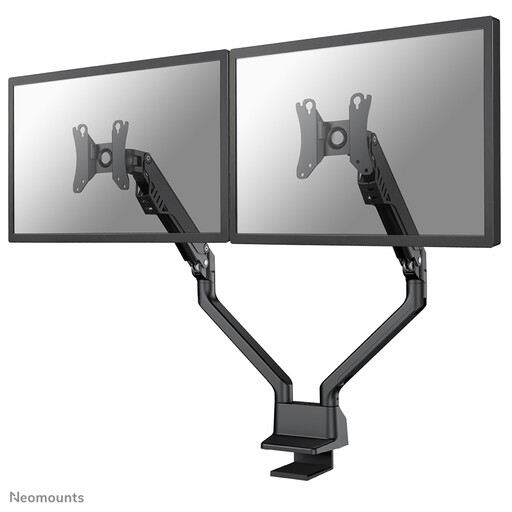 No image available
An option to compare if you want to position your presentation and notes screens separately. Check the weight and VESA size of both screens.
The product name specifies a screen size of 10–32 inches.
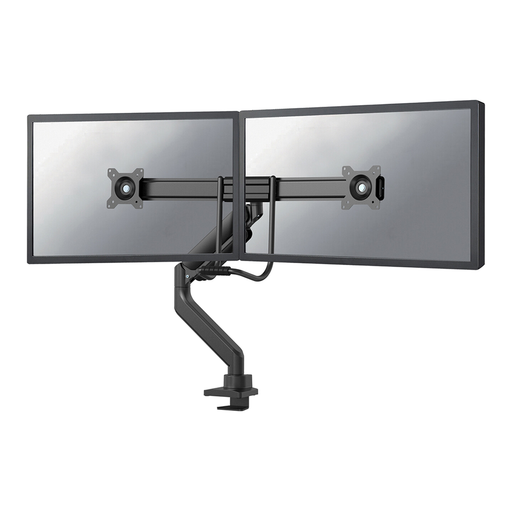 No image available
An option for anyone who wants to position two screens at different viewing angles. Check your screens against the specifications for the exact model.
The product name specifies a screen size of 17–32 inches.
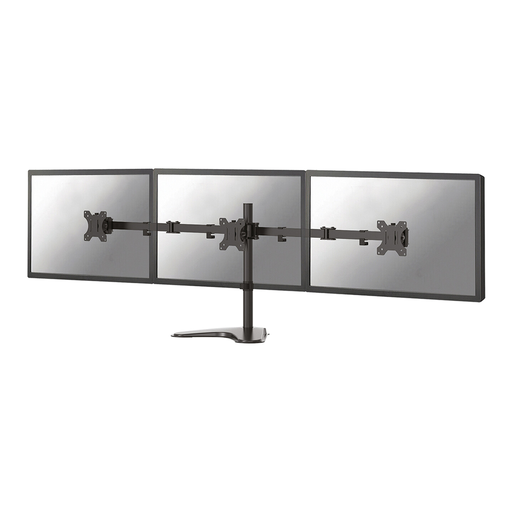 No image available
An option for mounting two screens on one desk. Before buying, check that the adjustment range suits the viewing positions you need.
The product name specifies a screen size of 10–32 inches.
That depends on the screen height, the arm’s adjustment range, cable clearance and the space behind the desk. Measure the screen position you want at both desk heights and check the fitting instructions for your chosen model.
Follow the instructions for this exact model. Neomounts specifies clamp configurations for desktop thicknesses of 10–50 mm and 45–85 mm. Check which configuration can be fitted to your desktop.
First check that the screen is within the arm’s specified weight range, then adjust the gas spring according to the instructions for the exact model. Do not exceed the specified load.
The Dutch government says that, in many cases, you have 14 days to change your mind when buying at a distance, although there are exceptions. Check the terms that apply to your purchase; a manufacturer’s warranty is separate from the cooling-off period.