What should you look for?
Your choice mainly depends on how often you move the screens independently, which mounts your monitors use and how the arm fits your desk.
Independently adjustable gas-spring arms
Best for: regularly repositioning one screen or adjusting its angle while comparing documents.
Check: the weight range for each screen and whether your desk has enough space for the arms to move. The Neomounts DS70-750BL2 is specified for 2–7 kg per screen.
Articulating arm with mechanical height adjustment
Best for: keeping document windows at roughly the same height while still being able to tilt, swivel or rotate your screens.
Check: according to the manufacturer, the StarTech.com ARMDUAL2 has mechanical height adjustment along a pole. This differs from gas-spring height adjustment.
Arm with model-specific quick-release mounting
Best for: monitors that are compatible with the Dell MDA20’s Quick Release mount.
Check: Dell describes this mount for compatible monitor ranges. Don’t assume it will fit a standard VESA monitor in the same way.
| What to consider |
What should you check? |
Who is this important for? |
| Readability beside a window |
Check whether the screens can be rotated and tilted as needed. Arboportaal recommends positioning your viewing direction parallel to the window. |
If you want to keep text readable as daylight changes, consider not only adjustability but also screen placement and window shading. Around 33% of consumers prioritise readability in daylight. |
| Positioning documents independently |
Check whether you can adjust the height, depth and viewing angle of each screen, and whether you can set it to the position you want. |
If you want to align two documents separately or view long pages in portrait orientation, look for independent adjustment. Around 27% of consumers make this their main priority. |
| Compatibility with both monitors |
Note the weight and VESA pattern of each screen. Compare these details with the weight range and mount for the exact model. |
If you already own two monitors, you’ll want to know in advance whether their weight and mounts are suitable for the arm. Around 20% of consumers prioritise screen compatibility. |
| Mounting to your desk |
Check the desk’s thickness and construction, whether it has a suitable edge or grommet hole, and how much clearance you need. |
If you want to fit the arm to your own desk, first check which mounting method is suitable. Around 20% of consumers make desk mounting their main priority. |
Monitor arms at Joybuy
These models are designed for two screens on a desk. Check the adjustment options, screen mounts and suitability for your desk for each model.
 Image unavailable
Dell Dual Monitor Arm MDA20
For two screens, with adjustable arms, height and depth adjustment, and tilt.
The product information lists a maximum of 10 kg per monitor and an arm with 90° pivot rotation.
Dell Quick Release is for compatible Dell UltraSharp and P-series monitors. Check the correct mount for other screens.
View at Joybuy
 Image unavailable
Neomounts NM-D775DXSILVER
A dual gas-spring arm for two screens, with height and depth adjustment, tilt, swivel and pivot.
The product information lists screens from 10–32 inches, a maximum of 8 kg per screen, and VESA 75×75 or 100×100 mm.
A 180° stop mechanism is listed. Check that the desk’s construction and mounting requirements are suitable for your setup.
View at Joybuy
 Image unavailable
Neomounts DS60-425BL2, 17–27 inches
For two screens, with manual height and depth adjustment, tilt, rotation and swivel.
The product information lists a maximum of 8 kg per screen and VESA 75×75 or 100×100 mm.
The short upper arm is designed for positioning close to a wall or partition. Don’t mount it on a fragile, loose or uneven desktop.
View at Joybuy
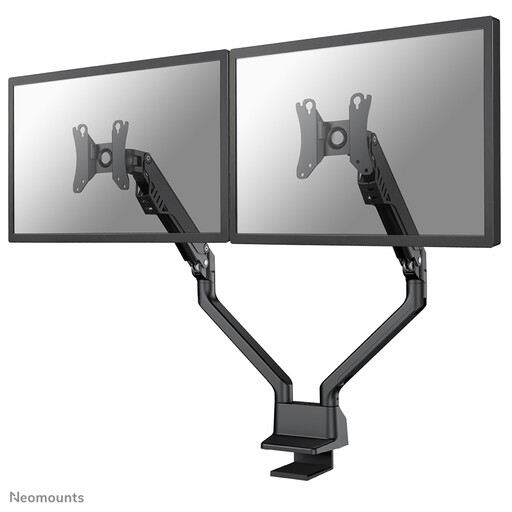 Image unavailable
Neomounts FPMA-D750DBLACK2
A dual gas-spring arm with height and depth adjustment and adjustable viewing angles.
According to the product information, each screen must weigh 2–8 kg and use VESA 75×75 or 100×100 mm.
The listed mounting options are a desk clamp or grommet mounting. Check which option is suitable for your desk.
View at Joybuy
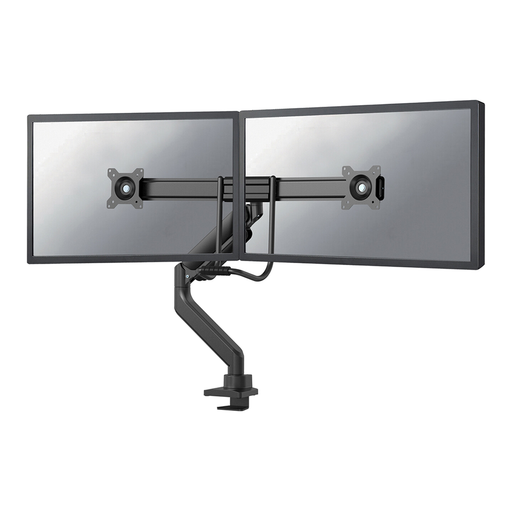 Image unavailable
Neomounts DS75-450BL2, 17–32 inches
A dual gas-spring arm with pneumatic height and depth adjustment, tilt, swivel and pivot.
The product information lists a maximum of 8 kg per screen and VESA 75×75 or 100×100 mm.
Check that the desk mount is suitable for the construction of your desk.
View at Joybuy
Frequently asked questions
Will a monitor arm on its own help with glare from a window?
No, an arm won’t automatically eliminate reflections or glare. Arboportaal recommends positioning your viewing direction parallel to the window; remember to consider window shading too.
How can I check whether my two screens will fit a monitor arm?
Check the weight and VESA hole pattern of each screen, along with the arm’s product specifications. For example, the Neomounts DS70-750BL2 is specified for 2–7 kg per screen and VESA 75×75 or 100×100 mm. Don’t assume these limits apply to another model.
Can I choose between a desk clamp and grommet mounting?
That depends on the model and the construction of your desk. Neomounts lists both a clamp and grommet mounting for the DS70-750BL2; check which parts are included with your version.
What should I keep in mind when moving screens after installation?
Make sure the cables don’t become taut in the screen positions you want. Follow the model’s instructions for installation and adjustment, and, for a gas-spring arm, check that each screen’s weight is within the stated range.
What cancellation period and warranty apply to an online purchase in the Netherlands?
The Dutch government states that a 14-day cancellation period applies in many cases to consumer purchases made at a distance. There is no fixed statutory two-year warranty period; if a product is faulty, contact the seller, and you’re entitled to a product that is fit for purpose.


