
Student with a small desk
Wants to view a dashboard and report at the same time while keeping the desk surface clear. Measure the total space needed for both screens and the arms’ range of movement.


First, choose a mount that suits the weight and VESA hole pattern of both monitors, as well as the mounting point on your desk. If you often reposition your dashboard and report, independently adjustable arms give you more flexibility; for a mostly fixed setup, a manually adjustable mount may be enough. Also measure the space behind and above your desk: no adjustment mechanism removes the need to check.
Wants to view a dashboard and report at the same time while keeping the desk surface clear. Measure the total space needed for both screens and the arms’ range of movement.
Switches between reading, writing and checking a dashboard, and would benefit from independently adjustable screen positions, as long as both monitors are within the model’s specifications.
Wants a suitable two-screen setup without paying for adjustments they’ll rarely use. It’s also important to check that the mount suits their desk edge.
Start by checking which mounting options your desk allows. Then choose between independent arms for screens you often reposition and a manually adjustable mount for a mostly fixed setup.
| What to consider | What should you check? | Who should pay particular attention? |
|---|---|---|
| Desk space | Measure the distance to the wall, the desk width and the space needed for the arms to move. | If I need room for notes and a keyboard on a small desk, I want to get the monitor stands off the desk surface. Around 24% of consumers make freeing up desk space their top priority. |
| Positioning screens independently | Compare the height, swivel and depth adjustments with the positions you want for viewing your dashboard and report. | If I often switch which screen is in the centre while I work, I want to position them independently. Around 19% of consumers prioritise being able to position each screen separately. |
| Weight capacity and VESA | For each monitor, check its weight without the stand, its VESA hole pattern and any lower limits for curved or ultrawide screens. | If my two monitors are different, I want to make sure each one is within the stated limits. Around 24% of consumers make screen compatibility their top priority. |
| Desk mounting | Check that the desk edge is accessible, that there’s room beneath the desktop and that a suitable existing grommet hole is available, if needed. | If I use a shared or rented desk, I want to install the mount without drilling a new hole. Around 19% of consumers prioritise a desk mount that’s a good fit. |
| Cost and adjustability | Compare the range of movement you need and check which mounting hardware is included. | If I usually leave my screens in the same position, I don’t want to pay for adjustments I’ll rarely use. Around 14% of consumers make the essential features within their budget their top priority. |
A monitor may be within the stated screen size range but still exceed the mount’s weight capacity or have an incompatible VESA hole pattern. Check both monitors individually, including any lower limits for curved or ultrawide screens.
Compare each screen’s weight without its stand and its VESA pattern with the specifications of the model you’ve chosen.
You may need a suitable adapter or a different mount.
An arm can free up desk space, but it may need room to move backwards. Measure the distance to the wall and check your planned screen positions against the arm’s adjustment range.
Measure the setup with the arms in the positions you actually plan to use.
A model offering both mounting methods won’t necessarily suit your desk or be permitted in both configurations. Check the mounting instructions and only use an existing hole if it’s suitable.
Ask permission before making changes to a shared or rented desk.
Modifying the desk may mean extra work or repairs.
For the iiyama DS1002C-B1, the UK manufacturer’s page states a maximum of 32 inches, while the Dutch Joybuy description gives a maximum of 30 inches. Don’t assume the higher size applies to the Dutch listing without confirmation.
If you plan to use a screen larger than 30 inches, ask for confirmation of the specifications for the version being sold.
The FPMA-D700D is a manually adjustable dual mount, while the DS70-250BL2 has independently adjustable gas spring arms.
The AC8302 is a dual mount that gives you the choice of clamp or grommet mounting.
The DS1002C-B1 is a dual clamp mount with height adjustment and cable management.
The ARMDUAL has articulated arms and offers a choice of clamp or grommet mounting.
The Joybuy products below include an adjustable stand and dual arms for two screens, with manual or gas spring adjustment.
 Image unavailable
May suit a setup where you want to adjust the stand’s width and viewing angle.
The product name specifies MDF, adjustable width and angle, and a width of 80–108 cm in white.
 Image unavailable
Worth considering if you want to position two screens with height and depth adjustment.
The product description lists screens up to 27 inches, height and depth adjustment, and cable management. Check that your desktop is strong enough to support the clamp; the weight figures in the description vary.
 Image unavailable
May suit a mostly fixed two-screen setup where manual adjustment is enough.
The product description lists a maximum of 8 kg per screen, VESA 75 × 75 or 100 × 100 mm, manual height and depth adjustment, and internal cable management. The short upper arm is designed for positioning close to a wall or partition.
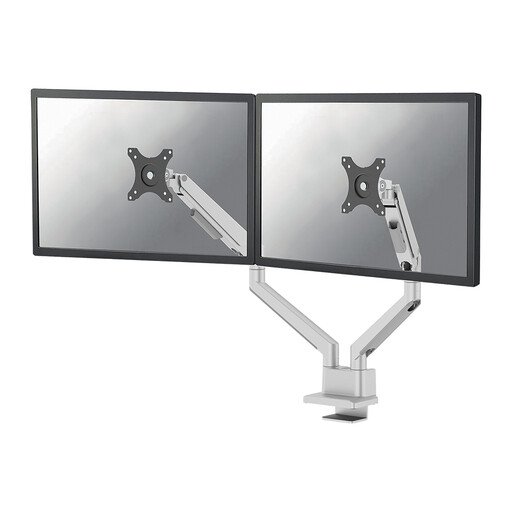 Image unavailable
Worth considering if you regularly want to adjust the two screens independently.
The product description lists a maximum of 9 kg per screen, height and depth adjustment, a 180° stop, clamp or grommet mounting, and cable management. Check that the screens and available space suit the positions you have in mind.
 Image unavailable
May suit you if you want to position two screens in several ways and the specified mounting method works with your desk.
The product description lists a maximum of 8 kg per screen and VESA 75 × 75 or 100 × 100 mm. It also mentions height and depth adjustment, movement in several directions, and cable management.
Place the screen you work on most directly in front of you, with its top just below eye level. Arboportaal recommends this for workstation setup; position the dashboard so you can refer to it without turning unnecessarily.
Yes, with a suitable clamp mount if your desk edge can accommodate it. ACT states that the AC8302 includes hardware for both clamp and grommet mounting; check the instructions and the space available on your desk before installation.
Contact the seller and distinguish between the cooling-off period and your statutory guarantee rights. ACM ConsuWijzer states that online purchases from a business generally come with a statutory cooling-off period of up to 14 days after delivery, with some exceptions. If a product doesn’t perform as you could reasonably expect under normal use, you may also have statutory guarantee rights against the seller.
The display screen work requirements described by Arboportaal are aimed at employers and employees. They don’t automatically apply as legal product requirements to every private study space. However, the advice on screen height may still help you set up your desk.