Dual monitor arms at Joybuy
This selection of Joybuy products includes dual desk arms for anyone looking to mount two screens, with options for adjustment and clamp or grommet mounting.
 Image unavailable
DELL Dual Monitor Arm MDA20
The product description presents this as a desk arm for two monitors, with height and depth adjustment.
The arm uses a desk clamp, so check that your desk is suitable.
Quick Release is described as being for Dell UltraSharp and P Series monitors.
The description also mentions cable management.
View at Joybuy
 Image unavailable
Neomounts NM-D775DXSILVER
This dual gas spring arm offers height and depth adjustment for anyone who wants to change their screen position.
The description states a maximum of 8 kg per screen and VESA 75 × 75 and 100 × 100 mm.
The desk clamp must be suitable for your desk. The product description says it should be installed by an adult.
View at Joybuy
 Image unavailable
iiyama dual desk arm
This dual arm is an option if you want to mount two screens using a desk clamp.
The description lists adjustable height, tilt, swivel and rotation.
The stated limits are a maximum of 30 inches and 10 kg per screen. VESA 75 × 75 and 100 × 100 mm is also listed.
View at Joybuy
 Image unavailable
Neomounts DS60-425BL2
This manually adjustable dual arm is designed for a setup where the screens usually stay in a fixed position.
The product name lists screens of 17–27 inches. The description states a maximum of 8 kg per screen and VESA 75 × 75 or 100 × 100 mm.
The description lists height and depth adjustment, as well as a short upper arm for positioning close to a wall or partition.
View at Joybuy
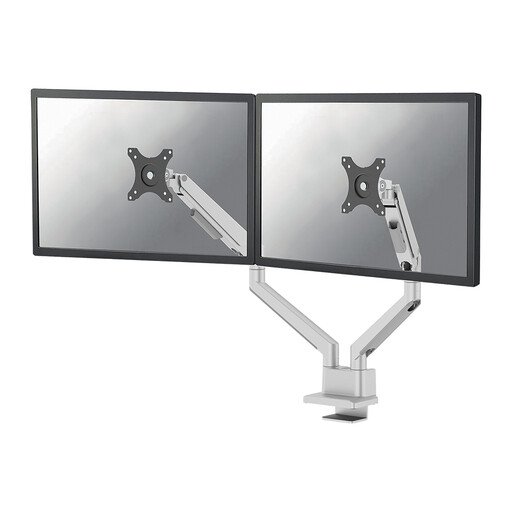 Image unavailable
Neomounts DS70-250SL2, 17–32 inches
This dual gas spring arm is an option if you want to adjust screen height or depth while studying.
The product description lists screens of 17–32 inches and a maximum of 9 kg per screen.
Height and depth adjustment are listed. According to the description, it can be fitted using a top-fix clamp or a grommet mount.
View at Joybuy
Frequently asked questions
Will any dual arm fit two existing monitors?
No. Check the VESA pattern and weight of both screens without their original stands, then compare those details with the exact arm model. For the Neomounts DS70-250BL2, Neomounts lists VESA 75 × 75 or 100 × 100 mm and 1–9 kg per screen, with a maximum of 8 kg for curved or ultrawide screens.
What if I can’t attach a clamp to my desk?
First check whether your desk can take a grommet mount. If not, a dual stand with a base, such as the ACT AC8320, is an alternative. Measure in advance how much space the base and screens will take up.
How should I maintain the mounting?
Follow the fitting and usage instructions for your chosen model, and check once installed that the screens and desk mount are secure. Only move screens within the stated range of movement and weight capacity.
What are my rights if I buy the arm online as a consumer?
When you buy online from a business, you generally have a 14-day cooling-off period, according to the Dutch Government. You’re also entitled to a product that works as it should. If it’s faulty, contact the seller to find a solution. There is no fixed statutory two-year guarantee period in the Netherlands.
Do Dutch workplace screen regulations automatically apply to my study space?
No. The workplace regulations in question are aimed at employers and employees, and don’t make a dual monitor arm compulsory for every student. For employees who work with a screen for more than two hours a day, Arboportaal outlines specific requirements for that working environment.


