
Home worker who makes calls at a small desk
You want to clear monitor stands off your desk and check whether the arms and screens can move close to a wall. Neomounts describes the DS70-810BL2 as having short upper arms for use near a wall.


First, check that the weight, VESA mounting holes and attachment method of both screens are compatible with the arm and your desk. If your desk is close to a wall, also consider how much room the arms need. If you often switch between video calls and reading, look for independent adjustment options. Arboportaal recommends positioning the screen you look at most directly in front of you.
You want to clear monitor stands off your desk and check whether the arms and screens can move close to a wall. Neomounts describes the DS70-810BL2 as having short upper arms for use near a wall.
You want to keep the screen you use for calls in front of you and be able to move or turn the second screen to read text. Arboportaal recommends placing the screen you look at most directly in front of you.
You want to check in advance that both screens meet the weight limits, VESA mounting requirements and mounting requirements of a single stand. Specifications vary by model; for example, Neomounts and iiyama list weight and VESA details for specific models.
First, check that both monitors and the edge of your desk are compatible. Then consider whether the arm has enough room and range of movement in the position you want.
| What to consider | What should you check? | Who is this important for? |
|---|---|---|
| Space on and behind the desk | Measure the desk depth, the clear space behind the desktop, the distance to the wall and the width of both screens in the positions you want. | If I have limited space, I want to know whether the arms and screens can move behind and beside the desk. Around 31% of consumers prioritise desk space. |
| Reading and calling positions | Check whether each screen can be adjusted independently to the required height, angle and position. | If I read a script during a call, I want to keep the call screen in front of me and have the text in a convenient position. Around 25% of consumers prioritise the positioning of both screens. |
| Weight and VESA mounting | Note the weight of each monitor without its stand and its VESA pattern, then compare these details with the limits of the arm you choose. | If I want to use my existing monitors, I want to know in advance whether each one is compatible. Around 25% of consumers prioritise weight, VESA mounting and installation. |
| Mounting parts and aftercare | Check which mounting parts are included, whether you might need an adapter and what returns terms the seller offers. | If I’m unsure about the attachment or parts, I want to know in advance what I’ll need and what terms apply if the stand doesn’t fit. Around 19% of consumers prioritise mounting parts and aftercare. |
The weight limit may apply to each screen individually. The Neomounts DS70-250BL2 also has a lower stated maximum for curved and ultrawide screens than for other screens.
Check the weight of each screen separately, without its stand, and compare it with both the minimum and maximum limits of the arm you choose.
Even with a clamp, the arms and screens need to fit in the positions you want. Short arms and a 180° stop are model-specific features.
Measure or mark out the positions you want for the screens, including the distance to the wall or partition.
Weight, VESA pattern and available mounting space also determine whether a screen will fit. The Dutch manufacturer and Joybuy product pages list different maximum screen sizes for the iiyama DS1002C-B1.
Check the weight and VESA pattern of both screens. If a screen is close to the stated size limit, check the product specifications before ordering.
If a monitor won’t attach directly to the arm, a VESA adapter may need to be bought separately. Check whether you need one and which mounting parts are included.
The DS70-810BL2 T-Rex and DS70-250BL2 NEXT Slim ranges are worth considering for a compact desk with adjustable arms.
The DS1002C-B1 is a dual desk mount with a clamp, designed for anyone looking to replace monitor stands and position their screens higher.
The LX Dual Side-by-Side range is worth considering if you want to position two screens independently.
These Joybuy products are options for a desk setup where you want to position a screen for calls alongside a script. Check the screen compatibility and available mounting space for each model.
 Image unavailable
The product title describes a stand for two monitors with adjustable width and angle.
Material: MDF. Colour and finish: white, 80–108 cm.
 Image unavailable
The product name describes an arm for two monitors. Check in advance that your screens and desktop are compatible with the mounting method.
The product description says Dell Quick Release is designed for Dell UltraSharp and P-series monitors. Check compatibility with your particular model.
 Image unavailable
According to iiyama, this model offers a height adjustment range of 200–400 mm, 90° pivot rotation and a maximum load of 10 kg per monitor.
The manufacturer lists VESA 75 × 75 and 100 × 100 mm. The Joybuy product page states a maximum of 30 inches, while the manufacturer’s page says 32 inches. Check the size if your screen is close to the limit.
 Image unavailable
The product information describes short upper arms for positioning the screens close to a wall or partition.
The stated mounting options are a clamp or grommet mount. Check which option will work with the edge or desktop of your desk.
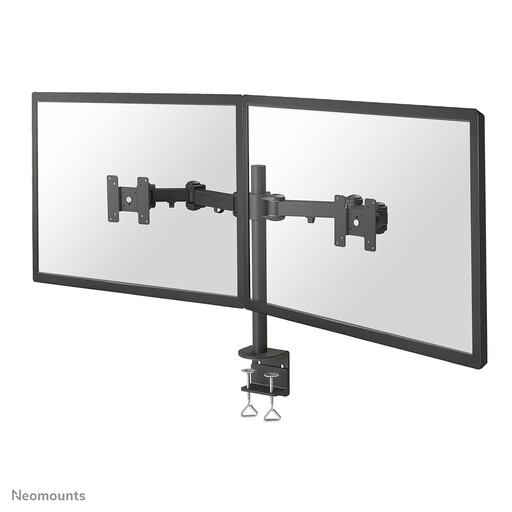 Image unavailable
The product information states that it supports two screens up to 27 inches, with height and depth adjustment.
This arm is fitted with a desk clamp. Check that the edge of your desk is suitable and that your monitors are compatible with the mount.
Position the screen you look at most as directly in front of you as possible; this is also Arboportaal’s advice. Place the script on the second screen within a viewing angle that works for you. This positioning advice is not a guarantee that a monitor arm will prevent discomfort.
No. First check that the desktop thickness, accessible edge and clearance are suitable for the specified clamp. If you’re using a grommet mount, also check that the desktop is suitable for it. A model having both mounting options doesn’t mean your desk will work with both.
Adjust the screens within the stated weight range and check that the fixings remain secure. The Joybuy product page for the iiyama DS1002C-B1 recommends checking the fixings regularly. This is a product instruction, not a general legally required inspection interval.
For a standard online consumer purchase, ACM ConsuWijzer says you will usually have a 14-day cooling-off period after delivery, with some exceptions. Separately, you have a legal right to a product that does what you can reasonably expect when used normally. A manufacturer’s guarantee does not replace this legal right.
The regulation referred to does not require you to buy a dual monitor arm. For employees who work with a screen for more than 2 hours a day, Arboportaal explains, among other things, that the screen and keyboard must not be attached to each other. This rule alone does not require a dual arm.