If you use email most, position that screen directly in front of you and place the calendar beside it, angled slightly towards you. This is TNO’s positioning advice for a screen you use actively and one you use less intensively. A compact crossbar may suit you if you want to keep your desk and the space behind it clear, while separate arms give you more freedom to position each screen independently. Before buying, check the VESA size, weight per screen, desk attachment and available space.
Who is a dual monitor arm suitable for?
Home worker with a narrow desk
Wants to see email and the calendar at the same time, while keeping desk space free for a keyboard and other essentials. TNO advises positioning the active screen directly in front of you when you use a second screen less intensively.
User who needs to position screens independently
Wants to place the email screen centrally and position the calendar beside it. Independently adjustable arms may be useful if the screens differ or their positions change regularly.
User with limited space beside the desk
Is considering stacking the screens because there is no room to place them side by side. Check beforehand whether the viewing height feels comfortable; a vertical layout is not automatically the right choice.
What should you look for when choosing?
Compact crossbar
Suitable if: you want to position two screens side by side and have limited space behind your desk.
Keep in mind: the screens share a crossbar, so don’t expect to position them entirely independently.
Independently adjustable arms
Suitable if: you want to position your email and calendar screens separately, or move the screens regularly.
Keep in mind: measure the space behind and beside your desk that the arms need to move, not just the available width.
Vertical dual monitor arm
Suitable if: there isn’t enough room to place the screens side by side and you find it comfortable to look at one above the other.
Keep in mind: TNO advises placing a second screen you use less intensively beside the active screen, so try out the viewing height beforehand.
| What to consider |
What should you check? |
Who is this important for? |
| Desk surface and space behind the desk |
Measure the distance to the wall and the space the arm needs to move. Also check where the clamp or grommet mount can be attached. |
If you want to keep a keyboard and other essentials within reach on a small desk, a compact setup is often a priority. Around 36% of consumers with this priority are mainly looking to keep their workspace clear. |
| Screen positioning |
Check whether you can position the email screen directly in front of you and angle the calendar screen beside it slightly towards you. See whether the arm allows the separate adjustments you need. |
If you want to keep email central and read the calendar comfortably beside it, pay attention to how both screens can be positioned. Around 29% of consumers with this priority are mainly looking to adjust the two viewing positions. |
| Screen and desk compatibility |
Note the weight of each screen without its stand and its VESA pattern. Also measure the desk thickness and check the clamp or grommet mounting requirements for the model you’ve chosen. |
If your main concern is whether your existing screen or desk will fit, check all the mounting details before buying. Around 21% of consumers with this priority are mainly concerned with screen and desk compatibility. |
| Adjusting the position again |
Compare how the height is adjusted and check that the adjustment range suits the screens and intended users. |
If you want to readjust the screen position regularly, the adjustment method may be an important factor. Around 14% of consumers with this priority are mainly looking for easy adjustment. |
The percentages shown divide up the considerations for this topic; they are not measured Dutch market shares. They help compare different buying priorities, rather than identify one monitor arm as the winner.
Common buying mistakes
-
Assuming two screens will always be within the stated weight capacity
The maximum load may vary depending on the type of screen. For example, Neomounts gives different maximum load figures for flat screens and for curved or ultrawide screens on the DS70-250BL2.
For each screen, check its weight without the stand, screen type and VESA pattern against the specifications for the exact model you’ve chosen.
-
Measuring only the monitor arm’s footprint
The arm and screens also need room to move behind and beside the desk. This can make a setup feel cramped, even if the mount itself fits on the desk.
Measure the desk, the distance to the wall and your preferred screen positions. Compare these with the arm’s range of movement and the space needed for the clamp and cables.
-
Assuming a stacked setup is automatically more ergonomic
Taking up less width doesn’t in itself mean the viewing height will be comfortable. For an active screen and a second screen used less intensively, TNO advises placing the second screen beside the active one.
Try out the intended viewing heights before choosing a vertical setup.
Brands to consider
ACT
ACT offers compact dual crossbars and a gas-spring version, giving you different options for space and adjustability.
- According to ACT, the AC8322 supports two screens up to 27 inches and 7 kg per screen. ACT specifies a maximum desk thickness of 88 mm for this version.
- According to ACT, the AC8344 supports two screens up to 32 inches and 9 kg per screen; the manufacturer lists a gas spring and a 180° rotation lock. These are model specifications and manufacturer claims, not the results of an independent performance test.
Neomounts
Neomounts offers models with independently adjustable arms, as well as a version designed for stacked screens.
- For the DS70-250BL2, Neomounts lists independent positioning and a 180° stop. The manufacturer specifies a range of 1–9 kg per flat screen and up to 8 kg per curved or ultrawide screen.
- According to Neomounts, the DS60-600BL2V is designed for screens positioned one above the other and has manual height adjustment. The product specifications don’t tell you whether that viewing height will feel comfortable for you.
Ergotron
The LX Dual Side-by-Side Arm has separate arms for screens positioned side by side.
- For the version shown, Ergotron specifies 3,2–9,1 kg per screen, VESA 75 × 75 or 100 × 100 mm, and a clamp for a desk edge up to 66 mm thick.
- The specifications listed are for the version shown on a US manufacturer’s page. Don’t use any price or availability information on that page as information for the Netherlands.
Dual monitor arms on Joybuy
This selection of Joybuy products consists of dual desk mounts for two screens. Focus on comparing the adjustment method, the space required and compatibility with your screens and desk.
 No image available
DELL Dual Monitor Arm MDA20
Could suit you if you want to mount two screens on one arm and adjust their positions.
The product description lists swivel arms, height and depth adjustment, and integrated cable management. Dell Quick Release is mentioned for Dell UltraSharp and P Series monitors.
Joybuy
 No image available
Neomounts NM-D775DXSILVER
An option to compare if you want to mount two screens on one desk clamp and set up several viewing positions.
The product information lists height and depth adjustment, tilt, swivel, rotation and a 180° stop.
Joybuy
 No image available
iiyama dual desk arm
Could suit you if you want to mount two screens on one desk clamp and adjust their viewing angles.
The product description lists height adjustment, tilt, swivel, rotation and cable management.
Joybuy
 No image available
Neomounts DS60-425BL2
Could be useful if you want to mount two screens with limited depth behind your desk.
The product information describes a short upper arm for positioning close to a wall, with manual height and depth adjustment. The product name specifies screens from 17–27 inches.
Joybuy
 No image available
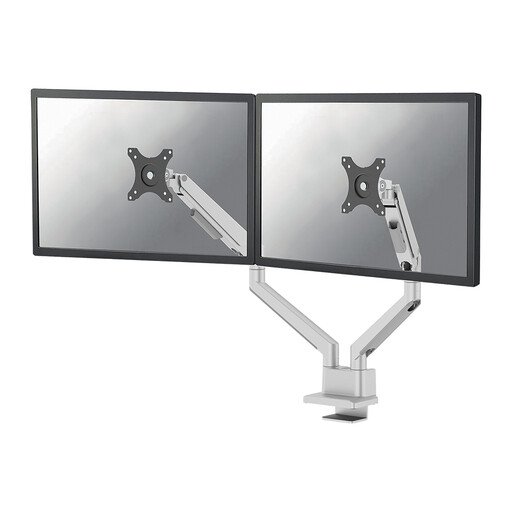
Neomounts DS70-250SL2
An option to compare if you want to mount two screens and adjust their height and depth.
The product name specifies screens from 17–32 inches, a gas spring, Topfix and a 180° stop. The product information lists height and depth adjustment.
Joybuy
Frequently asked questions
How should I position the calendar beside my email screen?
If email is your active task and you check your calendar less often, TNO advises positioning the email screen directly in front of you and the calendar screen beside it, angled slightly towards you. If you use both screens equally, TNO advises positioning them in a shallow V, with the point where the screens meet directly in front of you.
What should I measure before fitting a desk clamp?
Measure the thickness of your desk and the usable edge, then compare these with the instructions for the exact model. ACT specifies a maximum desk thickness of 88 mm for the AC8322 and lists both clamp and grommet mounting.
Does a gas spring need maintenance?
Follow the chosen model’s instructions for adjustment and maintenance. ACT states that the gas spring tension on the AC8344 can be adjusted.
What are my rights to returns and guarantees when buying online in the Netherlands?
ACM ConsuWijzer states that the statutory cooling-off period for an online consumer purchase ends 14 days after the product has been delivered; exceptions may apply. According to the Dutch Government, you are entitled to a product that works properly, and there is no fixed statutory guarantee period in the Netherlands. A manufacturer’s guarantee is separate from this.


