
Hot-desk users
You share the same two screens with colleagues and want to readjust the height and viewing distance each time you take over. Arboportaal advises readjusting a shared workstation each time you use it.


For a shared desk used by different people, a monitor arm that lets you readjust the height, depth and screen angle is a sensible choice. Two separate gas spring arms offer different positioning options from a crossbar. Check each screen’s VESA pattern and weight without its stand, and measure the desk edge and the space behind the desk too. If users and screen positions rarely change, a simpler arm may be enough.
You share the same two screens with colleagues and want to readjust the height and viewing distance each time you take over. Arboportaal advises readjusting a shared workstation each time you use it.
You want email on the main screen and a calendar beside it, with screens you can position to suit the way you work.
You want to set up two screens and need to consider the desk edge and the space between the desk and a wall or partition.
First, choose between independently adjustable arms, a crossbar that moves both screens together, and a conventional stand. The right design depends on how often users change, how you want the calendar positioned next to email, and what your desk can accommodate.
Best for: colleagues who use different viewing heights or want to position the calendar and email screens independently.
Consider: check the weight and VESA pattern of each screen separately, and measure the available space behind the desk.
Best for: screens that usually stay side by side and mainly need to be adjusted together for height or distance.
Consider: a crossbar offers less independent positioning than two separate arms.
Best for: desks with a suitable edge where screen heights do not change often.
Consider: check the mounting method and screen limits for the exact model; the size information for the iiyama DS1002C-B1 varies.
Best for: desks with compatible Dell UltraSharp or P Series screens, where quick attachment is important.
Consider: Dell Quick Release is not automatically compatible with other screens; check their VESA mount and weight range.
If you’re considering a dual monitor arm for this shared desk, these are the main questions to ask before buying. The percentages represent an uncertain breakdown of the priorities mentioned.
| Priority | What should you check? | Which consumers? |
|---|---|---|
| Readjustment | Check whether the height and depth are adjustable, whether the screens can move independently and whether a rotation stop is available. | When colleagues use the same screens, I want to be able to readjust the height and viewing distance quickly. Consumers who prioritise readjustment make up around 29% of this group. |
| Screen compatibility | Note the weight without the stand, VESA pattern and whether each screen is curved. Compare these details with the limits for each arm. | I want to know whether both screens are within the VESA and weight limits, so the setup meets the model specifications. Consumers who prioritise compatibility make up around 29% of this group. |
| Calendar and email layout | Decide which screen you use most and check whether the other can turn and tilt enough to sit comfortably beside the main screen. | When I look at email and my calendar at the same time, I want to be able to position both screens to suit me. Consumers who prioritise screen layout make up around 24% of this group. |
| Desk mounting | Measure the desktop thickness, the available clamping edge or existing grommet hole, and the distance to a wall or partition. | At a shared desk, I want to know in advance whether a clamp, grommet mount or freestanding base will fit. Consumers who prioritise the mounting method make up around 18% of this group. |
A suitable screen size alone does not tell you whether the VESA pattern and weight are within each arm’s limits. Some curved or ultrawide screens also have different weight limits.
For each screen, compare its VESA pattern, weight without the stand and screen type with the specifications for the exact model.
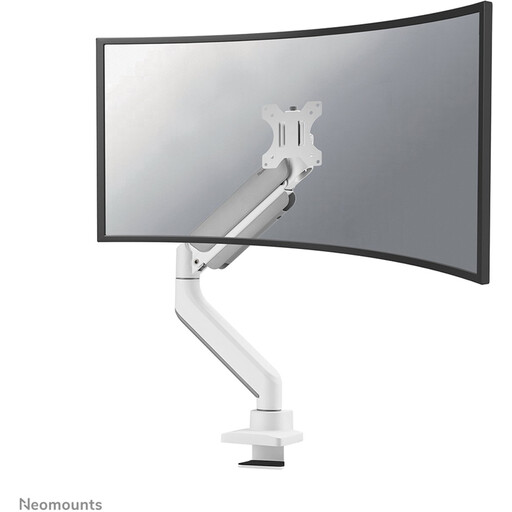
The DS70-250BL2 is designed for two independently adjustable screens, including setups with a nearby wall or partition.
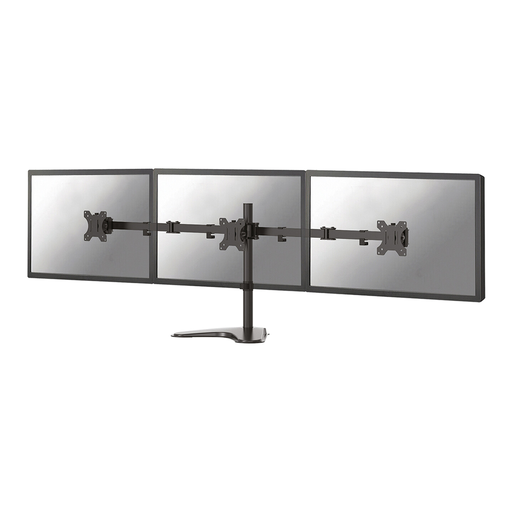
The AC8344 is designed for two screens that usually sit side by side and are adjusted together for height or distance.
The MDA20 is worth considering for a shared workspace with compatible Dell UltraSharp or P Series monitors.
The DS1002C-B1 is a dual clamp-mounted arm for a setup where screen positions do not change constantly.
The ARMDUOVS is a freestanding, vertically stacked arm for desks that cannot be clamped, provided this layout suits the way you work.
These options include a stand and desk mounts for two screens. Compare how you can adjust each model and whether the mounting method, weight limits and VESA compatibility suit your screens and desk.
 No image available
The adjustable width and angle may suit anyone who wants to position two screens side by side.
Adjustable width and angle; MDF; stated width 80–108 cm.
 No image available
The MDA20 may suit a shared setup with compatible Dell screens where users need to readjust the position.
Dell describes Quick Release for UltraSharp and P Series screens. The stated range is 2.2–10 kg per arm; the product listing specifies a maximum of 27 inches per monitor. For other screens, check the VESA mount.
 No image available
This clamp-mounted arm may suit a desk with a compatible edge if you want to adjust your screens in several ways.
The product listing specifies up to 30 inches and 10 kg per screen, VESA 75 × 75 or 100 × 100 mm, and height, tilt, swivel and rotation adjustment. iiyama specifies up to 32 inches; check suitability for screens larger than 30 inches.
 No image available
The gas spring and rotation stop described may be useful if you want to readjust the screens or work near a wall.
The product description specifies a 180° rotation stop and clamp or grommet mounting. The stated load is up to 18 kg per flat screen and 14 kg per curved screen.
 No image available
This arm may suit you if manual height and depth adjustment works for the way you use your calendar and email side by side.
The product description specifies up to 32 inches and 8 kg per screen, VESA 75 × 75 or 100 × 100 mm, and manual height and depth adjustment.
Check the VESA pattern and weight without the stand for each screen, then compare these details with the limits for each arm. Also check the screen type: for the Neomounts DS70-250BL2, the manufacturer specifies a lower maximum load for the curved or ultrawide applications mentioned.
It can work if the screens usually stay side by side as a pair and you want to move them together. If you want to position the calendar and email screens independently, a crossbar does not offer the same flexibility as separate arms.
First, check that the screen’s weight is within the arm’s stated range. Then adjust the spring tension according to the manual for the exact model. This will not make a screen that is outside the weight range compatible.
Measure the desktop thickness, the usable desk edge or existing grommet hole, and the clear space behind the desk. Follow the model manual for the permitted dimensions; for example, Dell says the MDA20 can be clamp-mounted on desktops up to 53 mm thick.
Arboportaal advises readjusting an office workstation when you work at a different desk. Each time you take over, check that the height, distance and screen angle suit the user and the calendar-and-email layout.