
People sharing a desk
If you swap desks with colleagues, you’ll want to reset the height and distance of your dashboard and report to suit you. Arboportaal recommends reassessing your workstation when you sit somewhere new.


For a shared desk, individually adjustable arms are a good choice if users regularly want to set the dashboard and report at different heights, distances or viewing angles. A crossbar is a better fit if the screens usually move together. If a clamp or grommet mount won’t work, a freestanding stand may be the answer, but it takes up desk space. Check the weight and VESA pattern of both screens, and make sure the mounting method and arm movement suit the desk.
If you swap desks with colleagues, you’ll want to reset the height and distance of your dashboard and report to suit you. Arboportaal recommends reassessing your workstation when you sit somewhere new.
A partition, limited space at the desk edge or a desktop that won’t accommodate a clamp or grommet mount can all affect which mounting method will work.
If your dashboard and report usually stay side by side, consistent alignment matters. Also check that you can position the report in the orientation you want.
A good fit if: users want to adjust the dashboard and report separately.
Check: the limits for each screen and whether the arms can move freely behind the desk.
A good fit if: the screens are usually positioned and moved as a pair.
Check: whether the individual adjustments are sufficient if, for example, you need to use the report in portrait orientation.
A good fit if: a clamp or grommet mount isn’t wanted or isn’t an option.
Check: the base takes up space on the desktop.
For a shared workspace, first consider how often the screens will need readjusting. Then decide whether they need to move separately or as a pair, and finally choose a mounting method that suits the desk.
| What to consider | What should you check? | Who should consider this? |
|---|---|---|
| Readjustment | Check the height and depth adjustment, and whether a wall or partition restricts arm movement. | If colleagues share the same desk, I want to be able to reposition the dashboard and report each time. Around 36% of consumers rank readjustment as their top priority. |
| Screen compatibility | For each screen, compare its weight, VESA pattern and dimensions in the intended orientation with the product specifications. | I want to know in advance whether both existing monitors will fit, even if they differ in size or orientation. Around 29% of consumers put compatibility first. |
| Desk mounting | Measure the space at and beneath the desk edge; check whether a clamp or grommet mount will fit and how much room a base will take up. | If the edge, a panel or limited desktop space affects the mounting options, I want a fixing that will fit in that spot. Around 21% of consumers make mounting their top purchasing priority. |
| Aligning the screens | Decide whether the screens need to move together and whether the report needs to be positioned in portrait orientation. | If the dashboard and report usually sit side by side as a pair, I want to be able to position them neatly together. Around 14% of consumers rank joint alignment as their top priority. |
A suitable screen size doesn’t automatically mean the weight and VESA mount are within the stand’s limits. The usable screen size may also differ when a screen is used in portrait orientation.
Check the weight, VESA pattern and intended orientation of each monitor against the specifications for the exact model.
A clamp, grommet mount and freestanding base each need a different amount of space. A partition or an obstruction beneath the desktop can also restrict mounting or arm movement.
Check the desktop thickness and clearance at and beneath the edge, whether a grommet hole is possible and permitted, and how much space there is behind the screens.
A crossbar is designed to position screens as a pair; separate arms offer more flexibility when the screens need different heights or orientations.
Decide in advance whether the report needs to be used in portrait orientation and whether colleagues want to adjust the screens separately.
The DS70-250BL2 NEXT Slim is a dual gas-spring arm for individually adjustable screens at a shared desk.
The AC8362 is a dual desk mount with a clamp or grommet fitting; the AC8320 is a freestanding alternative if mounting to the desktop isn’t suitable.
The ARMBARDUOG uses a horizontal crossbar for two screens that are often positioned together.
The LX Dual Side-by-Side range is worth considering if you’re looking for separate arms and a side-by-side setup.
These Joybuy products are dual desk mounts with individually adjustable arms, designed to let you reposition your dashboard and report in a shared workspace.
 No image available
Suitable for repositioning two monitors on a shared desk.
The description lists height and depth adjustment and support for monitors up to 27 inches.
Dell Quick Release is listed for Dell UltraSharp and P-series monitors; check compatibility with your exact model.
 No image available
Suitable for adjusting two screens separately in a shared workspace.
The description lists screens from 17–27 inches, up to 8 kg per screen, and VESA 75 × 75 or 100 × 100 mm.
The mount offers height and depth adjustment; its short upper arm is designed for positioning close to a wall or partition.
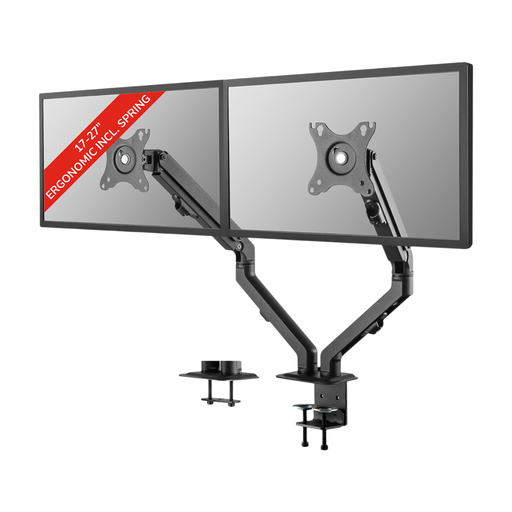 No image available
Suitable for a shared desk where two screens need to be adjusted separately.
The description lists screens from 17–27 inches and VESA 75 × 75 or 100 × 100 mm.
It can be mounted with a desk clamp or through a grommet hole. The listed adjustments include height, depth, tilt, rotation and swivel.
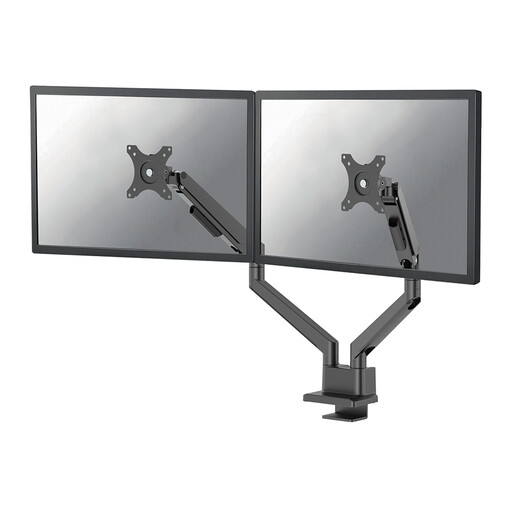 No image available
Suitable for repositioning two screens separately on a shared desk.
The stated limits are 17–32 inches and up to 9 kg per screen; for curved or ultrawide screens, Neomounts lists a maximum of 8 kg per screen.
The gas-spring arm has a 180° stop for positioning close to a wall or panel. Neomounts lists clamp and grommet mounting, and VESA 75 × 75 or 100 × 100 mm.
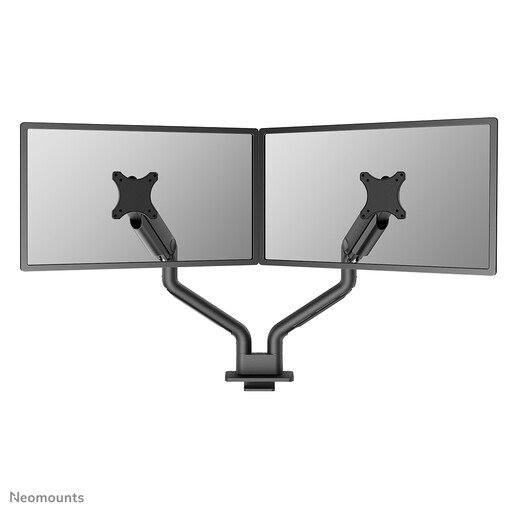 No image available
Suitable for two screens that need to be readjusted in a shared workspace.
The description lists screens from 17–35 inches, up to 18 kg per screen, and VESA 75 × 75 or 100 × 100 mm.
The product description gives a lower maximum load for curved screens: 9 kg, compared with 18 kg per screen for flat screens. The arm offers gas-spring height and depth adjustment.
Position the screen you use most directly in front of you, and readjust your workstation whenever you move desks. Arboportaal recommends checking that a new workstation is set up correctly; then position the screens in relation to each other based on how you use your dashboard and report.
For each screen, check the weight and VESA pattern against the specifications for the exact model. Also make sure the desk edge or grommet hole is suitable for your chosen mounting method, and that both arms can move freely without hitting a partition. Don’t mount a screen if it exceeds the stated weight or VESA limits.
That depends on the limits of the specific arm and the individual screens. For each screen, compare its weight, VESA size and dimensions in the intended orientation with the product specifications; screen size alone isn’t enough to confirm compatibility.