
Frequent script reader on calls
You want to follow your script while keeping the conversation in view, so the position of the screen you read most is key. Arboportaal recommends placing the screen directly in front of you.


For reading a script alongside a video call, choose a dual arm with independently adjustable screens if you regularly change your reading position. If your screens usually stay put, a manually adjustable stand may be enough. Check the weight and VESA pattern of each screen, and make sure the clamp or grommet mount suits your desk. Arboportaal recommends positioning the screen directly in front of you; weight limits and mounting requirements vary by model.
You want to follow your script while keeping the conversation in view, so the position of the screen you read most is key. Arboportaal recommends placing the screen directly in front of you.
You want to know whether both screens are compatible in terms of weight and VESA mounting, and whether they can be safely attached to your desk. Specifications and mounting requirements vary by model.
You’re weighing up a side-by-side setup against a stacked one, and considering how much room the arms need behind and above your desk.
| What to consider | What should you check? | Who is this important for? |
|---|---|---|
| Reading a script alongside a call | Check that you can rotate the script screen to your preferred position and that both screens fit where you want them. | When I read a script during a video call, I want to position the screen I’m reading comfortably while keeping the call visible. Around 33% of consumers prioritise script positioning. |
| Compatible screens and mounting | Note the weight and VESA pattern of each screen, and check the mounting instructions against your desk’s construction. | I want to know whether each screen is within the weight limit and whether the mount is suitable for my desk. Around 27% of consumers prioritise safe compatibility. |
| Desk layout | Measure the available width, height and space behind your desk. Check whether the screen you read most often can sit directly in front of you. | If space is limited, I want to weigh up whether side-by-side or stacked screens will fit without making my reading position uncomfortable. Around 20% of consumers prioritise their workstation layout. |
| Adjusting the screens | Work out how often you change the height, depth and screen angle, then compare manual adjustment with a spring-assisted arm. | If my screens usually stay in the same place, I don’t want to choose an adjustment feature I’ll hardly use. Around 20% of consumers prioritise simple adjustment for a fixed setup. |
Neomounts lists screen size in inches as a guide for the DS70-250BL2; weight and VESA pattern are still key to compatibility.
Check both screens individually. For this model, note the lower weight limit for curved or ultrawide screens.
If a screen falls outside the model’s limits, you may need a different stand or an adapter whose compatibility you’ll need to check separately.
A model may support both clamp and grommet mounting, but that doesn’t necessarily mean your desktop or support surface is suitable.
Check your desk’s construction and the mounting requirements against the manual before attaching the screens. The BE Flexible Dual manual requires a support surface that can safely bear the total weight.
If your desktop isn’t suitable, you may need to choose a different mounting solution.
Placing screens one above the other changes your viewing angle. You should still be able to position the screen you read for long periods comfortably.
Try out your intended viewing positions first, and choose a stacked setup only if it works for you.
On its Dutch product page, Ergotron said the LX SKU reviewed would soon no longer be available.
Check the current model variant and availability separately from its technical suitability.
The DS70-250BL2 is designed for two side-by-side screens, while the DS60-600BL2V is made for a stacked setup.
The AC8302 is a manually adjustable dual desk mount for screens that generally stay in the same place.
The BE Flexible Dual has independently adjustable screens with mechanical springs and top-down mounting.
The MDM002 is a dual mount for 13–27-inch screens that can be placed side by side.
The LX Dual Side-by-Side 45-245-224 is designed for two side-by-side screens of up to 27 inches.
This selection includes stands and arms for two screens, with options for fixed setups and adjustable screen positions. Check that each product’s dimensions, mounting method and any weight limits are suitable for your screens and desk.
 No image available
For a two-screen setup where you want to adjust the width and angle.
MDF; white; adjustable width of 80–108 cm.
 No image available
An option if you want to mount two screens on a dual arm and adjust their position.
The product information lists height and depth adjustment. Check that your desktop is strong enough for the clamp mount.
 No image available
For anyone who wants to adjust the position of two screens while reading and on video calls.
Gas spring; Topfix; 180° stop. Maximum 8 kg per screen; VESA 75×75 or 100×100 mm.
 No image available
For anyone who wants to mount two screens on a desk stand and adjust their position by hand.
Maximum 8 kg per screen; VESA 75×75 or 100×100 mm. Mounting on a fragile, loose or uneven desktop is not recommended.
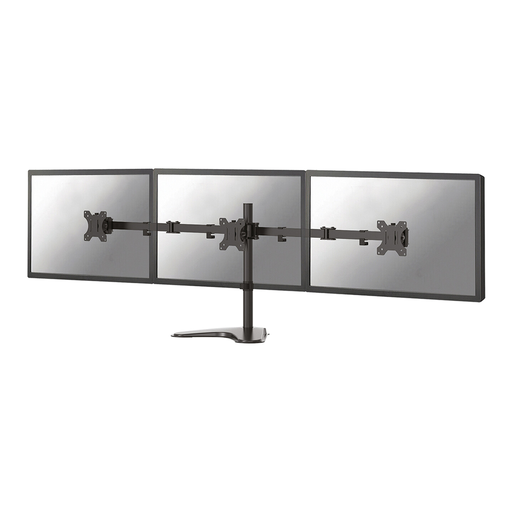 No image available
For a dual-screen setup where you want to adjust the screen positions by hand.
Maximum 8 kg per screen; VESA 75×75 or 100×100 mm. The product information lists manual height and depth adjustment.
Position the screen you read most as directly in front of you as possible. Arboportaal recommends placing the top of the screen slightly below eye level and looking slightly downwards. Also check that you can keep the call window visible without having to turn awkwardly all the time.
No. The right mounting method depends on the model and your desk. Check whether it uses a clamp or grommet mount, and whether the support surface can safely bear the combined weight. Follow the manual; the instructions for the BE Flexible Dual apply specifically to that model.
Follow the manual for your chosen model. For the BE Flexible Dual, the manufacturer says to check at least every three months that the mount is still securely fastened. This interval isn’t a general rule for all monitor arms.
If you buy as a consumer in the Netherlands, you’re entitled to a product that is fit for purpose, and the seller must handle issues under the statutory guarantee. The Dutch government states that there is no fixed statutory guarantee period. Compare the terms of an extended warranty with the rights you already have.
The rule described by Arboportaal doesn’t require a specific type of dual monitor arm. For employees who work at a screen for more than two hours a day, Arboportaal states, among other things, that the screen and keyboard must not be attached to each other. Discuss your workstation setup with your employer.