
Accountant with two different screens
Wants to view accounts and invoices at the same time and position each screen independently. Compare the weight and VESA mount of each screen with the specifications of options such as Neomounts and ACT.


Choose a dual monitor arm based on the VESA mount and weight of each screen, as well as how the arm attaches to your desk. Independently adjustable arms are especially useful if your screens are different or you regularly change the position of your accounts and invoices. Be sure to check the space around your desk and the weight limits for the specific model.
Wants to view accounts and invoices at the same time and position each screen independently. Compare the weight and VESA mount of each screen with the specifications of options such as Neomounts and ACT.
Wants to free up space for a keyboard and documents, but needs to check that the desk edge, desktop and space behind the desk are suitable for the chosen mounting method.
Adjusts the viewing angle or screen layout while working. Check that the chosen arm’s independent adjustment suits the way you work.
First, check the mount and weight of each screen. Then see whether the mounting method suits your desk and how much independent adjustment you need.
| What to consider | What should you check? | Who is this important for? |
|---|---|---|
| Screen compatibility and weight capacity | Note the weight and VESA pattern of each screen, and whether it is curved or ultrawide. Compare these details with the limits for the exact model; Neomounts and ACT list weight limits for individual models. | If you want to know whether both your existing screens will fit, check the weight capacity and mounting options before considering other features. Around 33% of consumers with this set-up prioritise screen compatibility. |
| Independent positioning | Decide whether each screen needs to move independently in height, depth and angle. Check the adjustment range and whether an arm could hit a wall when moved. | If you switch between accounts and invoices while working, you may want to align each screen independently. Around 27% of consumers give this positioning top priority. |
| Mounting and desk space | Check the desktop’s thickness and construction, the space around the desk edge, and whether there is a grommet hole. ACT and Neomounts describe the mounting options for each model. | If you have limited desk space, first check which mounting method will work with your desktop and how much room the arms will take up. Around 20% of consumers prioritise desk mounting. |
| Adapters and support | Check which VESA adapter plates you need and whether they are included. Also read the manufacturer’s terms; ACM states that statutory warranty in the Netherlands has no fixed time limit. | If you want to avoid extra parts and unclear support if something goes wrong, check the adapter and service terms in advance. Around 20% of consumers prioritise this clarity. |
The stated screen size in inches alone doesn’t tell you whether the arm can support your screen’s weight and VESA pattern. The Neomounts DS70-250BL2 also has a lower weight limit for curved or ultrawide screens.
Check the weight and mount of each screen separately, then compare them with the specifications of the model you’re considering.
If a screen doesn’t fit directly, you may need a different arm or a suitable adapter.
A clamp and a grommet mount have different requirements for the desktop. Mounting hardware and options vary by model.
Measure your desktop and check the installation instructions for the model you’re considering.
If the clamp won’t fit your desk, you may need a different mounting method or arm.
Dell describes Quick Release for compatible Dell screens; other monitors may need VESA adapter plates.
Check the full screen model and which adapter plates are required for the MDA20, and whether they’re included with the version on offer.
If an adapter is missing or doesn’t fit, you may need to buy suitable VESA plates separately.
A manufacturer’s warranty and your statutory rights when buying as a consumer are not the same thing. ACM states that statutory warranty in the Netherlands has no fixed time limit.
Read the manufacturer’s terms and contact the seller if there’s a fault.
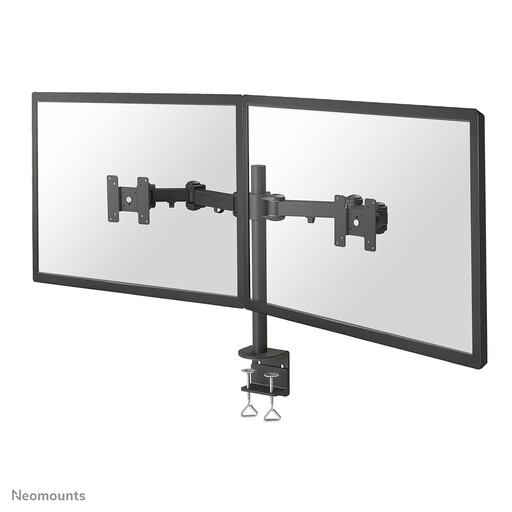
The NEXT Slim DS70-250BL2 is designed for two independently adjustable screens. According to Neomounts, it features Topfix mounting and a 180° stop.
The AC8302 is a dual mount with individual screen alignment and parts for clamp and grommet mounting, according to ACT.
The BE Flexible Dual is an option with independent arms and mechanical springs.
The MDA20 is designed for compatible Dell screens with Quick Release.
The LX Dual Side-by-Side is designed for two screens side by side, with independently moving arms.
These Joybuy picks are designed to position two monitors side by side in a home office. The selection below includes both a desk stand and monitor arms, with a range of adjustment options.
 No image available
A desk stand for positioning two screens side by side when you want to adjust the width and angle of your set-up.
The product name specifies MDF, adjustable width and angle, and a white finish measuring 80–108 cm.
 No image available
A dual monitor arm for a set-up where you want to adjust screen height and depth.
Dell Quick Release is described for compatible UltraSharp and P-series monitors. For other screens, check which VESA adapter plates you need.
 No image available
A desk mount for two screens, allowing you to adjust their height and viewing angle.
The product information specifies a maximum of 10 kg per monitor, VESA 75×75 and 100×100 mm, and clamp mounting.
 No image available
A dual arm for a set-up close to a wall or partition; check in advance how much room you’ll need to move the screens.
The product information specifies a maximum of 8 kg per screen, VESA 75×75 and 100×100 mm, and manual height and depth adjustment.
 No image available
A dual desk mount for positioning two screens at an adjustable viewing angle.
The product information specifies a maximum of 8 kg per screen and VESA 75×75 and 100×100 mm, with manual height and depth adjustment.
Start with a position that lets you read both screens comfortably, then adjust the arms independently if your screens or tasks call for it. When moving them, check that the arms, cables and wall don’t get in each other’s way. For employees, Arboportaal states that screen work should be alternated at regular intervals with other work or a break; a monitor arm doesn’t replace those breaks.
You can with models that support clamp mounting, provided your desk and its edge are suitable for the clamp in question. ACT lists both clamp and grommet mounting for the AC8302. Before installation, check the instructions, desktop thickness and desk construction.
If a consumer product develops a fault, contact the seller. ACM states that statutory warranty in the Netherlands has no fixed time limit; what you can reasonably expect in terms of a product’s lifespan depends on the product and the circumstances. A manufacturer’s warranty is separate.
For online purchases from a business, you generally have a 14-day cooling-off period. The Dutch government lists some exceptions, so check the seller’s information for your specific order.
The government’s guidance on screen work doesn’t require a specific type of dual monitor arm. Employers also have a duty of care towards employees working from home; discuss any adjustments you need to your workspace with your employer. This isn’t necessarily the same situation as a self-employed person buying an arm for personal use.